

Blender
Blender is the Blender Foundation’s free 3D suite (GPL). Current stable on blender.org/download is 5.2.1 LTS (25 Aug 2026, Windows installer ~348 MB). They print MD5 / SHA256 on that page. There is no “Blender Pro 5.2 unlocked.” Steam and the ZIP portable are also official. Experimental 5.3 Alpha is for testers only. This is not Maya. Add-ons: only from trusted authors; “premium Blender crack packs” are malware.
Screenshots
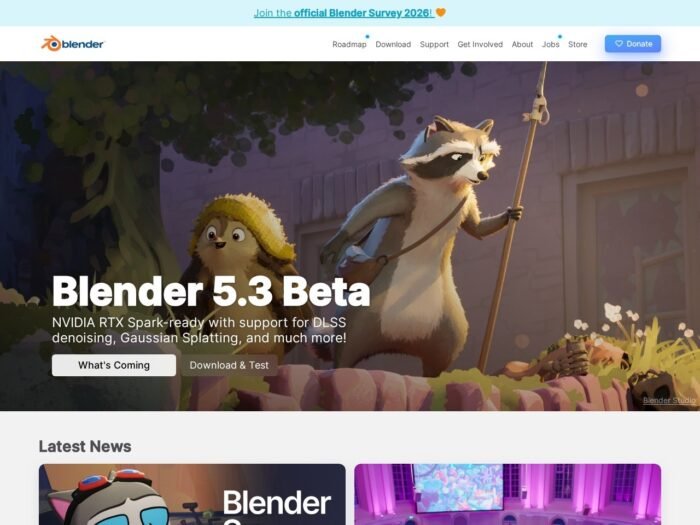
Download Blender for Windows
Official download from blender.org.
Windows Installer or ZIP. Check the SHA256. Open Blender. Donate if you want — not required.
Download Blender 5.2.1 LTS for Windows
Windows 8.1–11 · 5.2.1 LTS · ~348 MB x64 · Free
Download: blender.org/download.
Install: docs — Windows.
Requirements: blender.org/download/requirements.
Do not run Blender_5.2_Pro_Full.exe. That is not the Foundation.
Work PCs: MSI-less ZIP or IT-approved installer. Don’t sideload a “studio edition.”
Install 5.2.1 · Need 4.5 LTS? · Already have Blender?
If you searched for “Blender 5.2 full,” “LTS unlocked,” or “portable cracked”
There is nothing to unlock.
- blender.org/download
- Windows Installer or ZIP
- Verify checksum
- Install / extract
A “5.2.1 pre-activated” folder is a renamed malware drop. Grey “Blender Studio key” sites are scams (Blender Studio is a separate paid training/film service).
Your download should start on blender.org
If the EXE is 20 MB named Blender_AI_2026, leave. Official x64 installer is ~348 MB.
What to do next
- blender.org/download → Windows Installer.
- Optional: open Checksums and
certutil -hashfile file.exe SHA256. - Run installer (admin) or unzip the ZIP (no admin).
- Open Blender.
- Help → About = 5.2.1.
Typical folder: C:\Program Files\Blender Foundation\Blender 5.2.
Windows ARM: separate ~227 MB installer on the same page.
Steam: official 5.2.1 LTS.
4.5 LTS: still on releases if a pipeline is frozen.
Windows may warn you. Check the publisher.
- Publisher should read Blender Foundation.
- SmartScreen can appear on a new 5.2.1 setup. Use More info only if that name matches.
- Do not turn off Defender to “install add-on pack.”
- GPU drivers from NVIDIA/AMD/Intel — not a “Blender codec.”
Pick the right Windows file
| Product | What you get | Who it is for |
|---|---|---|
| 5.2.1 LTS installer | Current stable | This page |
| 5.2.1 ZIP | Portable | No admin |
| 5.2.1 ARM | WoA | Snapdragon |
| 4.5 LTS | Previous LTS | Old GPU / pipeline |
| 5.3 Alpha | Daily | Testers only |
| Maya / C4D | Other DCCs | Paid vendors |
Not this download
- “Blender 5.2 Pro + 500 addons”
- Android APK as the desktop app
- macOS DMG on this Windows page
Trial and licence
Free. GPL. No key. Donate on blender.org if you wish.
Will it run on this PC?
Official 5.x sheet: Windows 8.1 64-bit min / Windows 11 recommended, 4 cores + SSE4.2, 8 GB RAM (32 GB better), GPU 2 GB with OpenGL 4.3 and Vulkan 1.3 (NVIDIA 900+, AMD GCN4+, Intel Kaby Lake+). Cycles OptiX wants current NVIDIA drivers. ZIP works without admin. SSD for caches.
| Minimum | Comfortable | |
|---|---|---|
| OS | Win8.1 64-bit | Win11 |
| RAM | 8 GB | 32 GB |
| GPU | 2 GB GL 4.3 | 8 GB VRAM |
Already installed? Run the new 5.2.1 installer or unzip beside 4.5. You do not hunt a second “full.”
Install, first cube, and add-ons
First run
- Open Blender.
- Default cube. Save a
.blendoutside Program Files. - Preferences → Get Extensions from blender.org only.
- Cycles: pick CUDA/OptiX/HIP if you have the GPU.
- Don’t open a random “studio file + keygen.”
Uninstall: Settings → Apps (installer) or delete the ZIP folder.
If it did not work
- Hash mismatch — delete.
- GL 4.3 fail — GPU too old; try 4.5 LTS.
- 30 MB
B3D_Unlocked— leave.
Why people still install official Blender
- Full 3D suite, no licence fee
- 5.2.1 LTS current Aug 2026
- Published checksums
It will not replace a CAD kernel.
Questions before you trust the installer
Is this the official file?
Yes if it came from blender.org and the SHA256 matches.
Is it free?
Yes.
Safe?
Official Foundation installer. Search-ad “Blender 5.2 full + addons” files are the risk.
After you have the file
Install 5.2.1 LTS from blender.org/download. Verify the hash. Donate if you like the work.
Windows install: docs.blender.org
Requirements: requirements
Publisher: Blender Foundation. Report a page that wrapped this installer in a fake “Pro” pack.