

OBS Studio
OBS Studio is the OBS Project’s free, open-source recorder and streamer. Current stable: 32.2.2 (14 Aug 2026). Official: obsproject.com/download or GitHub obsproject/obs-studio. There is no paid “OBS Pro.” “OBS Studio 32 Full Unlocked” is malware dressed as a keygen. Windows wants 10/11 64-bit. Installer ~152 MB (OBS-Studio-32.2.2-Windows-x64-Installer.exe). Portable ZIP exists. This is not Streamlabs-the-company’s fork unless you chose that separately. Record / stream content you have the right to show. OBS will not magically defeat DRM. Plugins: official forum / trusted GitHub — not a “plugin pack.exe.”
Screenshots
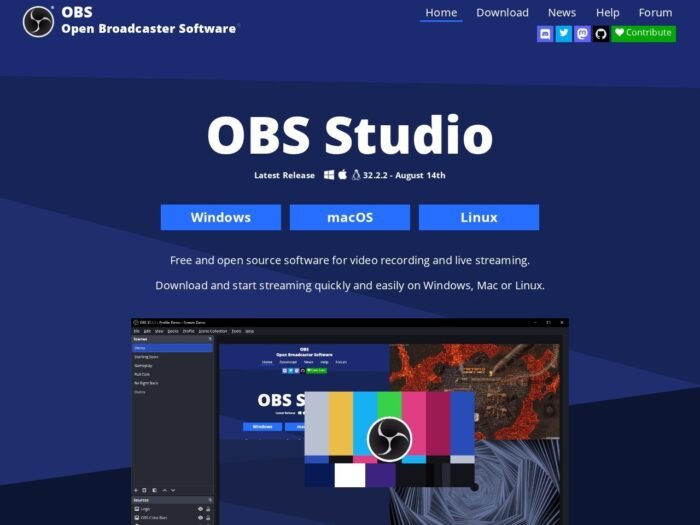
Download OBS Studio for Windows
Official download from obsproject.com.
Free. No account. No serial.
Download OBS Studio 32.2.2 for Windows
Windows 10/11 64-bit · 32.2.2 · Free (GPL)
Download: obsproject.com/download.
GitHub: github.com/obsproject/obs-studio.
Do not run OBS_Studio_Pro_2026.exe. That is not the OBS Project.
IT: silent installer / winget install --id OBSProject.OBSStudio. Don’t deploy a patched obs64.exe.
Install 32.2.2 · Need portable ZIP? · Already installed?
If you searched for “OBS Studio Pro full,” “32.2 unlocked,” or “activated”
There is nothing to unlock.
- obsproject.com/download
- Download Installer (or ZIP / torrent from that page)
- Run the wizard
- Auto-configure
A “32.2.2 pre-activated” folder plus a codec pack is stolen junk. Grey-market “lifetime OBS” keys are scams.
Streamlabs Desktop is a different app. obs-versions.com archives can point at GitHub — still verify the file name.
Your OBS Studio download should start on obsproject.com (or GitHub releases)
If the EXE is 20 MB named OBS_Crack, leave. Official x64 installer is about 152 MB.
What to do next
- Official Windows installer or ZIP.
- Install.
- Run Auto-Configuration.
- Add a Display / Game / Window capture.
- Stream a platform you have an account on.
Typical folder: C:\Program Files\obs-studio.
First-run wizard sets bitrate to your upload. Don’t skip GPU encode if you have NVENC / AMF / QSV.
Windows may warn you. Check the publisher.
- Publisher should read OBS Project.
- SmartScreen can appear on a new 32.2 setup. Use More info only if that name matches.
- Do not turn off Defender to “install Pro plugins.”
- NVIDIA: current Game Ready / Studio driver (Kepler NVENC is gone since 31).
Pick the right Windows file
| Product | What you get | Who it is for |
|---|---|---|
| OBS 32.2.2 installer | Normal install | This page |
| OBS 32.2.2 ZIP | Portable | Locked PCs |
| Microsoft Store OBS | Store wrapper | Optional |
| Streamlabs / Prism | Other skins | Other vendors |
Not this download
- Softonic “OBS Studio Pro”
- Win7 32-bit on current 32.x
- Android APK
Trial and licence
Free. GPL. Donate to the project if you want. No serial. No watermark from OBS itself.
A $10 “OBS Pro lifetime” keygen is a scam.
Will it run on this PC?
Official download line: Windows 10 and 11 64-bit. Practical: dual-core+, 4 GB RAM min (16 GB happier), DX10.1+ GPU, hardware encoder preferred (GTX 10 / RX 500 class+). Installer ~150 MB; recordings need lots of disk. Upload 5–10+ Mbps for a 1080p stream. Not 32-bit. Win7 last-known comfort was old 27.x.
| Minimum idea | Stream box | |
|---|---|---|
| OS | Win10 x64 | Win11 |
| RAM | 4 GB | 16 GB |
| GPU | DX10.1 | NVENC / AMF |
Already installed? Same 32.2.2 download / in-app update. You do not hunt a “full.”
Install, first scene, and going live
First run
- Open OBS Studio.
- Auto-Configuration (optimize for recording or streaming).
- Scene + source.
- Settings → Output → encoder.
- Don’t overlay a stolen webcam plugin.
Uninstall: Settings → Apps.
If it did not work
- Black screen — capture method / GPU.
- Encoder fail — old NVIDIA / no QSV.
- 25 MB
OBS_Unlocked— leave.
Why people still install official OBS
- Free multi-track capture
- 32.2.2 current Aug 2026
- No licence key
It will not replace a streamer’s platform ToS.
Questions before you trust the installer
Is this the official file?
Yes if it came from obsproject.com / GitHub obsproject and the publisher is OBS Project.
Is there a Pro?
No.
Safe?
Official OBS installer. Forum “OBS Pro 2026” files are the risk.
After you have the file
Install 32.2.2 from obsproject.com/download. It’s already free. Record and stream only what you have rights to.
Publisher: OBS Project. Report a page that wrapped this installer in a crack.