

Adobe Premiere Elements
Premiere Elements is Adobe’s consumer video editor. Current year is Elements 2026. It is not Creative Cloud Premiere and not discontinued Rush. From 2025 onward Adobe sells it as a 3-year term licence with a redemption code, not an old serial. “Elements 2026 full” is not a cracked ISO. Windows 10 and Windows on ARM are not supported.
Screenshots
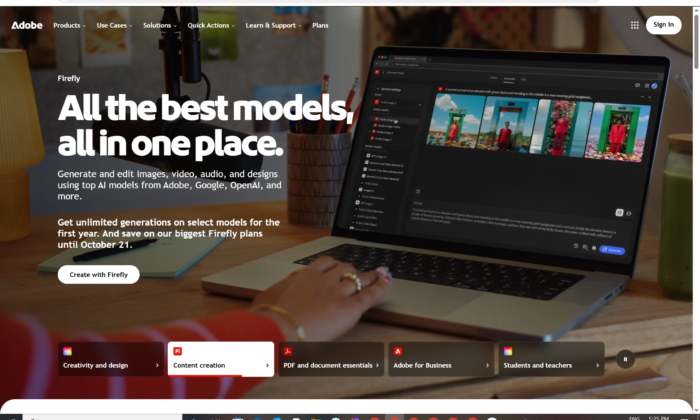
Download Adobe Premiere Elements for Windows
Official download from Adobe.
Elements Guided and Quick video edits sit below Premiere. You download the 2026 64-bit Windows installer from Adobe, sign in, then redeem the code from your purchase.
Download Premiere Elements 2026 for Windows
Windows 11 23H2+ 64-bit only · Premiere Elements 2026 · 3-year term (from 2025+) · Trial or paid redemption · Photoshop Elements is a separate app
Official Adobe build. Use Premiere Elements downloads or the Elements family ESD page.
Install help: Download and install Premiere Elements.
Requirements: Premiere Elements 2026 tech specs.
Do not run Premiere_Elements_2026_Preactivated.exe. That is not Adobe.
Work PCs: this is a consumer term licence, not a Premiere Pro named-user deploy.
Install · Elements vs Premiere · Already purchased?
If you searched for “Elements 2026 full,” “serial,” or “portable”
There is no extra unlocked setup.
- Download the official 2026 Windows installer
- Sign in with an Adobe ID
- Enter the 24-digit redemption code from Adobe, Amazon or the reseller
- Stay online until setup finishes
A “2026 pre-activated” folder plus an amtlib patch is stolen licensing. Old serial numbers are not how 2025/2026 Elements activate. Grey-market codes are often recycled redemptions.
The licence expires three years after redemption and does not auto-renew. That is Adobe’s current model — not a missing “lifetime” crack.
Premiere Elements download should start on Adobe’s site
If nothing saves, you opened Premiere Pro or Photoshop Elements by mistake.
What to do next
- Sign in at Adobe’s Premiere Elements download page.
- Download Premiere Elements 2026 — Windows 64-bit.
- Run the EXE as Administrator.
- Stay online until install completes.
- Open Video Editor and redeem if you bought it.
Typical folder: C:\Users\You\Downloads.
App path: C:\Program Files\Adobe\Premiere Elements 2026.
You can keep an older Elements year installed next to 2026. Do not take a 3 GB “full ISO” from a forum.
Adobe still lists the 2025 Windows installer if you legally own that year. Prefer 2026 on a supported PC.
Windows may warn you. Check the publisher.
- Publisher should read Adobe.
- SmartScreen can appear on a new Elements setup. Use More info only if the signature is Adobe.
- Do not turn off Defender to “activate.”
- Do not replace licensing DLLs.
Internet is required for activation and Guided/online content. Windows Media Player is required to import Windows Media files. Offline “full” packs skip that on purpose.
Pick the right Windows file
| Product | What you get | Who it is for |
|---|---|---|
| Premiere Elements 2026 | Consumer video editor | Home movies |
| Photoshop Elements 2026 | Consumer photo editor | Separate download |
| Elements bundle | Photo + video | Family ESD page |
| Premiere (Creative Cloud) | Pro NLE | Different product |
| Premiere Rush | Discontinued | Do not start new work |
Not this download
- Premiere 26.x
- CapCut “Elements pack”
- Elements 2024 on an unsupported OS “unlocked”
Trial and the 3-year term
Download the same installer for trial and paid. Convert the trial in the app with the redemption code. From 2025, Adobe documents a full 3-year term, no monthly subscription, code instead of serial.
Education / OEM / volume deals have their own rules. A $10 “2026 lifetime key” is not Adobe.
Will it run on this PC?
Premiere Elements 2026 official Windows floor is strict: Windows 11 version 23H2 or later, 64-bit only. Adobe lists Windows 10, 7 and 8.1 as not supported. Windows on ARM is not supported. CPU: Intel 8th-gen+ or AMD equivalent with AVX2 and SSE4.2. 8 GB RAM, 7 GB disk, 1440×900, DirectX 12 sound and display. Recommended: 16 GB RAM for HD, 32 GB for 4K, 4 GB GPU, internal SSD + a media drive. Internet required.
| Official | |
|---|---|
| OS | Windows 11 23H2+ 64-bit only |
| CPU | 8th-gen Intel or AMD equiv, AVX2 + SSE4.2 · no ARM |
| RAM | 8 GB (16 GB HD / 32 GB 4K recommended) |
| Disk | 7 GB + media (not on a USB stick) |
| Display | 1440×900 (1920×1080+ recommended) |
| GPU / sound | DirectX 12 |
| Other | Windows Media Player for WMV |
| Network | Activation + online features |
Stay on Elements 2025 only if you legally own it and Adobe still lists that installer — 2026 will not run on Windows 10.
Already installed? Use the official 2026 installer from your Adobe account. You do not hunt a second “full.”
Install, first timeline, and redeem
First run
- Open Premiere Elements 2026.
- Choose Video Editor.
- Sign in. Redeem the 24-digit code if you bought it.
- Import one short clip — not the 4K holiday dump on day one.
- Try a Guided Edit before you assume you need Premiere Pro.
Uninstall: Settings → Apps. Close Elements first.
If it did not work
- Will not install on Windows 10 or ARM — expected.
- Serial rejected — 2026 wants a redemption code.
- Installer is 40 MB named
PE_Unlocked— leave. - WMV will not import — install/enable Windows Media Player.
- Trial will not convert — code already burned or for Photoshop Elements.
Why people still buy Premiere Elements
- Guided video edits without a CC Premiere plan
- 3-year term instead of a monthly Premiere bill
- Organizer + editor on a home Windows 11 PC
It is not Premiere 26, and it will not grow Speech to Text / Firefly the way CC Premiere does.
Questions before you trust the installer
Is this the official file?
Yes if it came from adobe.com / helpx and the publisher is Adobe.
Is Elements free?
No. The trial is time-limited. The paid seat is a 3-year term.
Elements vs Premiere?
Elements is the consumer app. Premiere is the CC professional NLE.
Elements vs Rush?
Rush is discontinued. Elements 2026 is the current consumer boxed/term editor.
Do I need 2026?
Only on Windows 11 23H2+. Keep 2025 if that is the year you bought and the PC cannot move.
Safe?
Official Adobe installer. The usual risk is fake “Premiere Elements 2026 full” sites.
After you have the file
Install from Adobe. Stay online. Redeem the code. Do not skip Windows 11.
Official downloads: Premiere Elements 2026 / 2025
Family ESD: elements-family/electronic-software-download
Install steps: Download and install
Requirements: Tech specs
Publisher: Adobe. Premiere Elements is their mark. Report a page that wrapped this installer in a crack.