

Boris FX Mocha Pro 2026.5.1
Mocha Pro is Boris FX’s planar tracker. Current line is Mocha Pro 2026 (notes go to 2026.5.1). It is not the free Mocha AE that ships inside After Effects. “Mocha Pro full” means a Boris FX licence — not a cracked standalone. Boris FX Mocha Pro runs as a standalone app or as a plugin on Windows.
Screenshots
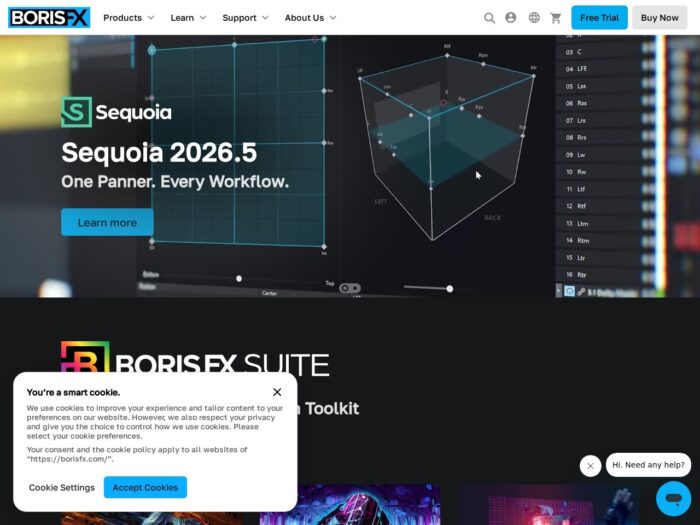
Download Boris FX Mocha Pro for Windows
Official download from Boris FX.
Mocha Pro tracks planes, builds mattes, removes objects and stabilises shots. You can run it standalone or as a plugin in Adobe, Avid or OFX hosts. Pick the installer that matches how you work.
Download Mocha Pro 2026 for Windows
Windows 10 / 11 · Mocha Pro 2026 / 2026.5.x · Standalone, Adobe, Avid or OFX · Trial, subscription, node-locked or floating
Official Boris FX build. Open borisfx.com/downloads → Mocha Pro → Standalone or your host → Windows.
Product: borisfx.com/products/mocha-pro
Install notes: Mocha Pro 2026.5.1 release notes.
Do not run MochaPro_2026_Unlocked.exe. That is not Boris FX.
Work machines: floating seats use Mocha Licence Manager / RLM from the same downloads list. You still install the official package.
Install · Plugin vs standalone · Already licensed?
If you searched for “Mocha Pro 2026 full,” “Mocha AE unlock,” or “cracked”
There is no extra unlocked tracker.
- Download Standalone (
Mochapro2026-xxxx.exe) and/or the Adobe / Avid / OFX.msi - Install while hosts are closed
- Activate with a Boris FX account, serial, or floating server
A “Mocha Pro” folder copied over Mocha AE does not become Pro. ML tools, PowerMesh depth and the full insert/remove modules stay on the Pro seat. Grey-market keys are often recycled node-locks.
Your download should start on Boris FX’s site
If nothing saves, you opened Continuum or Sapphire by mistake.
What to do next
- Go to borisfx.com/downloads.
- Filter Mocha Pro, Windows, and Standalone or the host.
- Download that file (
Mochapro2026-….exeorMochaPro[Plug-InType]-win-….msi). - Quit After Effects, Premiere, Resolve, Nuke or Avid.
- Run the installer.
- Open standalone Mocha, or launch Mocha from the host.
Typical folder: C:\Users\You\Downloads.
Standalone lands under Program Files; plugins land in the Adobe / OFX / Avid plugin paths.
You may install standalone and a host plugin on the same PC if the licence covers both. Do not mix three pirate “Pro” copies.
Windows may warn you. Check the publisher.
- Publisher should read Boris FX.
- SmartScreen can appear on a new Mocha setup. Use More info only if the signature is Boris FX.
- Do not turn off Defender to “activate.”
- Do not replace
.dll/.ofxfiles from a crack site.
Mocha expects an enabled network adapter (Wi-Fi or Ethernet), even on a node-lock. That is a licence check, not optional.
Pick the right Boris FX Mocha Pro Windows file
| Installer | What it is for |
|---|---|
| Mocha Pro Standalone | Own app — track, then export to the host |
| Mocha Pro Adobe | After Effects, Premiere Pro |
| Mocha Pro Avid | Media Composer |
| Mocha Pro OFX | Nuke, Fusion, Flame, Vegas Pro, Resolve / other listed OFX |
| Mocha AE (inside After Effects) | Light tracker Adobe already ships — not this product |
Not this download
- Continuum’s limited Mocha
- Silhouette (different Boris FX app)
- SynthEyes
- Linux
.rpmon this Windows page
2026.5 adds Windows on ARM for standalone and the Adobe plugin. OFX/Avid ARM is a separate question — use the host row Boris FX lists.
Boris FX Mocha Pro trial and paid seats
Mocha Pro is sold as subscription, node-locked, or cross-platform floating. A trial is the official look. The installer is the same; unpaid seats stay limited.
Farms need the floating / render options Boris FX documents — not a cracked “unlimited render” zip.
Will it run on this PC?
Mocha Pro 2026 Windows floor from Boris FX’s product page: Windows 10 or 11, 16 GB+ RAM, Sandy Bridge-class x64 or newer, NVMe / fast disk, network adapter on.
| Practical | |
|---|---|
| OS | Windows 10 / 11 (ARM: 2026.5 standalone + Adobe plugin) |
| CPU | Intel x64 Sandy Bridge or newer |
| RAM | 16 GB+ |
| Disk | NVMe / fast array |
| Display | 1920×1080 preferred (1200×800 class minimum in older spec sheets) |
| GPU | NVIDIA RTX / AMD Pro W7000–R9000 class recommended |
| ML tools | NVIDIA compute 6.0+ (Pascal or newer) or AMD Radeon PRO with 8 GB+ VRAM; otherwise CPU (slow) |
| Network | Adapter enabled |
Already installed? Download 2026.5.1 from Boris FX. You do not hunt a second “Pro full.”
Install, first track, and licence
First run
- Open Mocha Pro standalone, or Mocha from After Effects / Premiere / OFX.
- Activate.
- Track a wall — not the 8K handheld shot on day one.
- Confirm PowerMesh / Matte Assist ML if your seat includes them.
- Export or apply the insert in the host.
Uninstall: Windows Apps. Close Mocha and the host first.
If it did not work
- Only Mocha AE appears — you never installed Pro.
- Demo / missing modules — trial, or serial never activated.
- ML crawls — GPU below the ML list; expected on CPU fallback.
- Will not launch — network adapter disabled.
- Installer is 40 MB named
MochaPro_Unlocked— leave.
Why shops still install Mocha Pro
- Planar tracking that survives perspective
- Roto, object remove, stabilize, PowerMesh
- Same project in standalone or inside AE / Nuke / Vegas
It is not Continuum and not an After Effects freebie.
2026.5 notes
- Object Brush / Matte module workflow
- Point Track ML for PowerMesh and AdjustTrack
- Multi-layer EXR / flexible matte export
- Windows ARM (standalone + Adobe)
- Python API access to PowerMesh and Matte Assist ML
Questions before you trust the installer
Is this the official file?
Yes if it came from borisfx.com/downloads and the publisher is Boris FX.
Is Mocha Pro free?
No. Mocha AE inside After Effects is the light tool. Pro is paid.
Standalone or plugin?
Either, or both, if the licence covers it. Standalone is the usual finishing seat.
Mocha Pro vs Mocha AE?
AE is the bundled lite tracker. Pro is the full product.
Safe?
Official installer plus Boris FX activation. The usual risk is fake “Mocha Pro 2026 full” sites.
After you have the file
Install standalone and/or the host plugin. Activate. Update to 2026.5.1.
Official downloads: borisfx.com/downloads
Product: borisfx.com/products/mocha-pro
2026.5.1 notes: release notes
Publisher: Boris FX. Mocha and Mocha Pro are their marks. Report a page that wrapped this installer in a crack.