

Foxit PDF Editor Pro 14.0.8.33807 (Phantom)
Foxit Phantom PDF was renamed. Standard is Foxit PDF Editor. Business is Foxit PDF Editor Pro. Current major is v14 (builds such as 14.0.6). Foxit dropped support for v11 / v12 after 13 August 2025. “Phantom Pro 2026 full” is not a cracked Acrobat. Foxit PDF Reader is the free viewer — different installer.
Screenshots
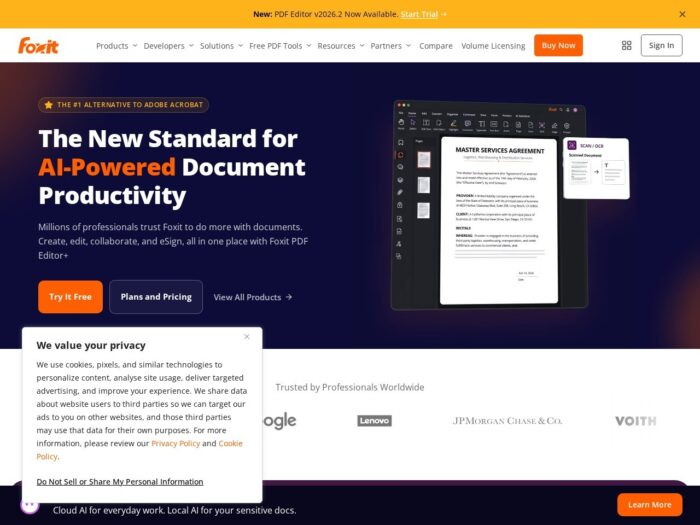
Download Foxit Phantom PDF Editor Pro for Windows
Official download from Foxit.
Editor Pro is the paid PDF editor (old PhantomPDF Business). You download from Foxit, run EXE or MSI, activate with a Foxit account or perpetual key. Subscription and perpetual are different licences.
Download Foxit PDF Editor / Editor Pro for Windows
Windows 10 / 11 · v14 (keep v13 only if you already own that year) · Subscription or perpetual · Reader is free and separate
Official downloads: foxit.com/portal/download.
Product family: foxit.com.
Perpetual support policy: N-1 model.
Do not run PhantomPDF_Business_2026_Unlocked.exe. That is not Foxit.
Work PCs: MSI / ZIP enterprise deploy from Foxit. Winget id is still Foxit.PhantomPDF on some catalogs.
Install Editor Pro · Need Reader only? · Already licensed?
If you searched for “PhantomPDF Business 11 full,” “Editor Pro 2026 portable,” or “activated”
There is no extra unlocked setup.
- Download Foxit PDF Editor / Editor Pro v14 from Foxit
- Install
- Sign in or enter the perpetual key
- Stay on v14 (or v13 if that is what you paid for)
A “14.0 pre-activated” folder plus a patch is stolen licensing. Grey-market keys are often recycled seats.
v11 / v12: Foxit ended tech support, bug fixes and security patches on 13 Aug 2025. Do not start a new fleet there.
Your download should start on Foxit.com
If the EXE is 20 MB named Phantom_Pro_Full, leave.
What to do next
- Open Foxit download portal.
- Choose PDF Editor (Windows). Pick Pro if that is your SKU.
- Run EXE (detects language) or MSI (English default, IT-friendly).
- Activate.
- Open one PDF — not a 2,000-page preflight job on day one.
Typical folder: C:\Program Files\Foxit Software\Foxit PDF Editor.
Only need to view / comment? Install Foxit PDF Reader from the same portal.
Office 2013+ is required for some Create PDF from Office features (quick guide).
Windows may warn you. Check the publisher.
- Publisher should read Foxit Software.
- SmartScreen can appear on a new Editor setup. Use More info only if the signature is Foxit.
- Do not turn off Defender to “activate Pro.”
- Do not replace licensing DLLs.
Activation: subscription = 2 devices (Win/Mac mix OK). Perpetual = 1 device, OS-locked (Windows key ≠ Mac). Foxit KB: activation policy.
Pick the right Foxit Phantom PDF file
| Product | Old name | Who it is for |
|---|---|---|
| Foxit PDF Editor | PhantomPDF Standard | Edit / convert |
| Foxit PDF Editor Pro | PhantomPDF Business | Preflight / PDF/A extras |
| Editor+ | Newer packaging | Check your invoice |
| Foxit PDF Reader | Foxit Reader | Free viewer |
| Adobe Acrobat Pro | — | Different vendor |
Not this download
- Nitro / Icecream labelled Foxit
- PhantomPDF 9 / 10 “unlocked”
- Reader installer when you paid for Pro
Pro’s extra vs Editor includes PDF/A / E / X preflight convert/remove that standard Editor does not (Foxit compliance article).
Foxit Phantom PDF trial and licence
Foxit sells subscription and perpetual Editor. Trial from Foxit’s site. Cancel in your Foxit account if you only wanted the trial.
A $12 “Phantom lifetime 2026” key is not Foxit.
Will it run on this PC?
Official floor in the 2026.1 quick guide: Windows 10 or 11, 1.3 GHz x86 or ARM / SQ1, 512 MB RAM (1 GB+ better), 10 GB disk, 1024×768 (4K supported). Citrix XenApp 7.13 listed as verified. Office 2013+ for some create features.
| Official | |
|---|---|
| OS | Windows 10 or 11 |
| CPU | 1.3 GHz+ x86 or ARM |
| RAM | 512 MB (1 GB+ better) |
| Disk | 10 GB |
| Office | 2013+ for some create features |
Already installed? Foxit’s in-app / website patch. Stay on v14. You do not hunt a second “Phantom full.”
Install Foxit Phantom PDF, first PDF, and activation
First run
- Open Foxit PDF Editor.
- Sign in or apply the key.
- Help → About should show 14.x.
- Set default PDF app in Windows Settings if you want it (old articles still say PhantomPDF in the picker).
- Edit one page. Then try OCR / preflight if you paid for Pro.
Uninstall: Settings → Apps.
If it did not work
- Activation error — wrong SKU (Reader vs Editor vs Pro) or v12 key on a v14 box.
- Create from Word missing — Office not installed.
- 25 MB
Phantom_Unlocked— leave.
Why teams still install Editor Pro
- Acrobat-class edit without Adobe’s seat
- v14 still patched
- Pro preflight for PDF/A shops
It will not replace a DAM.
Questions before you trust the installer
Is this the official file?
Yes if it came from foxit.com and the publisher is Foxit Software.
Is Editor Pro free?
No. Reader is free. Editor / Pro are paid.
Phantom vs Editor?
Same product line, new name.
v14 vs v13?
v14 is current. v13 is N-1. v12/v11 are out of support.
Safe?
Official Foxit installer. Forum “Phantom 2026 full” files are the risk.
After you have the file
Install v14 from Foxit. Activate. Patch. Leave v11/v12 behind.
Downloads: foxit.com/portal/download
Support policy: perpetual N-1
Activation: device limits
Publisher: Foxit Software. PhantomPDF and Foxit PDF Editor are their marks. Report a page that wrapped this installer in a crack.