

KMPlayer 2026.7.24.12
KMPlayer is a multimedia player for Windows that supports a wide range of video and audio formats. It offers playback controls, subtitle support, video capture options, and features for high-resolution media playback.
You can download KMPlayer for Windows from the official website. The website provides separate options for its 32-bit and 64-bit PC versions, so choose the installer that matches your requirements.
Official download: Download KMPlayer for Windows
Screenshots
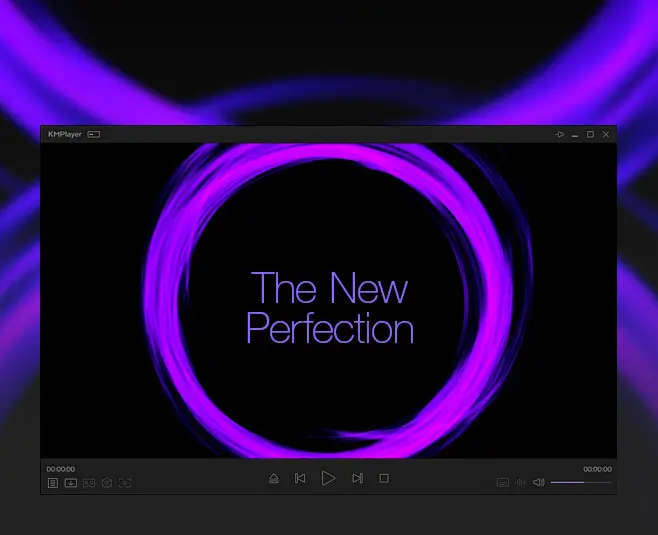
KMPlayer Review
KMPlayer is designed for users who want to play video and audio files from a single desktop application. It supports common formats such as MP4, MKV, AVI, MOV, WMV, MP3, and FLAC, along with various subtitle formats.
Its playback controls let you adjust the viewing experience, manage subtitles, and capture images from videos. The player also advertises high-resolution playback, including 4K content, and hardware acceleration features on supported systems.
KMPlayer is available in different PC editions, including 32-bit and 64-bit versions. Check the official download page for the available editions and their current requirements before installing.
KMPlayer Features
Wide Format Support
KMPlayer supports a variety of video and audio formats, including MP4, MKV, AVI, MOV, WMV, MP3, and FLAC. Actual playback compatibility can depend on the file, codec, and system configuration.
High-Resolution Video Playback
The player offers high-resolution playback options, including 4K content. Smooth playback depends on your computer’s hardware, video format, and playback settings.
Subtitle Support
Load and manage supported subtitle files while watching videos. Subtitle availability and compatibility depend on the subtitle format and the media file.
Video Capture
Capture still images from supported video playback and save them for later use. Available capture options may vary by edition and settings.
Playback Controls
Adjust playback settings to suit your viewing preferences. KMPlayer provides controls for managing video playback and offers additional configuration options.
32-bit and 64-bit Editions
KMPlayer provides separate PC editions for 32-bit and 64-bit systems. Select the appropriate edition from the official website rather than relying on outdated third-party download links.
How to Download and Install KMPlayer
- Open the official KMPlayer PC download page.
- Choose the available edition that matches your system and requirements.
- Download the installer from the official website.
- Open the downloaded file and follow the installation instructions.
- Launch KMPlayer and open a video or audio file to begin playback.
Before installing, review the installer prompts and select only the options you intend to install.
Is KMPlayer Free?
KMPlayer’s official website lists its PC player as a free download. Check the official website for the current edition details, features, and any applicable terms.
Frequently Asked Questions
Where can I download KMPlayer for Windows?
Download KMPlayer from the official KMPlayer PC page. This is the recommended source for checking available desktop editions.
Does KMPlayer support 32-bit and 64-bit Windows systems?
The official website lists separate 32-bit and 64-bit PC editions. Check the current system requirements and choose the compatible version before downloading.
Which video formats does KMPlayer support?
KMPlayer supports many common formats, including MP4, MKV, AVI, MOV, and WMV. Compatibility with a particular file may depend on its encoding and your system configuration.
Can KMPlayer play high-resolution videos?
KMPlayer advertises support for high-resolution playback, including 4K content. Performance depends on the video file, hardware, and playback configuration.
Can I capture screenshots from a video?
KMPlayer includes video capture features. Available capture options depend on the edition and settings you use.
Final Thoughts
KMPlayer is an option for Windows users looking for a desktop media player with broad format support, subtitle controls, video capture, and high-resolution playback features. Visit the official website to review the available editions and download the version suited to your computer.