

Spotify
Spotify is Spotify AB’s desktop player. Official Windows download: spotify.com/download/windows. Support: Windows 10 64-bit and Windows 11. Wikipedia listed desktop 1.2.97.270 (20 Aug 2026) — the site installer is always current. Free account with ads; Premium is a subscription in your Spotify account. “Spotify Premium unlocked / BlockTheSpot / ad-free portable” is not Spotify and often steals the account. This is not a local MP3 library. Stream with your login. One account, one device playing at a time unless Premium rules say otherwise. Microsoft Store and spotify.com both exist — cracked “mod clients” do not. Web player: open.spotify.com if you cannot install. This page covers spotify for windows in full.
Screenshots
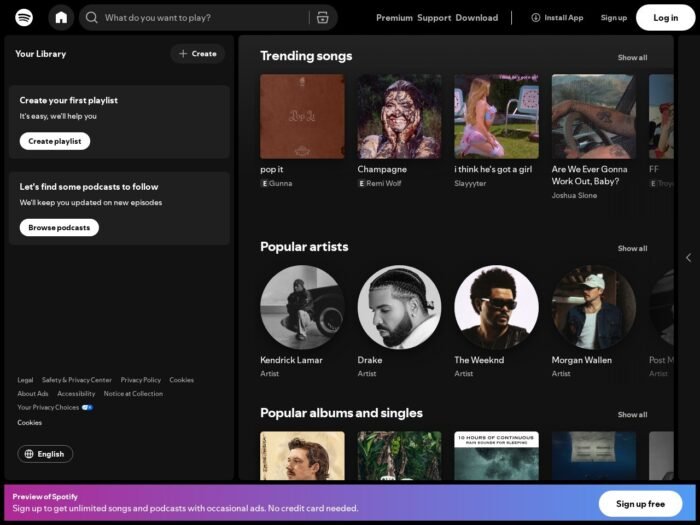
Download Spotify for Windows
Official download from spotify.com.
Installer. Sign in. Play.
Download Spotify for Windows
Windows 10 64-bit / Windows 11 · Current desktop · Free + Premium
Windows: spotify.com/download/windows.
Devices: Supported devices.
Web player: open.spotify.com.
Do not run Spotify_Premium_Unlocked.exe. That is not Spotify.
Work PCs: Spotify for Business / Education if they offer it. Don’t deploy a patched Spotify.exe.
Install official app · Need Store app? · Already have an account?
If you searched for “Spotify Premium full,” “ad-free portable,” or “activated”
There is no extra unlocked desktop.
- spotify.com/download/windows
- Install
- Sign in
- Free = ads; Premium = pay Spotify
A “1.2.97 pre-activated” folder plus an ad-block patch is stolen service / malware. Grey-market “lifetime Premium” codes are often recycled.
Spicetify themes are a community patcher — not a licence, and ad-bypass packs violate Spotify’s terms. This page will not walk through that.
Your Spotify for Windows download should start on spotify.com
If the EXE is 8 MB named Spotify_Crack, leave. Official setup is a normal Spotify installer.
What to do next
- Official Windows download.
- Install.
- Log in (or create an account).
- Play a track.
- Don’t rip the cache into an upload.
Typical folder: %AppData%\Spotify + Start-menu app.
Store vs website: both official; website Win32 is what most “mod” guides tell you to use — still don’t mod it.
Windows may warn you. Check the publisher.
- Publisher should read Spotify AB.
- SmartScreen can appear on a new desktop setup. Use More info only if that name matches.
- Do not turn off Defender to “install Premium DLL.”
- Exclusive Mode (Premium) mutes other apps — expected.
Pick the right Windows file
| Product | What you get | Who it is for |
|---|---|---|
| spotify.com desktop | Win32 app | This page |
| Microsoft Store Spotify | Store package | Optional |
| Web player | No install | Browser |
| Fastpotify / mods | Third-party | Not official |
Not this download
- Softonic “Spotify Premium 2026”
- Android APK on this Windows page
- “Spotify++ Windows”
Trial and licence
Free tier is real (ads, limits). Premium / Duo / Family / Student from Spotify. Cancel in spotify.com/account. Family slots are for household, not a forum.
A $4 “Premium lifetime 2026” keygen is not Spotify.
Will it run on this PC?
Official: Windows 10 (64-bit) or Windows 11. Internet to stream. Disk for the app + optional offline (Premium). Light CPU; the official client can use hundreds of MB of RAM. Not 32-bit Windows on the current support table. One playback device at a time per account.
| Official | |
|---|---|
| OS | Win10 x64 / Win11 |
| Account | Free or Premium |
| Offline | Premium |
Already installed? In-app update. You do not hunt a second “full.”
Install, first track, and the account
First run
- Open Spotify.
- Sign in.
- Search.
- Premium settings if you pay (quality / Exclusive Mode).
- Don’t share Family in a class group.
Uninstall: Settings → Apps.
If it did not work
- Ads — Free plan.
- Won’t play — region / network / account.
- 12 MB
Spotify_Unlocked— leave.
Why people still install official Spotify for Windows
- Same library on PC and phone
- Desktop 1.2.97-class current
- Account licensing
It will not replace owning files you licensed another way.
Questions before you trust the installer
Is this the official file?
Yes if it came from spotify.com and the publisher is Spotify AB.
Is Premium a download?
No. Subscription in the account.
Safe?
Official Spotify installer. Forum “Spotify Premium full” files are the risk.
After you have the file
Install Spotify from spotify.com/download/windows. Sign in with a real account. Stream only through Spotify’s service.
Publisher: Spotify AB. Report a page that wrapped this installer in a crack.