
Autodesk Revit 2027.3
Same brief: official Autodesk Revit facts first. The installer comes from an Autodesk account — not a “2027 full” ISO.Revit is Autodesk’s BIM app. Current year on Windows is Revit 2027. “Revit full” means the subscription (or AEC Collection) — not a cracked ISO. Revit does not run on macOS.
Screenshots
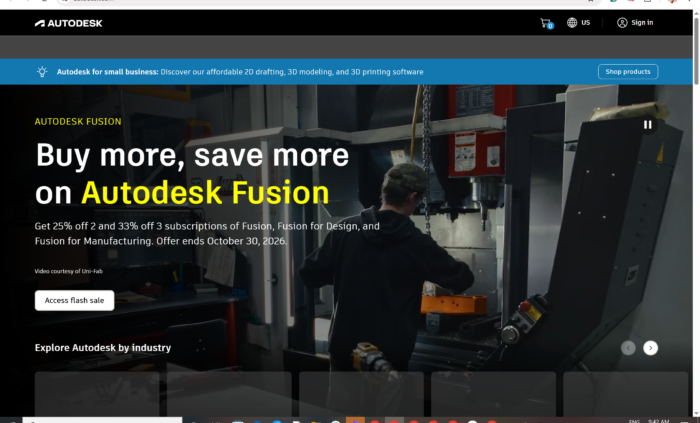
Download Autodesk Revit for Windows
Official download from Autodesk.
Revit models buildings in 3D: architecture, structure, MEP. Content libraries are a second download from the same account. Licensing is an Autodesk ID.
Download Revit 2027 for Windows
Windows 11 64-bit · Revit 2027 (updates through 2027.2, 22 July 2026) · Subscription, AEC Collection or 30-day trial · Previous years still on the same seat
Official Autodesk build. Sign in at manage.autodesk.com → All products and services → Revit → Install or Download.
How-to: Download and install Revit.
Product page: autodesk.com/products/revit.
Do not run Revit_2027_Full_x64.exe from a file host. That is not Autodesk.
Work PCs: your admin assigns the seat or a deployment. You still install from Autodesk, not a BIM “unlocked” folder.
Install · LT vs Revit · Already subscribed?
If you searched for “Revit 2027 full” or “activated”
There is no extra unlocked setup.
- Sign in with the Autodesk ID that owns Revit or the AEC Collection
- Click Install
- Sign in again when Revit opens
A “permanent 2027” pack plus a FlexLM patch is stolen licensing. Autodesk products check the account. Grey-market keys are often recycled seats. Revit LT is a smaller SKU, not “Revit minus a crack.”
A current subscription can install this year plus previous years listed on the account (Autodesk’s public FAQ says three previous versions for use; support is tighter on older builds). That is the legal way to keep 2026 / 2025 / 2024 next to 2027.
Your Autodesk Revit download should start on Autodesk’s site
If nothing saves, you are on the wrong Autodesk ID, or you opened a page that is not manage.autodesk.com.
What to do next
- Sign in at manage.autodesk.com.
- Open All products and services.
- Choose Revit (or Revit LT).
- Pick 2027, then Install (web) or Download / Direct download (larger offline set).
- Run the Autodesk installer. Stay online until Revit can sign in.
- Back on the account, download Revit content if the families you need did not come with the first pass.
Typical folder: C:\Users\You\Downloads.
App path: C:\Program Files\Autodesk\Revit 2027.
Custom / deployment images are an admin job. Do not take a 15 GB “full ISO” from a forum thread.
Windows may warn you. Check the publisher.
- Publisher should read Autodesk.
- SmartScreen can appear on a new Autodesk setup. Use More info only if the signature is Autodesk.
- Do not turn off Defender to “activate.”
- Do not replace licensing DLLs.
Help → About should show Revit 2027. The 2027.2 update reports 27.2.0.39 (20260716_1515(x64)). First ship was 27.0.4.412. Use Autodesk Access or the account portal for later patches — they are cumulative.
Pick the right Windows file
| Product | What you get | Who it is for |
|---|---|---|
| Revit 2027 | Full BIM (arch / structure / MEP) | Offices on current |
| Revit 2026 / 2025 / 2024 | Previous years on the same subscription | Linked models that have not upgraded |
| Revit LT | Smaller 2D/3D BIM set | Cheaper documentation seat |
| AEC Collection | Revit + AutoCAD, Civil 3D and the rest | Firms that already buy the bundle |
| Content libraries | Families / templates | Second download from the account |
Not this download
- AutoCAD, Civil 3D, Navisworks — different products
- Revit for Mac — there isn’t one
- Old 2019 “permanent” packs
Cloud worksharing needs a current Desktop Connector (Revit 2027 wants 16.x or later).
Autodesk Revit trial and subscription
Desktop Revit is a subscription. Autodesk sells Revit alone or inside the AEC Collection. A 30-day trial is the official look. Cancel in the Autodesk account if you only wanted the trial.
A Revit subscription can be installed on up to three computers. Education seats follow Autodesk Education rules. A $60 “2027 lifetime” key is not Autodesk.
Will it run on this PC?
Revit 2027 official floor: 64-bit Windows 11. Autodesk’s 2027 requirements page does not list Windows 10. Stay on Revit 2026 if you cannot leave Windows 10.
| Entry | Comfortable model work | |
|---|---|---|
| OS | Windows 11 64-bit | Windows 11 current |
| CPU | 2 GHz+ base; high single-core clock matters | Same, more cores help many tasks |
| RAM | 16 GB (small ~300 MB models) | 32 GB+ for real projects |
| GPU | DirectX 11, Shader Model 5; 4 GB VRAM recommended | 6–8 GB+ for heavier views |
| Display | 1280×1024 | 1680×1050 up to 4K |
| Disk | 30 GB to install; 100 GB free for temp | SSD |
| Runtime | .NET 10 | — |
Already installed? Use manage.autodesk.com or Autodesk Access for 2027.2. You do not download a second “full 2027.”
Install, first run, and sign-in
First run
- Open Revit 2027.
- Sign in with the same Autodesk ID.
- Open a sample project — not the 1.2 GB live job on day one.
- Check Help → About.
- Install content libraries if walls and families are missing.
Uninstall: Settings → Apps, or Autodesk Uninstall. Close models first. Back up Revit.ini before you pile updates on a custom office template.
If it did not work
- Product missing on the account — this ID never had Revit.
- License error — seat used on too many machines, or a fake key.
- Installer is 90 MB named
Full_Activated— leave. - Windows 10 + 2027 — unsupported. Use 2026 or move the PC to Windows 11.
- Cloud model fails — update Desktop Connector.
Why offices still install Revit
- The live model is already a Revit file
- Architecture, structure and MEP in one dataset
- Autodesk Docs / BIM Collaborate worksharing
2027 notes (product page)
- Autodesk Assistant / AI insights
- Forma connection
- Carbon analysis tools
- Performance work
Read Autodesk’s Revit 2027 notes and the 2027.2 update list.
Questions before you trust the installer
Is this the official file?
Yes if it came from manage.autodesk.com and the publisher is Autodesk.
Is Revit free?
No. Education has its own rules. Viewer workflows are not full Revit.
Revit vs Revit LT?
LT is the smaller SKU. Full Revit is what offices mean by BIM.
Do I need 2027?
Only if the office standard says so. A subscription still lets you install 2026 for old central files.
Safe?
Official account installer. The usual risk is fake “full activated” sites.
After you have the file
Install from Autodesk. Sign in. Apply 2027.2. Pay or use the work/education seat.
Official download: manage.autodesk.com
Product: www.autodesk.com/products/revit
2027 requirements: System requirements for Revit 2027
Publisher: Autodesk, Inc. Revit is their mark. Report a page that wrapped this installer in a crack.