

Adobe Animate
Adobe Animate is Creative Cloud 2D animation (the old Flash Professional line). Adobe has it in maintenance mode: security and bug fixes, no new features planned, still offered to new and existing users, no current plan to discontinue. “Animate full” means a Creative Cloud seat — not a cracked CS6/2024 ISO. It is not After Effects.
Screenshots
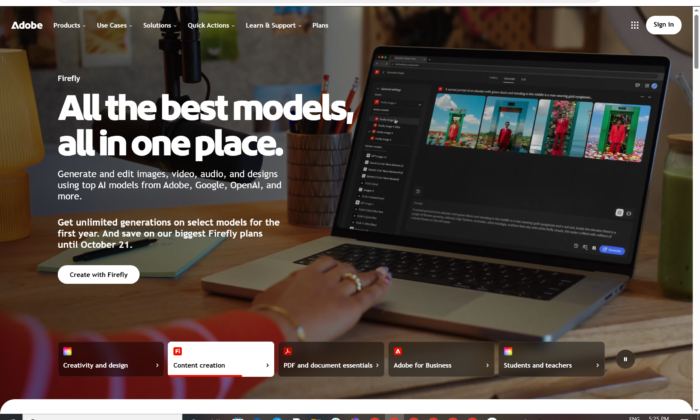
Download Adobe Animate for Windows
Official download from Adobe.
Animate builds timeline animation, HTML5 Canvas, video and (legacy) Flash-family output. You install Creative Cloud Desktop, sign in, then install Animate. Licensing is an Adobe ID.
Download Adobe Animate for Windows
Windows 10 22H2 / Windows 11 · Current CC build (24.0 family and later — last big feature drop October 2023) · Maintenance-mode app · Creative Cloud subscription or trial
Official Adobe build. Sign in at helpx.adobe.com/animate/get-started.html or open Creative Cloud Desktop → Apps → Animate → Install.
If it is hidden: CC profile → Preferences → Apps → Show Older Apps.
Requirements: Animate system requirements.
Do not run Adobe_Animate_2026_Full_Preactivated.exe. That is not Adobe.
Work PCs: your admin assigns the seat. You still install from Creative Cloud.
Install · Maintenance mode · Already subscribed?
If you searched for “Animate 2026 full,” “Flash Pro unlocked,” or “activated”
There is no extra unlocked setup, and there is no new 2026 feature train.
- Install Creative Cloud Desktop
- Sign in with the Adobe ID that owns Animate or All Apps
- Click Install
- Stay online the first launch so Adobe can activate
A “2024/2026 pre-activated” folder plus an amtlib patch is stolen licensing. Adobe apps check the account. Grey-market keys are often recycled seats.
Your Adobe Animate download should start in Creative Cloud
If nothing installs, Animate is filtered as an older app, or you opened After Effects by mistake.
What to do next
- Install Creative Cloud Desktop if it is missing.
- Sign in with your Adobe ID.
- Turn on Show Older Apps if Animate is not in the list.
- Animate → Install.
- Open Animate and sign in again if asked.
Typical folder: Creative Cloud cache under your profile.
App path: C:\Program Files\Adobe\Adobe Animate 2024 (folder year follows the 24.x line).
Admins can use a named-user package. Do not take a 2 GB “full ISO” from a forum.
You must sign in periodically so Adobe can check the licence (Adobe documents about every 30 days for monthly/annual members).
Windows may warn you. Check the publisher.
- Publisher should read Adobe.
- SmartScreen can appear on a new CC setup. Use More info only if the signature is Adobe.
- Do not turn off Defender to “activate.”
- Do not replace licensing DLLs.
Help → About should show a 24.x (or later maintenance) build. Use Creative Cloud for security patches. That is the point of maintenance mode.
Pick the right Windows file
| Product | What you get | Who it is for |
|---|---|---|
| Animate (CC, 24.x+) | Timeline 2D, Canvas / video publish | Existing FLA/XFL work |
| After Effects | Motion graphics / compositing | Different job |
| Character Animator | Performance capture | Different CC app |
| Animate 21 / older | Previous CC years | Only if the account still lists them |
Not this download
- Flash Professional CS6 “permanent” packs
- Adobe Animate for Android APKs
- All Apps crack folders
Export important FLA/XFL to SVG, video or other formats you can open elsewhere. Do not assume a decade of new Animate features is coming.
Trial and subscription
Desktop Animate is a Creative Cloud app (All Apps or a plan that still includes it). A trial is the official look if Adobe still offers one on your account. Cancel in account.adobe.com if you only wanted the trial.
Education seats follow Adobe Education rules. A $20 “lifetime Animate 2026” key is not Adobe.
Will it run on this PC?
Adobe’s current Animate requirements page (24.0 and later) lists Windows 10 v22H2 and Windows 11 v21H2 / v22H2, 8 GB RAM (16 GB recommended), 4 GB to install, OpenGL 3.3+ (DirectX 12 feature level 12_0 recommended). Internet is required to activate.
| Official minimum | |
|---|---|
| OS | Windows 10 22H2 or Windows 11 21H2 / 22H2 |
| CPU | 2 GHz+ Pentium 4 / Core Duo class or compatible |
| RAM | 8 GB (16 GB recommended) |
| Disk | 4 GB + extra during setup (not on a USB stick) |
| Display | 1024×900 (1280×1024 recommended) |
| GPU | OpenGL 3.3+ · DirectX 12_0 recommended |
| Network | Required for activation and subscription check |
Already installed? Use Creative Cloud → Updates. You do not download a second “2026 full.”
Adobe Animate: install, first FLA, and sign-in
First run
- Open Adobe Animate.
- Sign in with the same Adobe ID.
- Open a sample or a small FLA — not the 4 GB character rig on day one.
- Check Help → About.
- Confirm publish targets you still need (Canvas, video). Flash Player in browsers is gone; do not plan new work around it.
Uninstall: Creative Cloud → Uninstall, or the Adobe uninstaller. Close Animate first.
If it did not work
- App missing in CC — enable Older Apps, or this ID never had Animate.
- Activation error — fake key or too many machines.
- Installer is 80 MB named
Full_Preactivated— leave. - Looking for 2026 feature notes — there is no new-feature train; read maintenance-mode pages.
Why people still install Animate
- Existing FLA/XFL libraries
- HTML5 Canvas and video export they already know
- A CC seat they already pay for
Status (Adobe’s current wording)
- Maintenance mode for all customer types
- Security and bug fixes continue
- No planned new features
- Still available; no current discontinuation plan
Read Adobe’s get started / download page before you build a new pipeline on Animate.
Questions before you trust the installer
Is this the official file?
Yes if it came from Creative Cloud / adobe.com and the publisher is Adobe.
Is Animate free?
No. Education has its own rules. The trial is time-limited if offered.
Is Animate dead?
Adobe says maintenance mode, not “removed today.” Export archives anyway.
Animate vs After Effects?
Animate is timeline 2D / interactive publish. After Effects is compositing.
Safe?
Official CC installer. The usual risk is fake “Animate 2026 full” sites.
After you have the file
Install from Creative Cloud. Sign in. Apply security updates. Export anything you cannot lose.
Official start: helpx.adobe.com/animate/get-started.html
Requirements: Animate system requirements
What’s new (last feature drop): What’s new in Animate
Publisher: Adobe. Animate and Creative Cloud are their marks. Report a page that wrapped this installer in a crack.