

Adobe FrameMaker
Adobe FrameMaker is the structured technical-authoring app. Current line is the March 2026 release (product folder Adobe FrameMaker 2026). It is Windows-only in Adobe’s current docs. “FrameMaker 2026 full” is not a cracked ISO. It is not InDesign and not Word. FrameMaker Publishing Server is a separate installer.
Screenshots
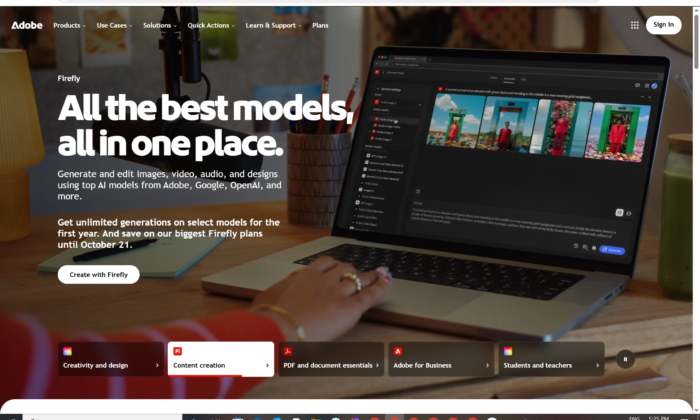
Download Adobe FrameMaker for Windows
Official download from Adobe.
FrameMaker authors long structured books (DITA / XML / FM). You download the March 2026 Windows 64-bit installer from Adobe, run Set-up.exe, and sign in with an Adobe ID. Latest releases are subscription from adobe.com — DVDs stopped after the 2019 year.
Download FrameMaker March 2026 for Windows
Windows 11 64-bit only (2026 line) · March 2026 · Subscription / trial · JRE 8 for publish · Publishing Server is separate
Official Adobe builds: FrameMaker downloads.
Install steps: Download and install.
Trial: FrameMaker try.
Requirements: FrameMaker system requirements.
Do not run FrameMaker_2026_Preactivated.exe. That is not Adobe.
Work PCs: Tech Comm / VIP named-user or enterprise package. This is often not inside All Apps Creative Cloud.
Install 2026 · Need 2022 Update 9? · Already licensed?
If you searched for “FrameMaker 2026 full,” “FM15 serial,” or “portable”
There is no extra unlocked setup.
- Download the March 2026 installer from Adobe
- Run Set-up.exe
- Sign in with the Adobe ID that owns FrameMaker
- Stay online so Adobe can activate (Adobe: no phone activation)
A “2026 pre-activated” folder plus an amtlib patch is stolen licensing. Grey-market keys are often recycled seats.
You can keep more than one FrameMaker year installed. Do not mix a 2019 DVD crack with 2026.
Your download should start on Adobe’s FrameMaker page
If nothing saves, you opened InDesign or Creative Cloud All Apps.
What to do next
- Open FrameMaker downloads.
- Take March 2026 release (Try now / your entitled link).
- Close Microsoft Office and other Adobe apps.
- Run Set-up.exe inside the unpacked folder.
- Sign in. Finish setup.
- Open a short book — not the 2,000-page DITA map on day one.
Default path: C:\Program Files\Adobe\Adobe FrameMaker 2026.
Still on the 2022 line? Adobe still lists September 2022 Update 9 (3.3 GB, 31 March 2026). Prefer March 2026 on Windows 11.
FDK: separate ZIP on the same downloads page for developers — not the authoring app.
Publishing Server: different product, different download block on that page.
Windows may warn you. Check the publisher.
- Publisher should read Adobe.
- SmartScreen can appear on a 3 GB tech-comm setup. Use More info only if the signature is Adobe.
- Do not turn off Defender to “activate.”
- Do not replace licensing DLLs.
Help → About should show the March 2026 line.
Publish needs JRE 8. Missing Java is a publish failure, not a missing crack.
Pick the right Windows file
| Product | What you get | Who it is for |
|---|---|---|
| FrameMaker March 2026 | Structured authoring | Writers / info architects |
| FrameMaker Sept 2022 + Update 9 | Previous major | Frozen templates |
| FrameMaker Publishing Server | Server-side publish | Ops / CI |
| FrameMaker 2019 DVD | Last disc-era | Only if you still own that media |
| InDesign | Layout | Different job |
Not this download
- MadCap Flare labelled FrameMaker
- RoboHelp (sister Tech Comm app, separate installer)
- FM 7 / 8 “unlocked”
Trial and subscription
Current FrameMaker is subscription from adobe.com. Trial from Adobe’s try page. Cancel in account.adobe.com if you only wanted the trial.
A $25 “FrameMaker 2026 lifetime” key is not Adobe.
Will Adobe FrameMaker run on this PC?
March 2026 official floor: Core i5 or faster, Windows 11 64-bit only, 4 GB RAM, 5 GB disk (not on a USB stick), JRE 8 for publishing, max screen 4K (3840×2160). Internet required. UI languages: English, French, German, Japanese. Browsers for related UI: current Chrome / Firefox / Edge.
| March 2026 | Sept 2022 | |
|---|---|---|
| OS | Windows 11 64-bit only | Windows 11 or 10 64-bit |
| CPU | Core i5+ | Core i5+ |
| RAM | 4 GB+ | 4 GB+ |
| Disk | 5 GB+ | 5 GB+ |
| JRE | 8 (publish) | 8 (publish) |
Already installed? Use Adobe’s March 2026 installer / updates. You do not hunt a second “full.”
Install, first book, and sign-in
First run
- Open Adobe FrameMaker 2026.
- Sign in with the same Adobe ID.
- New portrait book or a small DITA map.
- Confirm JRE if you publish.
- Check Help → About.
Uninstall: Settings → Apps. Close FrameMaker first.
If it did not work
- Will not install on Windows 10 — 2026 line is Win11 only. Use 2022 Update 9 if you legally own that year.
- Publish fails — install JRE 8.
- App missing in CC — FrameMaker is Tech Comm, not All Apps.
- 80 MB
FM_Unlocked— leave.
Why docs teams still install Adobe FrameMaker
- Structured books and DITA
- March 2026 installer on Windows 11
- Publishing Server beside it when you need a farm
It will not replace InDesign for magazines.
Questions before you trust the installer
Is this the official file?
Yes if it came from adobe.com / helpx and the publisher is Adobe.
Is FrameMaker free?
No. The trial is time-limited.
2026 vs 2022?
2026 = current, Windows 11 only. 2022 = previous major, still patched (Update 9).
Safe?
Official Adobe installer. The usual risk is fake “FrameMaker 2026 full” sites.
After you have the file
Install March 2026 from Adobe. Sign in. Add Publishing Server only if the pipeline needs it.
Official downloads: FrameMaker downloads
Install: install-app
Requirements: system requirements
Trial: try FrameMaker
Publisher: Adobe. FrameMaker is their mark. Report a page that wrapped this installer in a crack.