

Adobe Stock
Adobe Stock is a website and in-app library, not a Windows program. There is no AdobeStock_Setup.exe. You license files at stock.adobe.com or from Photoshop / Illustrator / Premiere Stock panels, then they land in Downloads or a Creative Cloud Library. “Stock 2026 full pack” zips are stolen assets.
Screenshots
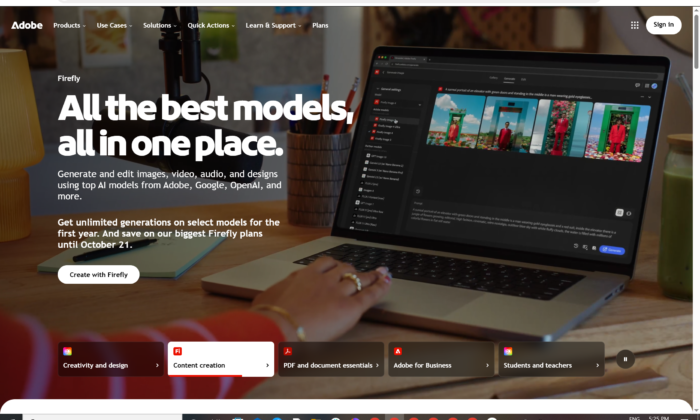
Adobe Stock for Windows
Official path: browser or Creative Cloud — not an installer.
Search, license, download. Comp previews are watermarked until you pay or use a free asset. Stock plans are separate from All Apps.
Get Adobe Stock on Windows (web + CC apps)
Any current Windows browser · stock.adobe.com · Optional Creative Cloud Desktop · Adobe ID required
Official site: stock.adobe.com.
How to license on the site: Using the Adobe Stock website.
Help hub: Adobe Stock Learn & Support.
In Photoshop: Browse and import Stock assets.
Do not run Adobe_Stock_2026_Unlocked.exe or unpack a 40 GB “premium collection.”
Work PCs: team / enterprise Stock seats in Admin Console. Do not share one login to scrape the catalog.
Open Stock · Need Creative Cloud first? · Already subscribed?
If you searched for “Stock 2026 full,” “unlimited pack,” or “no watermark ZIP”
There is no extra unlocked setup.
- Go to stock.adobe.com
- Sign in with an Adobe ID
- License the asset (plan, credits, or free collection)
- Let it download or land in a Library
A torrent of “Adobe Stock 10 million files” is copyright theft. Comp files with the watermark still on them are not licensed.
Unused plan credits can vanish if you cancel — read Adobe’s plan terms before you buy.
Your Adobe Stock “download” starts after you license
If a 2 GB Setup.exe named Stock starts, you left Adobe.
What to do next
- Open stock.adobe.com in Chrome or Edge.
- Sign in.
- Search. Open the asset. License.
- File appears in Downloads and/or the Stock Library Adobe documents.
- Or in Photoshop: File → Search Adobe Stock / Add from Adobe Stock.
Optional helper: Creative Cloud Desktop so Libraries sync. That EXE is Creative Cloud, not Stock.
Free files: Adobe documents a free collection (often linked as stock.adobe.com/free). Still requires an Adobe ID. Still has a licence.
Preview only: use Download Preview when you only want to mock up.
Windows may warn you. Check the publisher.
- stock.adobe.com should be Adobe’s site (HTTPS).
- Creative Cloud Desktop publisher: Adobe.
- A “Stock Downloader Pro” from a forum — cancel.
- Do not turn off Defender to “strip watermarks.”
Pick the right thing
| Product | What you get | Who it is for |
|---|---|---|
| stock.adobe.com | License + download | This page |
| Stock panel in Ps / Ai / Pr | Same catalog in-app | Already in CC |
| Creative Cloud Desktop | Libraries / sync | Helper only |
| Adobe Express | Quick design (can use Stock) | Different app |
| Firefly credits | Some Stock plans bundle credits | Generative, not the catalog EXE |
Not this download
- Shutterstock scrapers labelled Adobe
- “Premium collection” Google Drive folders
- Stock plugins that ask you to disable watermark checks
Adobe Stock trial and plans
Adobe ID is free. Stock downloads are not all free. Plans include credit packs, monthly image plans, and an Unlimited standard-asset plan Adobe describes (premium / some video still extra). Comping a file is not a licence.
Cancel in account.adobe.com if you only wanted a trial pack.
A $9 “Stock lifetime 2026” key is not Adobe.
Will it run on this PC?
Any current Windows 10/11 browser. In-app Stock needs a current Photoshop / Illustrator / Premiere and Creative Cloud. No GPU story for the website.
Already licensed files? Re-download from Stock account / Libraries. You do not install Stock again.
First licensed file
- Sign in at Stock.
- License one standard image.
- Confirm it is in Downloads / Library.
- Place it in Photoshop.
- Keep the licence record — clients ask.
If it did not work
- Watermark remains — not licensed.
- Download button missing — plan does not include that premium / video SKU.
- 80 MB
Stock_Unlocker— leave. - Want an editor — that is Photoshop or Express.
Why there is no Setup.exe
- Stock is a storefront
- Files are licensed one at a time (or under a plan’s rules)
- Libraries already live in Creative Cloud
Mass-downloading for a private archive is how accounts get banned. Adobe’s Unlimited plan text is explicit about immediate creative use, not hoarding.
Questions before you trust a “download”
Is there an official Stock EXE?
No. Website + CC apps.
Is Stock free?
Some assets are. Most are not.
Stock vs Photoshop?
Stock sells files. Photoshop edits them.
Safe?
Official Adobe site. Pirate “full stock” archives are the risk.
After you open the site
Sign in at stock.adobe.com. License what you need. Skip every third-party pack.
Site how-to: Using the Adobe Stock website
Support: Stock help
Publisher: Adobe. Adobe Stock is their mark. Report a page that wrapped stolen Stock files in a crack.