

Adobe Acrobat Pro DC 2026 (v26.2.22031)
Adobe Acrobat Pro DC 2026 Free Download for Windows
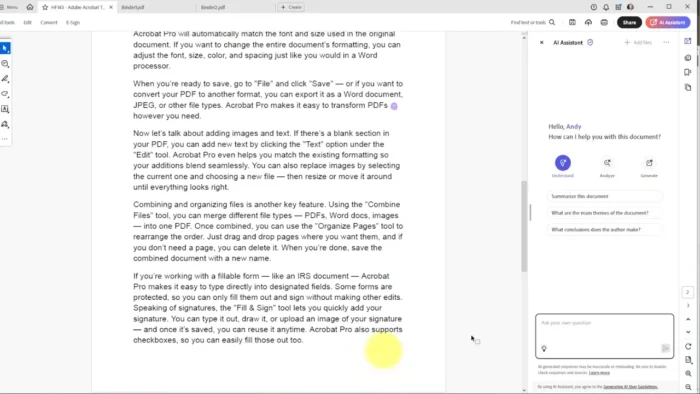
If Acrobat Reader is where most people’s relationship with PDFs starts, Acrobat Pro DC is where it goes once you need to actually change a PDF rather than just read and sign it. Rearranging pages, editing existing text and images, converting a PDF into an editable Word or Excel file, redacting sensitive content — none of that is possible in the free Reader app, and it’s exactly what Pro DC is built for.
On Windows, Acrobat Pro DC 2026 is available through a subscription, with a free trial to test the full toolset before committing. Whether you’re a business handling contracts that need redaction, a student converting a scanned PDF into editable text, or an admin managing a stack of forms that need real editing rather than just annotation, Acrobat Pro DC covers the parts of the PDF workflow that Reader simply can’t.
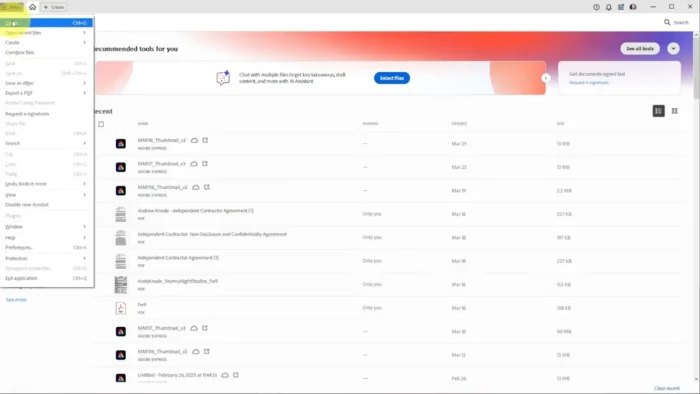
Overview
Acrobat Pro DC is Adobe’s full-featured PDF editing and management application, extending well beyond Acrobat Reader’s viewing, annotation, and form-filling capabilities into genuine document editing, conversion, and advanced security tools.
- Purpose: Edit, convert, organize, secure, and manage PDF documents at a professional level
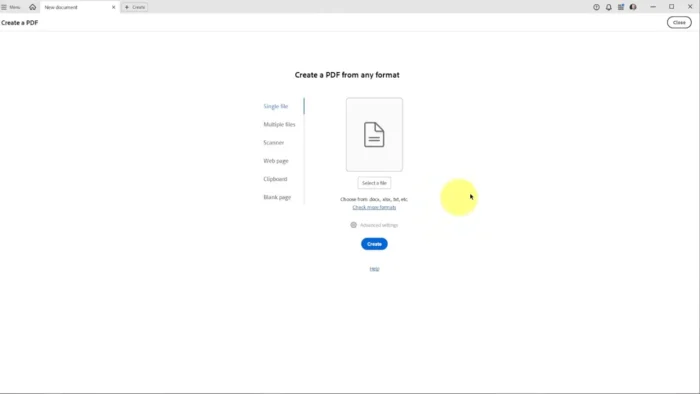
- Main workflow: Open or create a PDF → edit text/images/pages as needed → apply security or redaction → convert to/from other formats → share or export
- Ideal users: Businesses, legal and administrative professionals, students, and anyone who needs to genuinely edit PDFs rather than just view them
- File format: PDF, with conversion support to and from Word, Excel, PowerPoint, and image formats
- Major strength: Real PDF editing and conversion capability that the free Acrobat Reader doesn’t include
Key Features
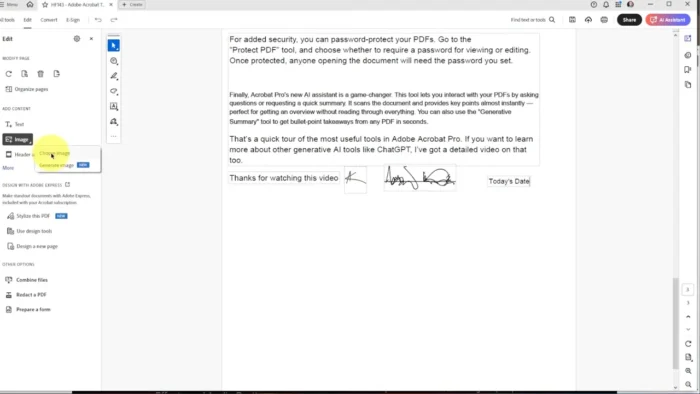
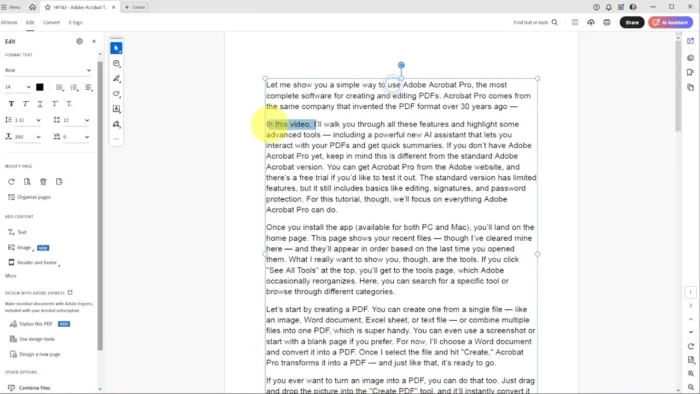
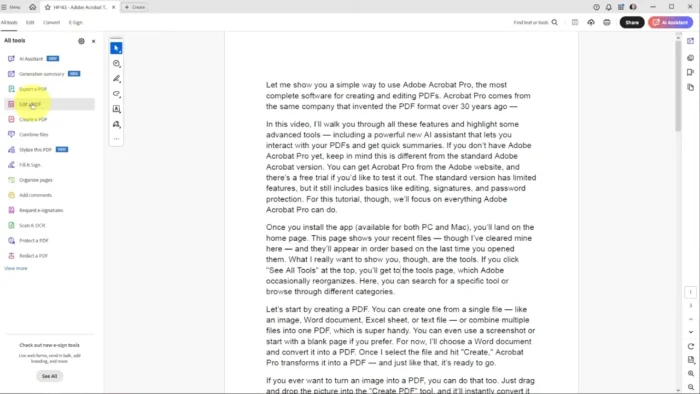
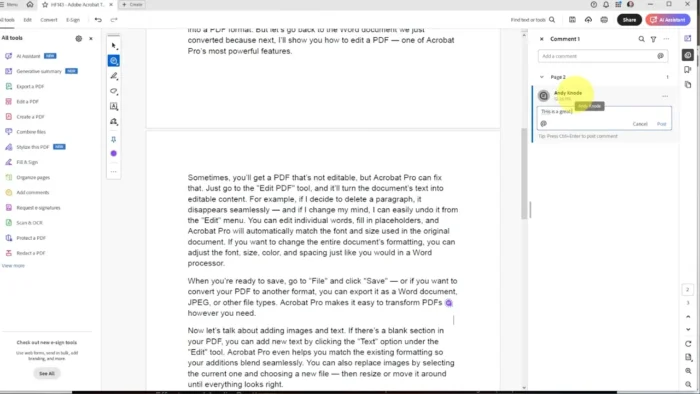
- Edit PDF Text and Images – Directly modify text, resize or replace images, and adjust formatting within an existing PDF, without needing to recreate the document from scratch in its original source application.
- Rearrange, Insert, and Delete Pages – Reorganize a document’s structure freely, useful when combining multiple source files or restructuring a report after the fact.
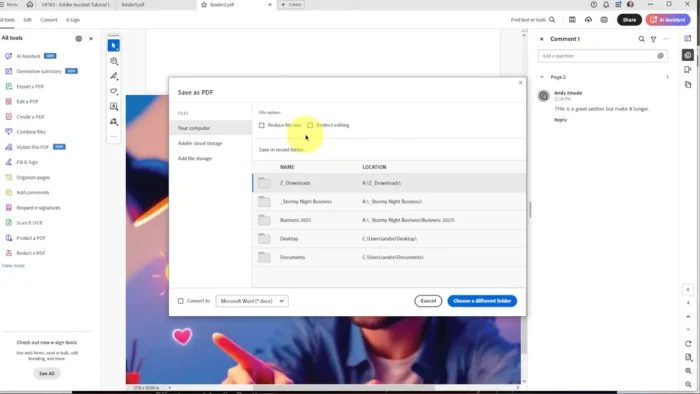
- PDF Conversion Tools – Convert PDFs to and from editable Word, Excel, and PowerPoint formats while preserving layout and formatting, saving significant manual reformatting work.
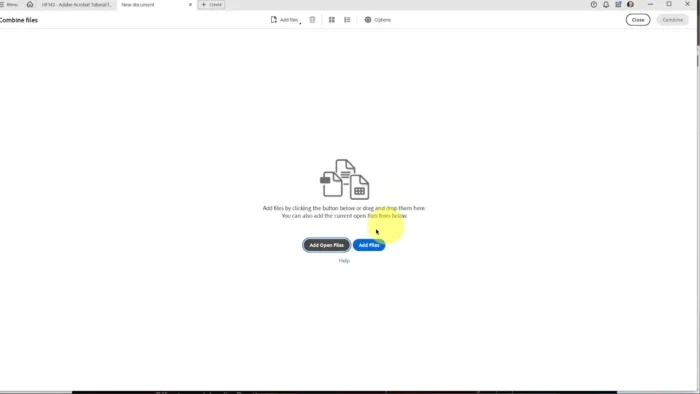
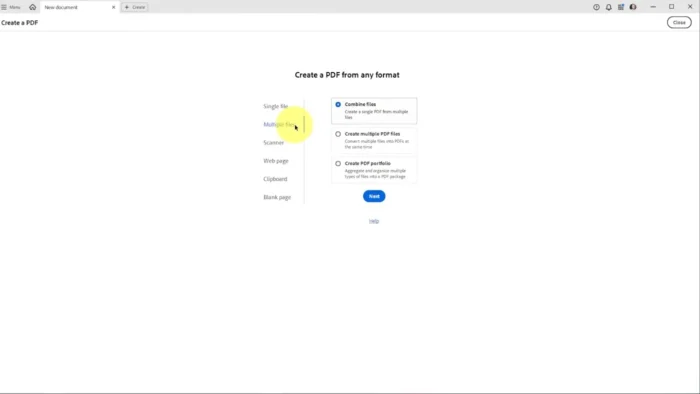
- Combine Multiple Files into One PDF – Merge documents, spreadsheets, images, and existing PDFs into a single organized file, useful for compiling reports or client deliverables.
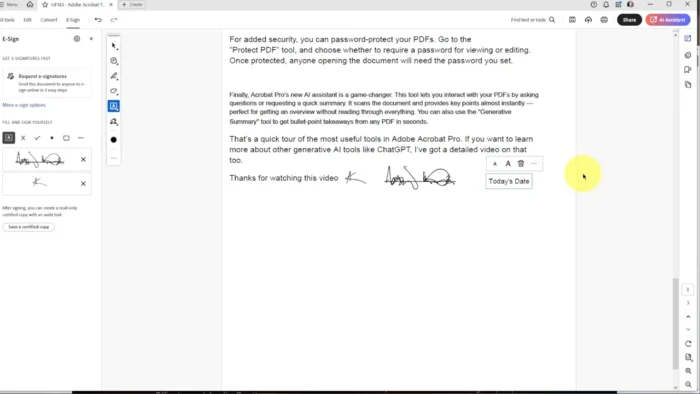
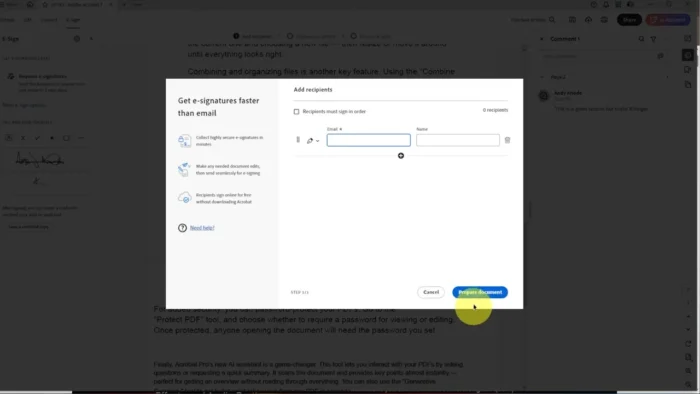
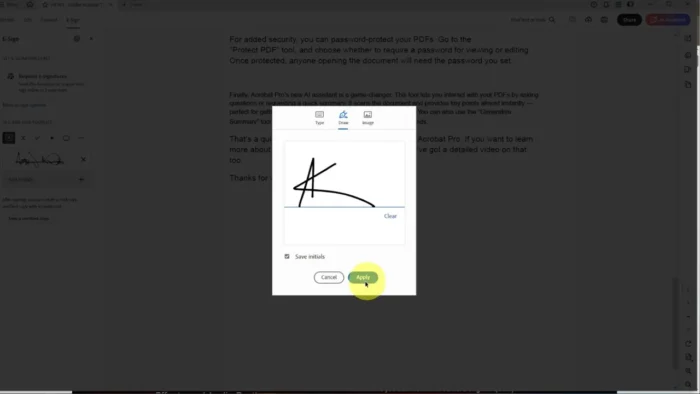
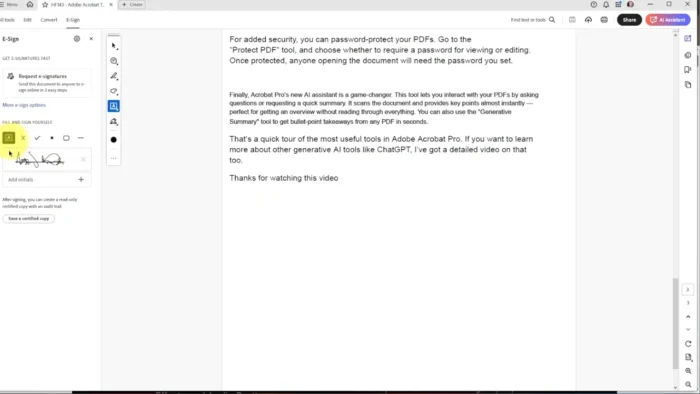
- Advanced Fill and Sign – Beyond Reader’s basic form-filling, Pro DC includes tools for creating and distributing fillable forms, plus tracking responses.
- Sensitive Content Redaction – Permanently remove confidential information from a document rather than just visually covering it, which matters enormously for legal, HR, and compliance workflows.
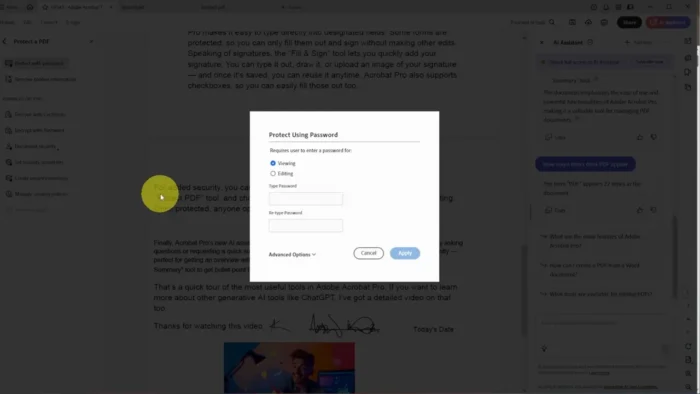
- Document Security and Encryption – Apply password protection, permission controls, and digital signatures to control exactly who can view, edit, or print a document.
- Batch Processing (Action Wizard) – Automate repetitive tasks — like applying the same watermark, redaction rule, or export setting — across many files at once.
- Optical Character Recognition (OCR) – Convert scanned documents or images into searchable, editable text, useful for digitizing paper archives or older scanned files.
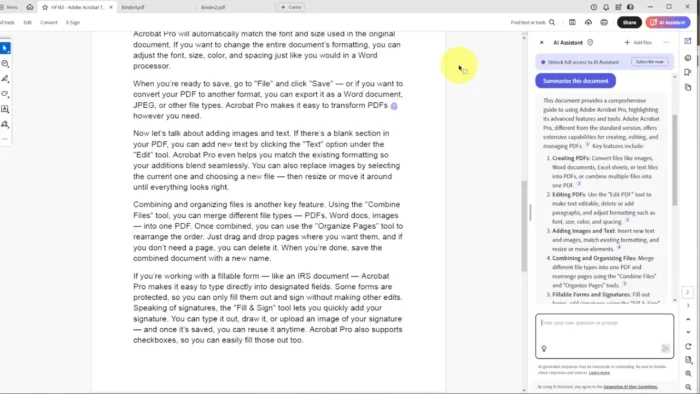
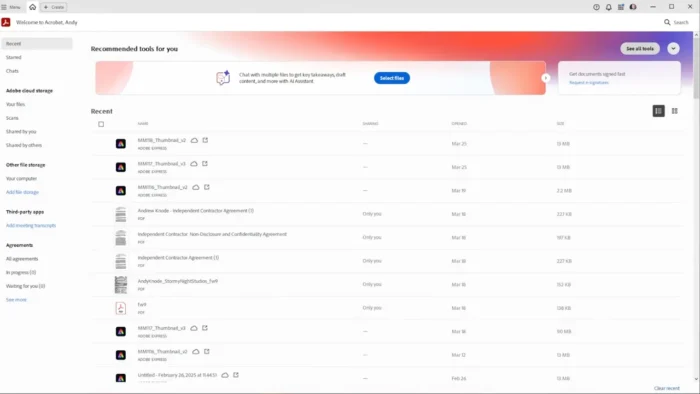
- Cloud Document Access and Collaboration – Access recent files, track version history, and collaborate with others across desktop and mobile through Adobe’s cloud integration.
What’s New in the 2026 Release
- Improved PDF rendering and faster document opening on large files
- Enhanced OCR accuracy for scanned and image-based documents
- Better accessibility tagging for exported PDFs
- Improved redaction and security workflow tools
- Continued performance optimization for modern Windows hardware
For the specific changelog of your installed version, check Help > About Acrobat inside the app.
System Requirements
| Component | Minimum | Recommended |
|---|---|---|
| Operating System | Windows 10 (64-bit) or Windows 11 | Latest Windows 11 update |
| Processor | 1.5 GHz or faster processor | Multicore processor |
| RAM | 2 GB | 8 GB or more for large documents |
| Storage | 4.5 GB available disk space | Additional space for large document libraries |
| Display | 1024 × 768 | 1920 × 1080 or higher |
| Internet | Required for activation, updates, and cloud services | Required |
Large, image-heavy PDFs and OCR processing benefit from more RAM and a faster processor beyond the stated minimums.
How to Install
- Go to Adobe’s official Acrobat Pro page and choose a free trial or subscription plan.
- Sign in with your Adobe ID, or create one if you’re new.
- Download the official Acrobat installer from your Adobe account’s product page (or through the Creative Cloud desktop app, if bundled with your plan).
- Run the installer and follow the setup instructions.
- Launch Acrobat Pro DC and sign in to activate your subscription or trial.
Acrobat Reader vs Acrobat Pro DC
| Feature | Acrobat Reader (Free) | Acrobat Pro DC |
|---|---|---|
| View and annotate PDFs | Yes | Yes |
| Fill and sign forms | Yes | Yes |
| Edit PDF text/images | No | Yes |
| Rearrange/delete pages | No | Yes |
| Convert to/from Word, Excel, PowerPoint | No | Yes |
| Redact sensitive content | No | Yes |
| OCR for scanned documents | No | Yes |
| Batch processing | No | Yes |
If your needs are limited to reading, annotating, and signing PDFs, Reader covers that for free. Pro DC is the right choice once you need to actually edit, convert, or secure documents.
Pros
- Genuine PDF editing capability that free Reader doesn’t offer
- Strong conversion tools between PDF and Office formats, preserving formatting well
- Real redaction tools for handling sensitive or confidential content properly
- OCR support turns scanned documents into searchable, editable text
- Batch processing saves significant time on repetitive document tasks
- Solid security and encryption options for controlling document access
Cons
- Requires an active subscription — no perpetual license option
- More than most casual users need if they only view and annotate PDFs
- Some cloud and collaboration features depend on an internet connection
- Learning curve for the full editing and batch-processing toolset
Why Download from WindowsTan?
We link directly to Adobe’s official installer and account portal, so you’re getting a clean, verified path to Acrobat Pro DC with no bundled extras — kept current with accurate, up-to-date information about the latest release.
Frequently Asked Questions
Is Acrobat Pro DC free for Windows? No, but Adobe offers a free trial so you can test the full editing toolset before subscribing. Acrobat Reader remains free for basic viewing and annotation.
Does Acrobat Pro DC support Windows 11? Yes, it’s compatible with both Windows 10 and Windows 11.
What’s the difference between Acrobat Reader and Acrobat Pro DC? Reader covers viewing, annotating, filling, and signing PDFs for free. Pro DC adds full text/image editing, page rearranging, format conversion, redaction, OCR, and batch processing, and requires a paid subscription.
Can I convert a PDF to Word or Excel with Acrobat Pro DC? Yes, conversion tools preserve formatting and layout when converting to and from Word, Excel, and PowerPoint.
Does Acrobat Pro DC support redacting sensitive information? Yes, its redaction tools permanently remove confidential content rather than just visually hiding it.
Is an internet connection required? Yes, for activation, updates, and cloud-based features. Core editing can generally continue offline once activated.
Does Acrobat Pro DC include OCR for scanned documents? Yes, it can convert scanned or image-based PDFs into searchable, editable text.
Is Acrobat Pro DC suitable for businesses handling sensitive documents? Yes, its redaction, encryption, and permission control tools are specifically built for handling confidential or regulated content responsibly.
Final Verdict
Adobe Acrobat Pro DC 2026 for Windows fills exactly the gap Acrobat Reader leaves open — genuine PDF editing, reliable format conversion, real redaction tools, and OCR for scanned documents. Businesses, legal and administrative professionals, and anyone regularly reshaping or securing PDF content will get real, practical value from it.
If your PDF needs are limited to reading, annotating, and signing, free Acrobat Reader already covers that well. But for anyone who needs to actually edit, convert, or lock down PDF documents, Acrobat Pro DC remains the most complete and reliable option available on Windows, and the free trial is a straightforward way to confirm it fits your workflow before subscribing.