
Adobe Illustrator 2026 (v30.8.2.7)
Adobe Illustrator 2026 Free Download for Windows (Latest Version)
If you’re searching for Adobe Illustrator 2026 free download for Windows, then you don’t need a long lecture — you need the file, requirements, and a quick idea if it’s worth installing.
This page is built exactly for that.
No unnecessary history. Just what matters.
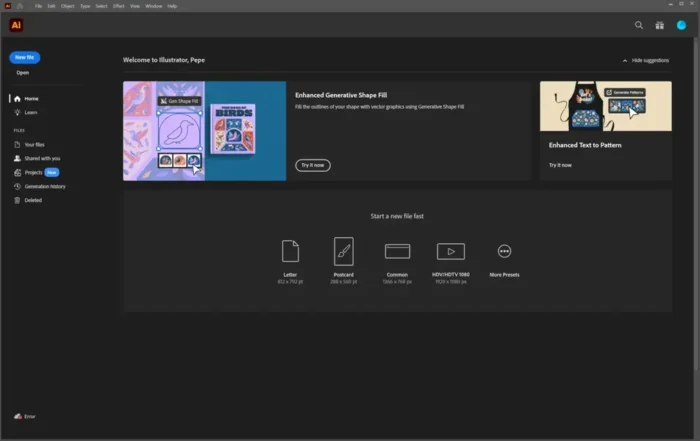
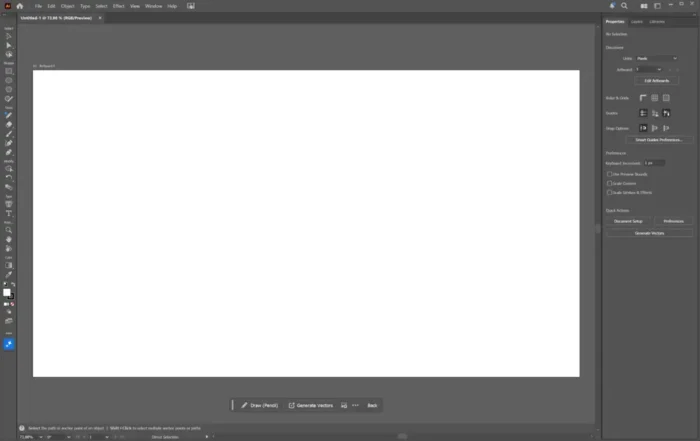
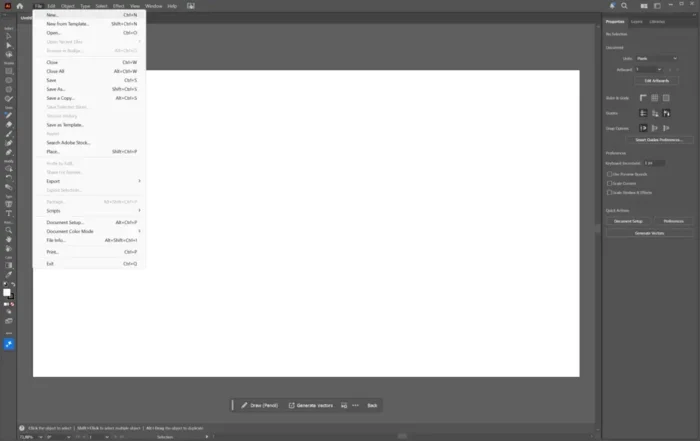
Illustrator 2026 is Adobe’s current desktop vector app (version 30.x). You do not download a “full unlocked ISO.” You install Creative Cloud, then Illustrator.
Download Adobe Illustrator 2026 for Windows
Official download from Adobe.
Illustrator 2026 is version 30.x. Current desktop build: 30.7 (August 2026). The first file is the Creative Cloud installer. That app then installs Illustrator.
Download Illustrator 2026 for Windows
Windows 11 / Windows 10 (supported builds) · 64-bit · Version 30.7 · Creative Cloud installer (.exe) · 7-day trial, then a subscription · Updated 25 August 2026
Official Adobe build. Start at adobe.com/products/illustrator or creativecloud.adobe.com/apps/download/illustrator.
Do not run Illustrator_2026_Pro_Preactivated.exe. That is not Adobe.
This is the path for a home or freelance Windows PC. Work machines should use the seat their admin assigned in Adobe Admin Console.
Plans · System requirements · Already have Creative Cloud?
If you searched for “Illustrator 2026 full” or “Illustrator Pro”
There is no separate Pro setup. There is Illustrator, licensed by plan.
- Sign in at adobe.com
- Start the 7-day trial or use a plan you already pay for
- Install Creative Cloud Desktop
- In that app, install Illustrator 2026
A 3 GB “offline pack” with a cure is not the product. The real first file is a small Creative Cloud installer. Illustrator itself is large and arrives after you sign in.
Your download should start on Adobe’s site
If nothing saves, use Restart download on Adobe’s install page, or open Creative Cloud and click Install next to Illustrator.
What to do next
- Run the Creative Cloud installer from Downloads.
- Sign in with an Adobe ID.
- Find Illustrator → Install.
- Wait. The stub is tiny. The app is not.
- Launch Illustrator and stay signed in. Activation needs the internet.
Typical stub folder: C:\Users\You\Downloads.
Typical app folder: C:\Program Files\Adobe\Adobe Illustrator 2026.
If Creative Cloud is already on the PC, skip the stub.
Windows may warn you. Check the publisher.
- Publisher on the prompt should read Adobe.
- SmartScreen can appear on a new stub. Use More info only if the signature is Adobe.
- Do not turn off Defender to “unlock 2026.”
- Do not run a patch after install.
30.7 is also a security update (APSB26-124). Stay on 30.7 or later on Windows. A cracked 30.6 build is both unlicensed and unpatched.
Pick the right Windows file
One recommended path. The rest are official variants.
| Build | Who it is for | Where |
|---|---|---|
| Recommended | Most Windows 11/10 PCs | Creative Cloud → Illustrator 2026 (30.7) |
| 7-day trial | First look at the full app | adobe.com/products/illustrator |
| Illustrator only | You do not need Photoshop or Premiere | Illustrator Single App plan |
| Creative Cloud Pro | 20+ apps and more Firefly credits | Adobe Creative Cloud Pro |
| Illustrator 2025 (29.8.10) | You still need last year’s major app | Creative Cloud, previous version |
| Teams / Enterprise | Work PCs | Admin Console |
| Illustrator (beta) | New workflow experiments | Creative Cloud beta apps |
Adobe ships the current major version and the previous one. Older Creative Suite discs are not this download.
Will it run on this PC?
Official floor for Illustrator 30.0 and later on Windows:
- OS: Windows 11 24H2 or 23H2; Windows 10 22H2 or 21H2 LTSC
- CPU: 64-bit Intel or AMD with SSE 4.2
- RAM: 8 GB minimum, 16 GB recommended
- Disk: 2 GB free to start installing; more during setup; SSD recommended
- Display: 1024×768 minimum, 1920×1080 recommended
- GPU: DirectX 12 or OpenGL 4.0; 1 GB VRAM minimum, 4 GB recommended
- Internet: required to activate, stay licensed, and use online / Firefly features
Windows on ARM can run it, but expect emulation rather than a native ARM app. Touch workspace needs a Windows touch display.
Already installed? Creative Cloud updates 30.x in place. You do not need a second 2026 download.
Install, first run, and the trial clock
Trial: 7 days of the real app. It becomes a paid membership unless you cancel first. Cancel in your Adobe account if you only wanted a look.
First run
- Sign in.
- Create a small RGB or CMYK document before a 200-artboard file.
- GPU Performance lives in Preferences. Turn it off only if the canvas misbehaves.
- Generative vector tools spend plan credits. That is not a missing “Pro unlock.”
Uninstall: Creative Cloud Desktop → Illustrator → Uninstall, or Windows Settings → Apps.
If it did not work
- Stub downloaded, nothing else — you are not signed in, or the download paused.
- “This version is not compatible” — OS build is too old.
- App asks for a serial from CS6 — you grabbed a fake.
- Work laptop blocked it — your admin owns the licence.
What you are actually paying for
US list prices move. Current official single-app figure is about US$22.99/month on the annual plan billed monthly, or US$263.88/year prepaid. Month-to-month is higher, about US$31.49. Creative Cloud Pro is about US$69.99/month, sometimes cheaper for the first months. Teams list Illustrator around US$37.99/month per seat. Check adobe.com at checkout.
Why people still install the desktop app
- Logos, icons, type and print-ready vectors that scale
.aifiles the industry still sends around- 30.7: new Blend panel, Ease In/Out blends, Firefly from the New Document dialog, plus the August security fix
Web and iPad apps exist. They are not this Windows install.
What’s new in 30.7 (August 2026)
- Dedicated Blend panel with live preview
- Ease In / Ease Out blend steps
- Generate artwork with Firefly from the New Document window
- Firefly entry points on the home screen
- Customer-reported fixes and APSB26-124
Release notes and security bulletins live on Adobe Help Center.
Questions before you trust the .exe
Is this the official file?
Yes if it came from adobe.com and Creative Cloud shows Illustrator 30.7 published by Adobe.
Can I download a one-click offline Illustrator 2026?
Not from the public site. Enterprises get packages from Admin Console. Home users use Creative Cloud.
Is there a lifetime licence?
Not for current Illustrator 2026. It is a subscription.
32-bit Windows?
No.
Do I need the full Creative Cloud?
No. An Illustrator-only plan exists.
Will it work without the internet after install?
Local drawing can work. Activation, updates and Firefly features expect a connection.
Illustrator vs Photoshop?
Illustrator is vectors (logos, icons, type). Photoshop is pixels (photos, paint). Different app. Same Creative Cloud door.
After you have the file
Use Adobe’s installer. Sign in. Let Creative Cloud pull Illustrator 30.7. Pay on adobe.com if you keep it past the trial.
Official product: www.adobe.com/products/illustrator.html
Install: creativecloud.adobe.com/apps/download/illustrator
Requirements: Illustrator desktop technical requirements
Publisher: Adobe. Illustrator is a trademark of Adobe. Report a page that wrapped this product in a crack.
Download Adobe Illustrator 2026 for Windows
You can download the latest Adobe Illustrator 2026 (64-bit) for Windows 10 and Windows 11.
- Full setup (offline installer supported)
- Latest updated version
- Compatible with modern Windows systems
👉 Make sure you have enough disk space before starting
👉 A stable internet connection is recommended
Note: Illustrator is not very lightweight, especially with newer updates.
Adobe Illustrator 2026 Overview
Illustrator is Adobe’s vector design software, mainly used for:
- Logo design
- Icons and illustrations
- Branding materials
- Print designs (business cards, brochures)
- UI graphics
Unlike Photoshop (which is pixel-based), Illustrator works on vectors — meaning:
👉 Designs don’t lose quality when resized
But the landscape has changed.
Tools like Canva, Figma, CorelDRAW, and even AI generators are now handling many design tasks that earlier required Illustrator.
Still, Illustrator hasn’t lost its place.
Why Illustrator is Still Relevant in 2026
Let’s be honest.
👉 If you just want a quick logo → AI tools can do it
👉 If you want social media graphics → Canva is enough
But for:
- Professional logo design
- Scalable vector artwork
- Detailed illustrations
- Client-based branding work
👉 Illustrator is still one of the strongest tools
The reason is simple:
Scalability + Precision + Industry Standard
AI tools are fast, but not reliable for professional output.
AI and Automation in Illustrator 2026
Adobe has started adding AI-based features in Illustrator too.
You’ll see:
- Auto tracing improvements
- Smart color suggestions
- Faster object alignment
- Some generative features
But again, same issue:
❌ Full AI features depend on Adobe subscription
❌ Free/cracked versions have limited or no AI access
Because of this:
- Beginners → shifting to free tools
- Professionals → still using Illustrator
Key Features of Adobe Illustrator 2026
Here are the main upgrades and features:
- Improved vector drawing tools
- Faster rendering and zoom performance
- Enhanced pen tool accuracy
- Better gradient and color controls
- Advanced typography tools
- Improved SVG export options
- Smoother UI and workspace
👉 Overall, performance is more stable, especially on newer systems
System Requirements (Windows)
Before installing, check your PC:
Minimum:
- OS: Windows 10 / 11 (64-bit)
- RAM: 8GB
- Storage: 10GB free space
- Processor: Intel Core i5 or equivalent
Recommended:
- 16GB RAM
- SSD storage
- Dedicated GPU
👉 Low-end PCs may struggle with complex vector files
Download Size and Installation
Illustrator is also a heavy application:
- Setup size: ~2GB to 4GB
- Installed size: 8GB+
Tips:
- Install on SSD for faster performance
- Close background apps during installation
- Keep extra space for project files
Illustrator vs AI Design Tools
This is where things get interesting.
| Feature | Illustrator | AI Tools |
|---|---|---|
| Ease of use | Low | Very high |
| Speed | Medium | Fast |
| Vector control | Full | Limited |
| Professional use | Yes | Limited |
| Free usage | No | Yes |
👉 Final takeaway:
- Fast designs → AI tools
- Professional vector work → Illustrator
How to Install Adobe Illustrator 2026
Basic steps:
- Download the setup
- Extract files (if needed)
- Run installer
- Follow instructions
- Complete installation
👉 Some setups may include additional steps depending on source
Also make sure:
- Antivirus is not blocking installation
- System meets requirements
Should You Download Illustrator 2026?
Simple answer:
👉 Download it if:
- You design logos or branding
- You work with vectors
- You handle client projects
- You need scalable graphics
👉 Skip it if:
- You only make simple posts
- You want instant results
- You don’t want to learn complex tools
FAQs
Is Adobe Illustrator 2026 free to download?
Official version is paid. Free downloads online are unofficial.
Can I use Illustrator without subscription?
Only unofficial versions work without subscription. Some features may be limited.
Is Illustrator better than Photoshop?
Depends on your work. Illustrator is for vectors, Photoshop is for images.
Is Illustrator beginner-friendly?
Not really. It takes time to learn.
Which is better: Illustrator or Canva?
For beginners → Canva
For professionals → Illustrator
Final Verdict
In 2026, design tools have evolved a lot.
👉 Many people don’t need Illustrator anymore
👉 But professionals still rely on it
Because:
- It gives full control
- It produces scalable output
- It’s still industry standard
If you know how to use it → you won’t need alternatives
If you don’t → AI tools will feel easier
That’s the real situation.