
Adobe Premiere Pro 2026 (v26.5.2.5)
Adobe Premiere Pro for Windows: Download, Free Trial, and Full Guide
If you’ve ever scrolled through a “free download” page for Adobe Premiere Pro and felt a little unsure about it, that instinct is worth listening to. Premiere Pro isn’t sold as a one-time purchase or a free standalone program — it’s a subscription app inside Adobe Creative Cloud, and the only safe way to run it is through Adobe’s own servers.
The good news: getting started costs nothing upfront. Adobe offers a full-featured 7-day free trial, and if you decide it’s not for you, there are excellent free editors that won’t ask for a credit card at all. This guide walks through both paths, plus everything you need to know about installing Premiere Pro properly on Windows.
What Is Adobe Premiere Pro?
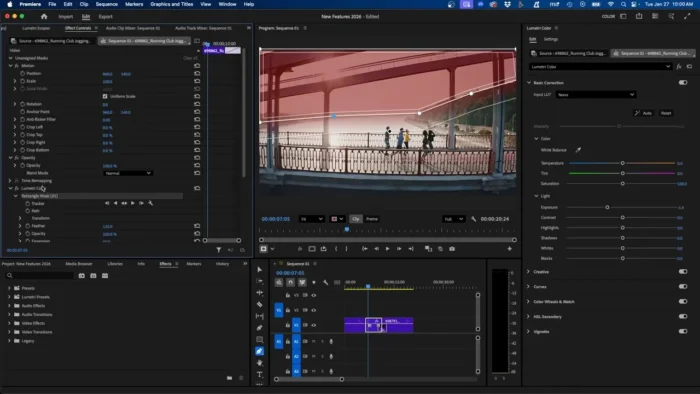
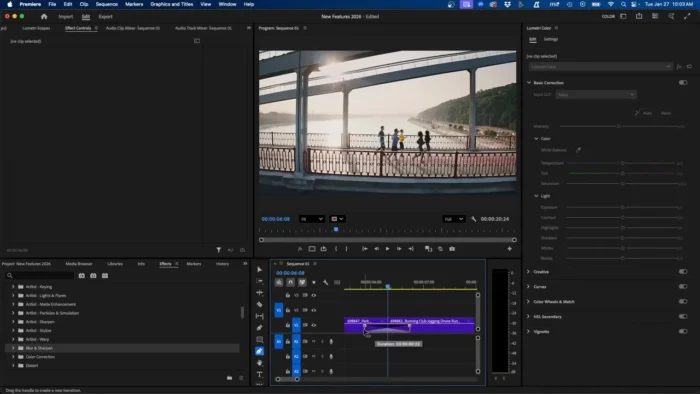
Premiere Pro is a professional, timeline-based video editing application built for everything from YouTube uploads to feature films. It’s part of the same family as Photoshop and After Effects, and it plugs directly into them — so you can send a still image to Photoshop for touch-ups or bring a motion graphics composition in from After Effects without ever leaving your project.
It’s aimed at people who edit regularly and want depth: multi-cam sync, color grading, AI-assisted transcription, and fast exports for social platforms. Casual editors who just want to trim a few clips and add captions are often better served by a lighter, free tool — more on that below.
Key Features
- AI-powered text-based editing — Premiere transcribes your footage automatically, so you can cut a video by deleting words in a script instead of hunting through a timeline.
- Multi-cam editing — sync footage from several cameras and switch angles live while you watch playback, which is a huge time-saver for interviews and events.
- Lumetri color grading — professional color tools with scopes, curves, and one-click looks, so your footage can go from flat to cinematic without a separate app.
- GPU-accelerated playback and export — a supported NVIDIA or AMD graphics card lets Premiere scrub through 4K footage smoothly and cut render times significantly.
- Auto Reframe — automatically repositions your frame when you convert a widescreen video into a vertical or square version for social media.
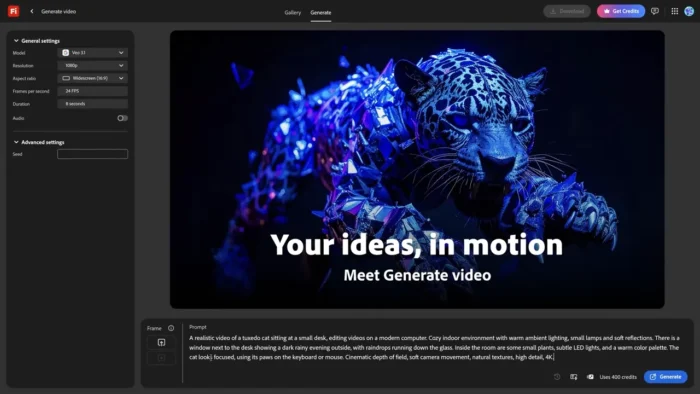
- Generative Extend — an AI tool that can add a few extra frames to a clip when you’re just short of the length you need, saving a reshoot.
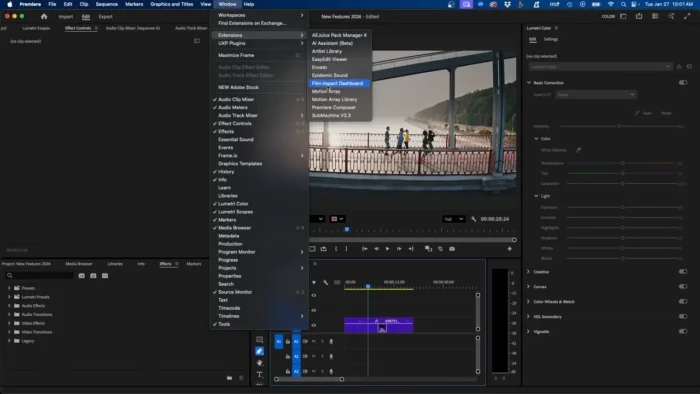
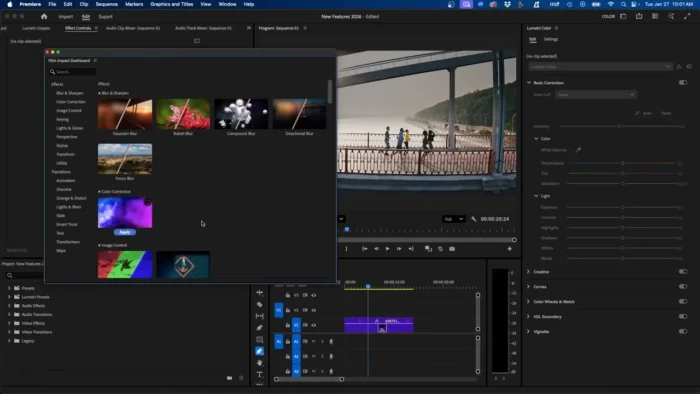
- Deep Adobe integration — Dynamic Link with After Effects, direct access to Photoshop files, and built-in Adobe Stock browsing all cut down on export-import busywork.
- Team Projects and cloud collaboration — multiple editors can work on the same project from different locations, with changes syncing automatically.
- Wide format support — native handling of H.264, HEVC, ProRes, and most camera RAW formats without extra plug-ins.
- Speech enhancement and audio repair — clean up noisy dialogue or thin-sounding audio with a couple of clicks in the Essential Sound panel.
What’s New
Adobe updates Premiere Pro several times a year rather than releasing an entirely new version once a year, so “what’s new” changes fairly often. Recent updates have focused on:
- Faster background rendering and export queuing
- Expanded AI tools, including improved Generative Extend and smarter scene-edit detection
- Better GPU acceleration and support for newer graphics cards
- Continued native support for Apple Silicon and expanding support for Windows-on-Arm devices
For the exact changelog for the version you’re about to install, check Adobe’s official release notes page — it’s updated with every release and is far more reliable than any third-party summary.
System Requirements for Windows
Premiere Pro is genuinely demanding software, and the gap between “it runs” and “it runs smoothly” is large. Here’s a realistic breakdown.
| Component | Minimum | Recommended |
|---|---|---|
| Operating System | Windows 10 (64-bit), version 1909 or later | Windows 11 (64-bit) |
| Processor | Intel 6th Gen or newer, or AMD Ryzen 1000 series or newer, with AVX2 support | Intel 7th Gen or newer / AMD Ryzen 3000 series or newer |
| RAM | 8 GB | 16 GB for HD, 32 GB for 4K and above |
| GPU | 2 GB VRAM (Premiere will run, but hardware acceleration is limited) | 4 GB+ VRAM, NVIDIA or AMD with up-to-date drivers |
| Storage | SSD with several GB free for the app itself | Dedicated NVMe SSD for the media cache and scratch disk |
| Display | 1920×1080 | 1920×1080 or higher, color-calibrated for grading work |
| Internet | Required for installation, activation, and license checks | Required |
Two things worth flagging: the 8 GB “minimum” is really a floor for basic HD cuts with few effects — most editors are much happier at 16 GB or above. And because Adobe updates its official requirements alongside new releases, it’s worth a quick check on Adobe’s technical requirements page before you buy new hardware around these numbers.
How to Download and Install Premiere Pro on Windows
- Go to Adobe’s official site and start the Premiere Pro free trial or choose a Creative Cloud plan.
- Create or sign in to your Adobe ID. This is required — Premiere Pro checks in with Adobe’s servers to activate.
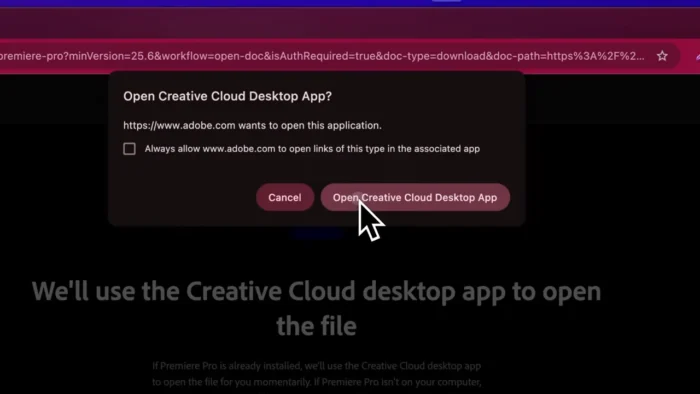
- Install the Creative Cloud desktop app. This is Adobe’s app manager; Premiere Pro installs and updates through it rather than as a standalone .exe.
- Download Premiere Pro from the Creative Cloud app, then let it run — installation typically takes a while given the size of the program.
- Sign in and activate using the same Adobe ID you used to start the trial or subscription.
- Restart your PC if prompted, then launch Premiere Pro from the Creative Cloud app or your Start menu.
A couple of common install snags: running the installer without admin rights, having an outdated GPU driver (update this before your first launch), and running low on drive space, since Premiere’s cache and preview files can grow quickly on longer projects.
Pricing: What Premiere Pro Actually Costs
Premiere Pro is not free, and there’s no legitimate “full version” download outside of an active Adobe subscription. As of writing, Adobe offers:
- A free 7-day trial with full functionality
- A single-app Premiere Pro plan, billed monthly or annually
- Access as part of the broader Creative Cloud All Apps plan, which also includes Photoshop, After Effects, and more
- Discounted student and teacher pricing
Exact prices change from time to time and vary by region, so check Adobe’s pricing page directly for current numbers rather than relying on older figures floating around online.
Pros
- Industry-standard tool, so skills transfer directly to studio and freelance work
- Deep, genuinely useful AI features (transcription-based editing, Auto Reframe, speech enhancement)
- Tight integration with Photoshop and After Effects
- Strong GPU acceleration when paired with the right hardware
- Frequent updates rather than one big annual release
- Excellent format and codec support out of the box
Cons
- Subscription-only — no perpetual license option
- Steep learning curve for complete beginners
- Hardware-hungry; older or budget laptops will struggle with 4K footage
- Large install size and ongoing cache/storage demands
- Requires an internet connection for activation and periodic license checks
If You Want a Free Alternative
If Premiere Pro’s subscription model doesn’t fit your budget or you only edit occasionally, you’re not out of options:
- DaVinci Resolve — genuinely professional-grade color grading and editing, free version has no watermark, paid Studio version unlocks extra features
- CapCut — quick, template-driven editing, especially strong for short-form vertical video
- Shotcut — open-source, lightweight, good for straightforward cuts and basic effects
None of these match Premiere Pro’s AI toolset or Adobe ecosystem integration, but they’re a completely legitimate way to edit video without a subscription.
Frequently Asked Questions
Is Adobe Premiere Pro free? No. It’s part of Adobe Creative Cloud and requires a subscription after the free trial period ends.
Does Premiere Pro support Windows 11? Yes, and Windows 11 is now the preferred OS for driver and performance reasons, though Windows 10 (64-bit, version 1909+) is still supported.
Is there a one-time-purchase version of Premiere Pro? No. Adobe moved entirely to subscription pricing years ago; there’s no perpetual license available for new customers.
Can beginners use Premiere Pro? Yes, though it has a real learning curve. Beginners who mainly want quick edits for social media are often happier starting with a simpler free tool and moving to Premiere Pro once their needs grow.
Does Premiere Pro need an internet connection to run? It needs one to install, activate, and periodically re-verify your license, even if you edit mostly offline afterward.
Does Premiere Pro support GPU acceleration? Yes — an NVIDIA or AMD GPU with updated drivers noticeably speeds up playback, effects rendering, and exports.
Can I try Premiere Pro before paying? Yes, Adobe offers a 7-day free trial with full features, no watermark.
Is Premiere Pro available for Windows on Arm devices (like Snapdragon laptops)? Adobe has been expanding official support for these devices in recent releases; check the current technical requirements page to confirm support for your specific hardware.
Final Verdict
Adobe Premiere Pro remains the benchmark for professional video editing on Windows, and its AI features, color tools, and integration with the rest of the Adobe suite are hard to match. It’s the right choice if you edit regularly, need studio-grade output, or are building skills for a career in video production.
If you’re an occasional editor working on a tight budget, it’s worth trying the free trial first and comparing it against a free tool like DaVinci Resolve before committing to a subscription. Either way, always install Premiere Pro through Adobe’s own site and Creative Cloud app — it’s the only way to be sure you’re getting a genuine, safe, and fully updated copy of the software.