

Autodesk Fusion 360
People still search Autodesk Fusion 360. Autodesk’s current name is Autodesk Fusion. It is a cloud CAD/CAM/CAE app, not a 2027-year ISO. “Fusion 360 full” means a commercial, personal, education or trial seat from Autodesk — not a cracked installer. Do not confuse this with Freedom Scientific’s screen-reader product of the same first name.
Screenshots
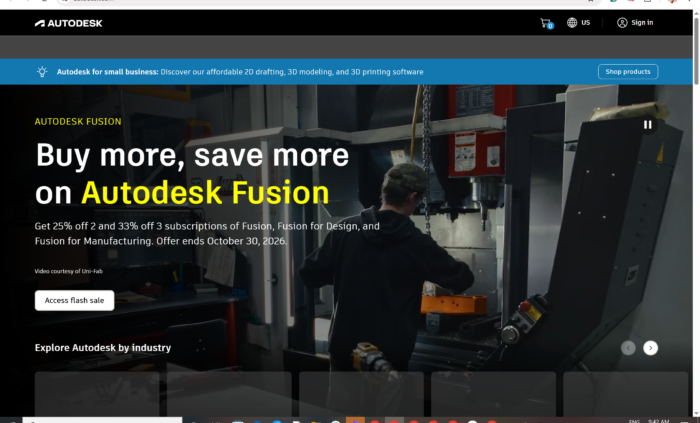
Download Autodesk Fusion (Fusion 360) for Windows
Official download from Autodesk.
Fusion models parts, CAM toolpaths, sim and (on paid seats) extra extensions. The desktop app is a streamer that stays current. Licensing is an Autodesk ID.
Download Autodesk Fusion for Windows
Windows 11 23H2+ · Current Fusion streamer (update to 2703.1.11 or newer — Autodesk requires this by 7 September 2026) · Commercial, Personal, Startup, Education or 30-day trial
Official Autodesk build. Sign in at manage.autodesk.com → Products and services → Fusion → Download.
How-to: Download and install Autodesk Fusion.
Product / trial: autodesk.com/products/fusion-360 or the Fusion trial page.
Do not run Fusion360_Full_Unlocked.exe. That is not Autodesk.
Work PCs: your admin may use --globalinstall on the streamer. You still sign in with a licensed Autodesk ID.
Install · Personal vs commercial · Already subscribed?
If you searched for “Fusion 360 full,” “2026 cracked,” or “lifetime”
There is no perpetual offline Fusion.
- Sign in with the Autodesk ID that owns Fusion
- Run the official streamer
- Sign in again inside Fusion
- Let it update
A “Fusion 360 2026 full” folder plus a hosts-file trick is stolen licensing. Fusion checks the Autodesk account and will stop launching if you stay on an old build past Autodesk’s cutoff. Grey-market keys are often recycled seats.
Your Autodesk Fusion 360 download should start on Autodesk’s site
If nothing saves, you opened Inventor or the wrong “Fusion” (screen reader).
What to do next
- Sign in at manage.autodesk.com.
- Open Products and services (or Trials if that is the seat).
- Find Fusion.
- Click Download.
- Run
Fusion Client Downloader/ the Fusion streamer. Stay online. - Sign in when Fusion opens.
Typical folder: C:\Users\You\Downloads.
Default per-user install lands under your profile; labs use --globalinstall from an elevated command prompt.
Do not take a 3 GB “offline full” from a forum. Offline / air-gap Fusion is not how the product is sold to consumers.
Windows may warn you. Check the publisher.
- Publisher should read Autodesk.
- SmartScreen can appear on a new streamer. Use More info only if the signature is Autodesk.
- Do not turn off Defender to “activate.”
- Do not patch
Fusion360.exe.
Help / About (or the in-app version) should show a current build. If you see a banner that you must update by 7 September 2026, download the streamer again from the account — do not ignore it.
Windows N/KN editions need the Media Feature Pack before Fusion will behave. Install that from Microsoft, reboot, then start Fusion.
Pick the right Windows file
| Seat | What you get | Who it is for |
|---|---|---|
| Fusion commercial | Full CAD/CAM/CAE/PCB as licensed + optional extensions | Paid work |
| Fusion trial | Time-limited look at professional tools | 30 days |
| Fusion for personal use | Limited, non-commercial, multi-year personal seat | Hobby / home fab only |
| Education / Startup | Autodesk programme rules | School or eligible startup |
| Inventor / AutoCAD | Different Autodesk desktops | When the office standard is IPT or DWG |
Not this download
- Inventor Professional
- Fusion Team as a separate cracked server
- Freedom Scientific Fusion
Extensions (Manufacturing, Simulation, Design, Signal Integrity, Manage) attach to a paid Fusion subscription. They are not a pirate “Pro pack.”
Autodesk Fusion 360 trial, personal and commercial
| Personal | Commercial / trial | |
|---|---|---|
| Price | Free, Autodesk’s personal-use rules | Paid (or 30-day trial) |
| Allowed use | Non-commercial personal / home fab | Job work |
| Features | Cut-down vs commercial | Full set + extensions you buy |
| Term | Multi-year personal term (renew through Autodesk) | Subscription or trial clock |
Do not use a personal seat for client work. That violates Autodesk’s terms. Register personal / education / startup through Autodesk’s official forms — not a coupon site.
Will it run on this PC?
Current Autodesk Fusion Windows floor: Windows 11 23H2 (build 22631+). Insider / pre-release Windows is unsupported. ARM64 on Windows 11 may run under Prism emulation; Autodesk has not finished certifying that path.
| Minimum | Recommended | |
|---|---|---|
| OS | Windows 11 23H2+ | Current Windows 11 |
| CPU | x64, 2 P-cores / 4 threads, 3 GHz+ turbo | 8+ P-cores / 16+ threads, 3 GHz+ base |
| RAM | 8 GB | 32 GB+ |
| GPU | 1 GB, DirectX 11 | 8 GB+ dedicated; certified Pro / Quadro / Arc Pro class |
| Disk | 8.5 GB install | 15 GB+ SSD including cache |
| Display | 1366×768 | up to 4K |
| Network | Required to install, sign in and stay licensed | — |
Already installed? Use the in-app updater or download the streamer again from the account. You do not hunt a second “Fusion 360 2026 full.”
Install, first run, and sign-in
First run
- Open Autodesk Fusion.
- Sign in with the same Autodesk ID.
- Create a box — not the live CAM job on day one.
- Confirm the licence type (Personal vs Commercial) in the account menu.
- Update immediately if the orange banner appears.
Uninstall: Settings → Apps, or Autodesk’s Fusion Service Utility / uninstall doc. Close Fusion first.
If it did not work
- Product missing — this ID never had Fusion; start a trial or personal registration.
- Will not launch — build older than Autodesk’s cutoff, or missing Media Feature Pack.
- “Full” installer is 80 MB with a keygen — leave.
- Windows 10 — current Fusion requirements list Windows 11.
- Personal licence rejected on a work project — expected.
Why people still install Fusion
- CAD + CAM in one cloud project
- Home CNC and professional seats from the same family
- Windows, Mac and a browser/mobile companion
It is not Inventor. Vaulted IPT assemblies stay in Inventor unless you choose to work in Fusion.
Questions before you trust the streamer
Is this the official file?
Yes if it came from manage.autodesk.com or Autodesk’s Fusion trial page and the publisher is Autodesk.
Is Fusion 360 free?
Personal use has a limited free seat. Commercial work is paid. Education has its own rules.
Fusion vs Inventor?
Fusion is cloud CAD/CAM. Inventor is desktop parametric CAD.
Can I stay offline forever?
No. Fusion expects the network for licence and updates.
Safe?
Official streamer plus Autodesk sign-in. The usual risk is fake “Fusion 360 full” sites.
After you have the file
Install from Autodesk. Sign in. Update past 2703.1.11 before 7 September 2026. Pay, use personal/education rules, or cancel the trial in the account.
Official download: manage.autodesk.com
Install help: How to download Autodesk Fusion
Requirements: System requirements for Autodesk Fusion
Publisher: Autodesk, Inc. Fusion and Fusion 360 are their marks. Report a page that wrapped this installer in a crack.