

Topaz Video AI
“Topaz Video AI Pro” is mostly a search name now. The live app is Topaz Video. Pro is a subscription tier. The old Topaz Video AI app stopped at 7.1.5. Same rule as the other pages: official installer first.
Screenshots
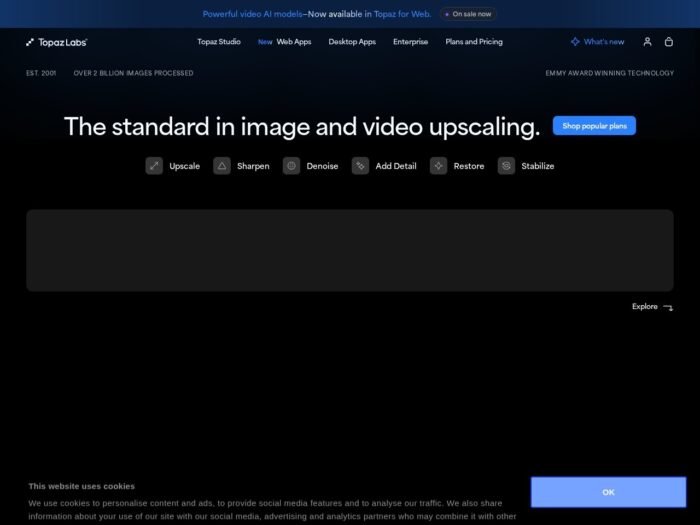
Download Topaz Video AI for Windows
Official download from Topaz Labs.
Upscale, denoise, stabilize and interpolate video on your PC. Personal and Pro use the same Windows app. The plan you sign in with decides the models and commercial rights.
Download Topaz Video for Windows
Windows 10/11 · Version 1.7.0 · Large installer + AI models · Subscription (Personal or Pro) · Updated 12 August 2026
Official Topaz Labs build. Get it from topazlabs.com/downloads or docs.topazlabs.com — Download and Install.
Do not run TopazVideoAIPro_Full.exe from a file host. That is not Topaz.
If you already own a licence, use your Topaz account. The public “latest” button is for the current Topaz Video line. Legacy Video AI lives under Account → Legacy.
Account · Personal vs Pro · Legacy Video AI 7.1.5
If you searched for “Topaz Video AI Pro”
Three different things share that phrase.
| Name | What it is now |
|---|---|
| Topaz Video | Current app. Version 1.7.0. Subscription. This is the download. |
| Topaz Video Pro | Same app. Higher plan: extra local Starlight models, more cloud credits, full commercial use, seat tools. |
| Topaz Video AI | Discontinued. Final build 7.1.5. Only if you already bought that perpetual licence. |
There is no cracked “Pro engine” hiding in a 200 MB zip. Models are gigabytes and download after you sign in. A fake pack cannot give you Starlight.
Your download should start on Topaz’s site
If nothing saves, open topazlabs.com/downloads and use Topaz Video → Download now for Windows.
What to do next
- Run the official Windows installer.
- Sign in with your Topaz Labs account.
- Open Model Manager and download only the models you will use. They are large.
- Drop in a short test clip before an archive reel.
- Export. Trial output may be limited or watermarked until the plan is active.
Typical stub folder: C:\Users\You\Downloads.
App and models need tens of gigabytes. Keep them on a fast internal SSD.
Internet is required for install, sign-in, model downloads, updates and cloud renders. You can work offline later only if models are already on the disk and the subscription check window allows it.
Windows may warn you. Check the publisher.
- Publisher should read Topaz Labs.
- SmartScreen can appear on a new MSI / EXE. Use More info only if the signature matches.
- Do not turn off Defender to “unlock Pro models.”
- Do not run a patch after install.
GPU drivers matter more than the installer warning. Update NVIDIA or AMD from the vendor before you blame the app.
Pick the right Windows file
One current installer. The rest are official variants.
| Build | Who it is for | Where |
|---|---|---|
| Recommended: Topaz Video 1.7.0 | New buyers, current workflow | topazlabs.com/downloads |
| Topaz Video Pro (plan) | Same 1.7.0 app + Pro login | topazlabs.com pricing / account |
| Premiere / After Effects / Resolve / FCP plugins | Editors who stay in the NLE | Official downloads + plugin pages |
| Legacy Topaz Video AI 7.1.5 | People who already own that licence | Account → Legacy only |
| Snapdragon / ARM Windows | Only if Topaz posts that build | Official download list, not a mirror |
If you do not own 7.1.5, do not hunt “Video AI Pro 7 full.” That line is closed. New work is Topaz Video 1.x.
Topaz Video AI Personal vs Pro
Prices move. Recent official Video figures:
| Personal | Pro | |
|---|---|---|
| Typical yearly | About $299/year prepaid, or $39/mo on an annual bill | About $699/year, or $58–$74/mo depending on billing |
| Local rendering | Unlimited on supported models | Unlimited, plus extra local Starlight models |
| Video cloud credits | About 25/month | About 100/month |
| Commercial use | Limited (check current terms / revenue cap) | Full commercial use |
| Seats | One computer at a time | Seat management |
Studio and Studio Pro bundles exist if you also want Photo and Gigapixel. Cloud credits do not roll over. Confirm the live table on topazlabs.com/pricing.
Old Video AI Pro was a commercial perpetual SKU. That shop is gone for new buyers. Perpetual sales ended in 2025. Existing Video AI licences stay valid for the version you own. They do not keep getting new models.
Will Topaz Video AI Run on This PC?
Treat these as the practical Windows floor for current Topaz Video / Video AI-class hardware:
- OS: Windows 10 or 11, 64-bit, kept current
- CPU: Intel or AMD with AVX2
- RAM: 16 GB minimum, 32 GB if you are serious
- GPU: dedicated NVIDIA or AMD; 8 GB VRAM is the comfortable start; Starlight-class local models want 8–16 GB NVIDIA and often will not run locally on weak AMD/Intel
- Disk: installer plus models — plan 45–60 GB+ on an internal SSD
- Internet: required to fetch models and stay licensed
Integrated graphics will disappoint. A GTX 1050 is not a restoration workstation.
Already installed? Use the in-app update or the 1.7.0 installer from your account. You do not need a second “Pro setup.”
Install, first run, and the plan nag
First run
- Sign in.
- Download one upscale model and one interpolation model, not the whole catalogue.
- Process a 5-second clip. Read GPU time and VRAM.
- Then queue the real job.
If the subscription lapses, current Topaz Video expects a renewal to keep the app available. Legacy Video AI owners keep the version they bought. Read your account page, not a forum rumour.
Uninstall: Settings → Apps → Topaz Video. Models may stay in the Topaz data folder. Remove those only if you know the path.
If it did not work
- Installer is 20 MB and named
Pro_Crack— leave. - App opens, models fail — no internet, or disk full.
- CUDA / GPU error — driver or VRAM. Lower resolution or use a lighter model.
- “Licence expired” on 7.1.5 — that banner can mean updates ended, not that the old perpetual copy vanished. Check Account → Legacy.
Why people still install it
- Upscale old or soft video
- Denoise and stabilize
- Slow motion / frame interpolation
- Plugins beside Premiere, After Effects, Resolve, Final Cut
What’s new in 1.7.0 (12 August 2026)
- Starlight Precise 2.6 and Starlight Mini updates
- Final Cut Pro plugin
- Live preview stabilization
- Model Manager and export-queue model downloads
- HDR preset and crash-recovery fixes
Full notes: Topaz Community release thread.
Adobe announced an agreement to acquire Topaz Labs in 2026. The download path today is still topazlabs.com. Future branding may change. Use your account, not a panic mirror.
Questions before you trust the installer
Is this the official file?
Yes if it came from topazlabs.com or your logged-in account.
Do I download Pro separately?
No. Same Topaz Video 1.7.0. Pro is the plan.
Can I still buy Video AI 7.1.5 Pro perpetual?
Not as a new shop SKU. Only existing owners get that legacy installer.
Will it work without a GPU?
Barely, if at all, for real footage. Buy time on a proper GPU instead of a fake “Pro CPU edition.”
One PC or two?
Current subscription: one computer at a time. Old Video AI licence: two machines, with periodic auth.
Safe?
Official installer plus signed publisher. The risk is fake “Pro” sites and running out of disk when models land.
After you have the file
Install from Topaz. Sign in. Pull only the models you need. Pay Personal or Pro on topazlabs.com if the output earns it.
Official downloads: www.topazlabs.com/downloads
Install guide: docs.topazlabs.com/topaz-video/download-and-install
Pricing: www.topazlabs.com/pricing
Publisher: Topaz Labs, LLC. Topaz Video and Topaz Video AI are their marks. Report a page that wrapped this installer in a crack.