
Photoshop 2018
Adobe Photoshop CC 2018 is a professional photo-editing and graphic-design application for Windows. This page provides information about Photoshop CC 2018, its key features, system compatibility, and available 32-bit and 64-bit download options.
Photoshop CC 2018 is an older release of Adobe Photoshop that introduced several workflow improvements, including the Curvature Pen Tool, improved brush management, smoother brush strokes, and enhancements to Select and Mask.
Looking for a newer release? See Adobe Photoshop CC 2019.
Adobe Photoshop CC 2018 Overview
Photoshop CC 2018 is part of Adobe’s Creative Cloud generation of Photoshop releases. It provides tools for photo retouching, image compositing, graphic design, typography, digital artwork, and other professional editing workflows.
Unlike current Photoshop releases, CC 2018 is an older version. If you specifically need this release for compatibility with an older workflow or project, check the system requirements and installer architecture before downloading.
Photoshop CC 2018 Version Information
- Product: Adobe Photoshop
- Release: Photoshop CC 2018
- Platform: Windows
- Architecture: 32-bit and 64-bit installers may vary by release and system compatibility
- License: Commercial/proprietary software
Note: Photoshop CC 2018 is not the current version of Photoshop. Availability and compatibility of older installers can differ from current Adobe releases.
What’s New in Adobe Photoshop CC 2018
Photoshop CC 2018 introduced several improvements aimed at making drawing, typography, path creation, and everyday editing workflows more efficient.
Improved Brush Management
Photoshop CC 2018 improved the way users organize and work with brushes and brush presets. Brush presets can be managed more conveniently, making it easier to keep frequently used brushes organized.
Smoother Brush Strokes
The brush tool received stroke-smoothing improvements in CC 2018. These controls can help produce cleaner and more consistent strokes when drawing or retouching images.
Curvature Pen Tool
One of the notable additions in Photoshop CC 2018 is the Curvature Pen Tool. It provides a more visual way to create and edit curved paths, which can be useful for selections, shapes, illustrations, and precise design work.
Here is a video explanation of how to use the Curvature Pen Tool in Photoshop CC 2018:
Variable Fonts
Photoshop CC 2018 added support for variable fonts, giving designers more control over font characteristics such as weight, width, and other supported variations without requiring separate font files for every variation.
Select and Mask Improvements
Select and Mask received improvements that make it easier to refine selections and masks, particularly when working with detailed subjects and complex edges.
Lightroom Integration
Photoshop CC 2018 continued to support workflows involving Adobe Lightroom, allowing users to move between photo-management and image-editing applications when working on supported projects.
Layer Workflow
Photoshop’s layer-based workflow makes it possible to organize multiple elements of a project independently. CC 2018 also improved several everyday workflows involving layer selection and organization.
Photoshop CC 2018 Features
- Curvature Pen Tool
- Improved brush management
- Brush stroke smoothing
- Variable font support
- Select and Mask improvements
- Improved layer workflows
- Support for high-resolution displays
- Improved typography and design workflows
For additional product information and feature documentation, refer to Adobe’s official Photoshop resources.
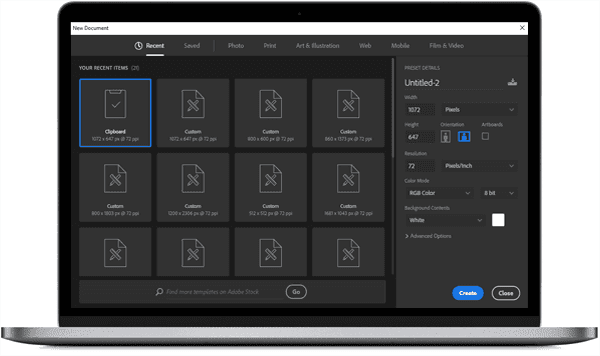
Adobe Photoshop CC 2018 Features
Photo Editing and Retouching
Photoshop provides a comprehensive set of tools for cropping, retouching, color correction, compositing, and enhancing photographs. Layers, masks, selections, adjustment tools, and filters allow users to build detailed editing workflows.
Typography and Design
Photoshop CC 2018 includes tools for creating and formatting text, designing graphics, working with shapes, and combining typography with images and other visual elements.
File Format Support
Photoshop supports common image and document formats used in professional editing workflows, including PSD, JPEG, PNG, TIFF, GIF, BMP, and PDF. The exact import and export options depend on the file type and selected workflow.
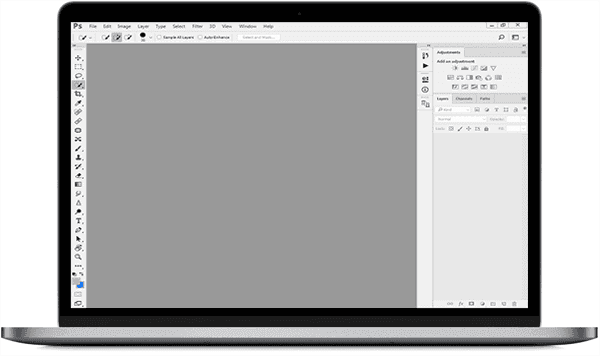
Photoshop CC 2018 System Requirements
Before installing an older Photoshop release, make sure your computer meets the requirements for the specific CC 2018 installer you plan to use. Older Adobe applications can have different operating-system and hardware requirements from current versions.
| Requirement | Details |
|---|---|
| Operating system | Use a supported Windows version for the specific Photoshop CC 2018 installer. |
| Processor | Compatible Intel or AMD processor. |
| Memory | RAM requirements depend on the installer and workload. |
| Storage | Additional free disk space is required for installation and temporary files. |
| Display | A supported display resolution is required for the Photoshop interface. |
| Graphics | A compatible graphics processor can be required for GPU-accelerated features. |
Important: Check the requirements for your exact CC 2018 build before installation, especially if you are using an older version of Windows or a 32-bit system.
Download Adobe Photoshop CC 2018
Photoshop CC 2018 is a commercial Adobe application and is not a permanently free product. If you need this older release, choose the download option that matches your Windows architecture and verify the installer source before running it.
Download options:
For current Photoshop availability and licensing information, use Adobe’s official Photoshop resources.
How to Install Photoshop CC 2018
- Download the installer that matches your system architecture.
- Before installation, make sure sufficient storage space is available.
- Close other applications that may interfere with the installation.
- Run the installer and follow the on-screen instructions.
- Complete the Adobe licensing or activation process required for your installation.
- Launch Photoshop and check that the application works correctly on your system.
Photoshop CC 2018 vs CC 2017
Photoshop CC 2018 builds on the previous CC 2017 release with improvements to brushes, typography, selections, paths, and general editing workflows. If you specifically need an earlier release, you can also compare it with Photoshop CC 2017 64-bit or the available 32-bit version.
Frequently Asked Questions
What is Photoshop CC 2018?
Photoshop CC 2018 is an older Creative Cloud release of Adobe Photoshop used for photo editing, graphic design, retouching, compositing, typography, and digital artwork.
Is Photoshop CC 2018 free?
No. Photoshop is commercial software. Downloading an installer does not make the software permanently free or remove Adobe’s licensing requirements.
What is new in Photoshop CC 2018?
Notable CC 2018 improvements include the Curvature Pen Tool, improved brush workflows, brush stroke smoothing, variable font support, and Select and Mask improvements.
Can Photoshop CC 2018 run on Windows?
Photoshop CC 2018 was designed for supported Windows environments of its release period. Compatibility should be checked against the exact installer and your Windows version before installation.
Which Photoshop CC 2018 version should I download?
Choose the 64-bit installer when your Windows installation and hardware support it. A 32-bit installer should only be used on a compatible 32-bit environment.
Older Photoshop Versions
If you need an earlier Photoshop release, these related versions may be useful: