

EaseUS Data Recovery Wizard 20.1 + WinPE
EaseUS Data Recovery Wizard is a scan-and-restore tool from easeus.com. Current Windows line is 20.x (20.0 / 20.1). Free edition caps how much you can save (2 GB). For other software, also see Free YouTube Download Premium and File Centipede. However, “Wizard Pro 2026 full” is not a cracked ISO. In addition, install it on a healthy drive — never on the disk you are trying to recover.
Screenshots
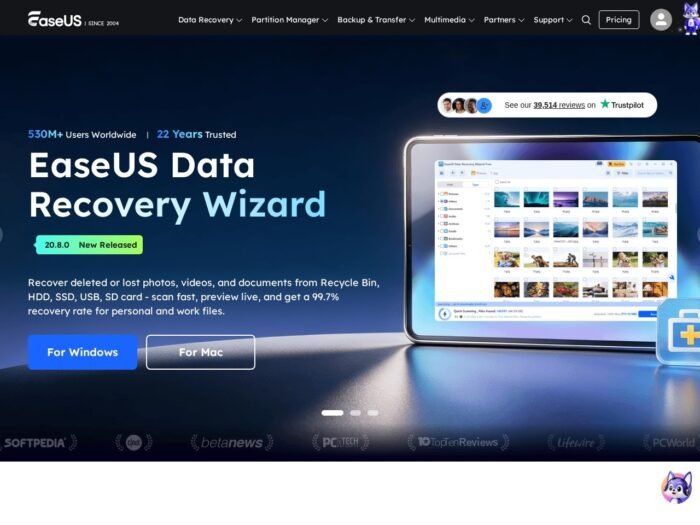
Download EaseUS Data Recovery Wizard for Windows
Official download from EaseUS.
Scan a disk, preview files, restore to another volume. Pay only if the free cap is not enough. Licensing is an EaseUS key in the app — not an Adobe ID.
Download EaseUS Data Recovery Wizard for Windows
Windows 10 / 11 (older Windows listed too) · 20.x · Free scan + limited restore · Paid unlock for more data
Official site: easeus.com → Data Recovery Wizard.
Downloads hub: easeus.com/support-center/product/download.html.
User guide: Data Recovery for Windows.
Do not run EaseUS_DRW_Pro_2026_Unlocked.exe. That is not EaseUS.
Work PCs: buy a licence, reset it in EaseUS Support Center if you move machines. Do not image a stolen “Technician” pack.
Install Free · Need paid restore? · Already licensed?
If you searched for “EaseUS Pro 2026 full,” “20.1 portable,” or “activated”
In short, there is no extra unlocked setup.
- First, download from easeus.com.
- Next, install on C: (or any disk that is not the lost volume).
- Then, scan.
- After that, restore to a different drive.
- Finally, enter the key from your EaseUS order if you need more than the free cap.
A “20.1 pre-activated” folder plus a patch is stolen licensing. Grey-market keys are often recycled seats.
Do not write recovered files back onto the same partition. That is how you overwrite the data you came for.
Your download should start on EaseUS.com
If the EXE is 8 MB named DRW_Full_Crack, leave.
What to do next
- Open easeus.com Data Recovery Wizard.
- Download Windows.
- Run the installer on a good disk.
- Launch. Pick the lost drive.
- Deep scan if Quick scan misses it.
- Preview. Restore elsewhere.
Typical folder: C:\Program Files\EaseUS\EaseUS Data Recovery Wizard.
WinPE / emergency disk: use EaseUS’s own bootable-media flow if Windows will not start. Do not grab a random ISO labelled “EaseUS PE 2026.”
Windows may warn you. Check the publisher.
- Publisher should read EaseUS / CHENGDU Yiwo.
- SmartScreen can appear on a new setup. Use More info only if the signature is EaseUS.
- Do not turn off Defender to “enable RAID recover.”
- Do not run the tool from the USB you just formatted.
Activate: in-app key icon (EaseUS documents this). Reset a seat: easeus.com/support-center/code/reset.html.
Pick the right Windows file
| Product | What you get | Who it is for |
|---|---|---|
| Data Recovery Wizard Free | Scan + capped restore | First try |
| Data Recovery Wizard (paid) | Unlock restore size / extra tools | When Free is not enough |
| MobiSaver | Phone backups | Different product |
| Partition Master | Partitioning | Different product |
Not this download
- Recuva labelled EaseUS
- “Technician 20 portable”
- macOS DMG on this Windows page
EaseUS Data Recovery Wizard trial and licence
Free scan is the point. Paid plans unlock how much you can save and some extra modes. Buy from EaseUS. Enter the code in the app.
A $9 “Pro lifetime 2026” key from a forum is not EaseUS.
Will EaseUS Data Recovery Wizard run on this PC?
EaseUS lists a low floor: roughly 500 MHz+ CPU, about 1–2 GB RAM, a little disk for the app, Windows 7 through 11 plus various Server years (their support pages still name XP–Server 2025 in places). Real recoveries want a working PC and a second disk. SSD / TRIM / encrypting BitLocker volumes change what you can get back.
| Official-ish floor | What you actually want | |
|---|---|---|
| OS | Windows 10/11 (they list older too) | Current 64-bit Windows |
| RAM | 1–2 GB listed | 8 GB+ |
| Disk for app | 100–500 MB | Plus a target drive |
| File systems | NTFS, FAT, exFAT, ReFS, ext, HFS+… | Match the lost volume |
Already installed? In-app update from EaseUS. You do not download a second “Pro full.”
Install EaseUS Data Recovery Wizard, first scan, and restore
First run
- First, stop using the lost disk.
- Next, open Data Recovery Wizard.
- Then, select that disk. Scan.
- Preview photos/docs.
- Restore to D: or a USB — not back onto the patient.
Uninstall: Settings → Apps.
If it did not work
- 0 files — disk reused too long, or hardware dead.
- Preview works, save blocked — Free cap / no key.
- 15 MB
DRW_Unlocked— leave. - You installed onto the lost partition — stop. Use another PC.
Why people still install this
- Emptied Recycle Bin / Shift+Delete
- Format + “I didn’t mean that”
- USB that Windows wants to format
However, it will not fix a clicking HDD. Image first if the drive is dying.
Questions before you trust the installer
Is this the official file?
Yes if it came from easeus.com and the publisher is EaseUS.
Is the Free edition enough?
For a few photos, often. For a whole documents folder, you will hit the cap.
Pro vs Free?
Same scanner. Paid unlocks restore volume / extras.
Safe?
Official EaseUS installer. Forum “Wizard 20 full” files are the risk — and they often wipe the disk they claim to save.
After you have the file
Install from EaseUS on a healthy drive. Scan. Restore somewhere else. Pay EaseUS if the cap blocks you.
Official product help: Data Recovery for Windows
Download center: support-center/product/download.html
Publisher: EaseUS. Data Recovery Wizard is their mark. Report a page that wrapped this installer in a crack.