
Adobe Photoshop 2026 (v27.11.0.26)
If you are looking for Adobe Photoshop 2026 for Windows, this page covers the latest desktop version, official download method, new features, system requirements, installation steps, and common questions. Photoshop 2026 is distributed by Adobe through Creative Cloud rather than as a standalone public offline installer.

Adobe Photoshop 2026 Download for Windows
Latest version: Photoshop 27.10
Release: August 2026
Platform: Windows 10 and Windows 11, 64-bit
Developer: Adobe
Distribution: Adobe Creative Cloud
License: Subscription with a 7-day free trial available through Adobe
Adobe distributes the current desktop version of Photoshop through Creative Cloud. When you choose the official Photoshop download, Adobe first installs or opens the Creative Cloud desktop application, after which Photoshop is downloaded and installed through your Adobe account.
Important: Photoshop 2026 is not a free full version. Adobe currently offers a 7-day free trial, after which the selected subscription plan applies. The exact plans and pricing can change, so check Adobe’s current pricing before subscribing.
How to Download Photoshop 2026
The safest way to download Photoshop 2026 is through Adobe’s official website or the Creative Cloud desktop application.
- Open Adobe’s official Photoshop page.
- Choose the Free trial or purchase option available for your account.
- Sign in with your Adobe account when prompted.
- Download and install Creative Cloud Desktop.
- Open Creative Cloud and find Photoshop.
- Select Install to download the current Photoshop version.
If Creative Cloud is already installed on your PC, you can open it directly and install or update Photoshop without downloading a separate Photoshop setup file.
Is Photoshop 2026 Free?
Adobe Photoshop 2026 is not permanently free software. Adobe provides a 7-day free trial for Photoshop, while continued use requires an eligible subscription. Adobe’s current trial information states that billing begins after the trial unless you cancel according to the applicable terms.
Therefore, websites offering a “Photoshop 2026 full version,” “pre-activated Photoshop,” “lifetime license,” or “cracked Photoshop” are not providing the official Adobe release.
What’s New in Photoshop 2026 Version 27.10?
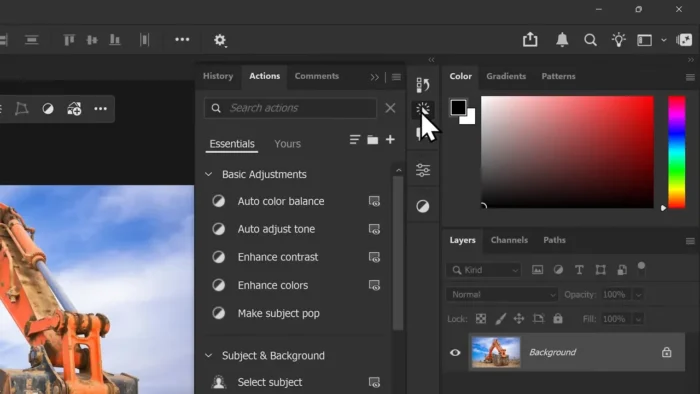
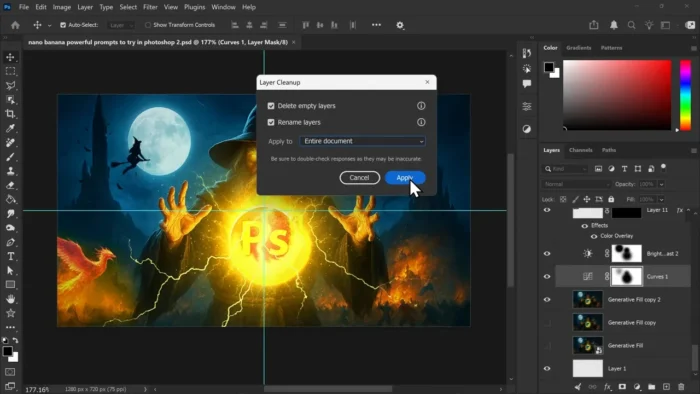
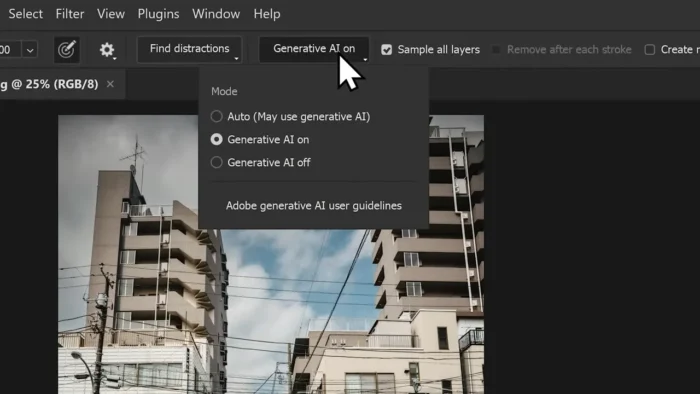
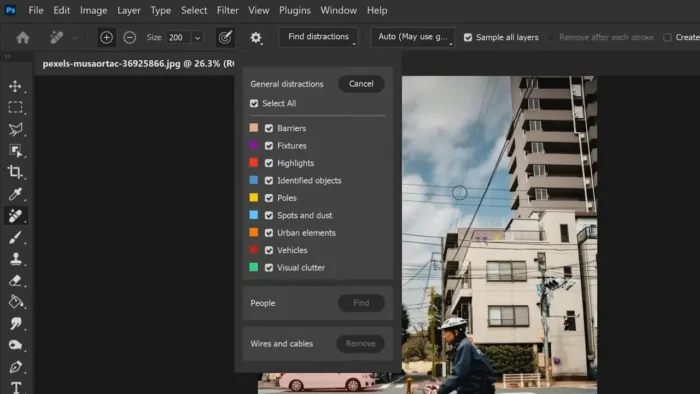
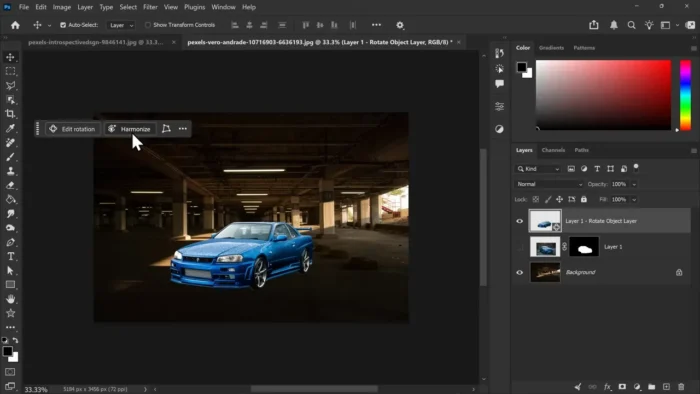
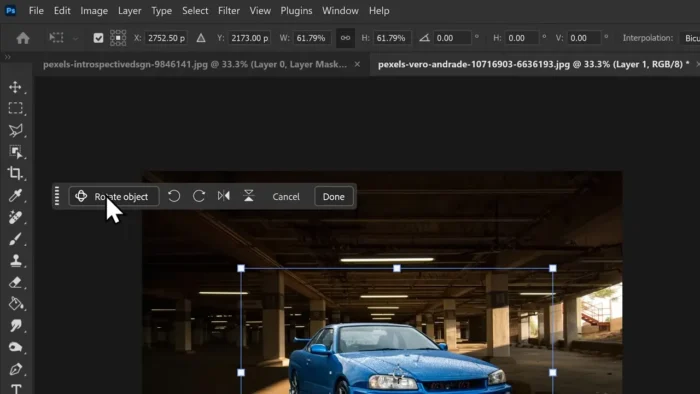
The August 2026 Photoshop 27.10 release adds several AI-assisted editing improvements and workflow enhancements. The main updates include:
- AI Assisted Editor (Beta): access Firefly-powered creative tools directly from Photoshop.
- Prompt-based editing: describe an edit using natural language and apply it to the image.
- Visual Markup for AI edits: use visual instructions such as arrows, circles, color indications, and rough drawings to guide an AI edit.
- Mask-guided AI editing: target specific areas while keeping surrounding parts of the image protected.
- Light adjustment layer: make non-destructive adjustments to exposure, contrast, highlights, shadows, and other lighting settings.
- Adobe Stock integration: access Adobe Stock content within the Photoshop workflow.
Some AI-powered features depend on an Adobe account, internet connectivity, and the applicable plan or generative-credit limits.
Key Photoshop 2026 Features
Photoshop remains a full desktop image-editing application designed for photographers, designers, digital artists, and other creative professionals. Its main capabilities include:
- Advanced photo retouching and image manipulation
- Layers, masks, blending, and adjustment workflows
- RAW photo processing through Camera Raw
- Professional color and tonal adjustments
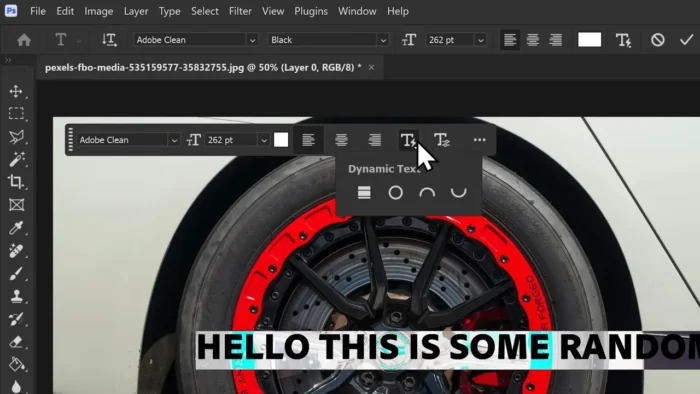
- Typography and graphic design tools
- Smart Objects and non-destructive editing
- Generative and AI-assisted editing features
- Support for PSD and other professional image formats
Photoshop 2026 System Requirements
Adobe’s requirements for Photoshop 27.x on Windows are more specific than simply saying “Windows 10/11 and 8 GB RAM.” Check the following before installing the application.
| Requirement | Minimum | Recommended |
|---|---|---|
| Operating system | Windows 11 23H2/24H2 or Windows 10 22H2 / 21H2 LTSC | Supported current Windows build |
| Processor | Multicore Intel, AMD, or supported Windows on ARM processor | Modern multicore processor |
| CPU features | Intel/AMD with AVX2 and SSE 4.2 support | Modern CPU with current driver/support |
| RAM | 8 GB | 16 GB or more |
| GPU | DirectX 12, feature level 12_0 or later, with at least 1.5 GB GPU memory | DirectX 12 compatible GPU with current drivers |
| Display | 1280 × 800 at 100% scaling | 1920 × 1080 or higher |
| Storage | At least 10 GB of available space | Fast SSD with additional free space for projects and cache |
| Internet | Required for activation and online features | Reliable internet connection |
Adobe also recommends keeping graphics drivers updated. GPUs older than seven years are not tested by Adobe, so compatibility and performance may vary on older hardware.
Does Photoshop 2026 Work on Windows 10?
Yes. Photoshop 27.x supports Windows 10 version 22H2 and Windows 10 version 21H2 LTSC, as well as supported Windows 11 versions. However, your system must also meet the processor, GPU, RAM, and other technical requirements.
Does Photoshop 2026 Support Windows on ARM?
Adobe lists supported Windows on ARM processors among the processor options for Photoshop 27.x. Actual performance and feature compatibility can vary depending on the device and hardware configuration.
How Much Space Does Photoshop 2026 Need?
Adobe lists 10 GB of available storage as the minimum requirement for Photoshop on Windows. In practice, it is better to keep substantially more free space available because Photoshop, Creative Cloud, temporary files, cache data, updates, and large projects can require additional storage.
The Creative Cloud installer itself should not be confused with the complete Photoshop installation. Adobe downloads the application and its required components after you sign in and start the Photoshop installation.
How to Install Photoshop 2026 on Windows
Photoshop 2026 is installed through Adobe Creative Cloud rather than by extracting a ZIP archive or running an unofficial standalone setup.
- Download Creative Cloud from Adobe.
- Install and open Creative Cloud Desktop.
- Sign in with your Adobe account.
- Find Photoshop in the Apps section.
- Select Install.
- Allow Creative Cloud to download and install the required Photoshop files.
- Launch Photoshop after the installation finishes.
Do not disable Windows Defender or other security software to install Photoshop. If Windows displays a publisher or security warning, verify that the installer was obtained from Adobe and that the publisher information is legitimate.
Can Photoshop 2026 Be Used Offline?
Some Photoshop features can work locally after installation, but Photoshop is not designed as a completely offline product. Activation, account verification, updates, Creative Cloud services, and several online or Firefly-powered features require an internet connection.
Photoshop 2026 vs Photoshop Elements 2026
Photoshop and Photoshop Elements are different Adobe products. Photoshop is aimed at users who need a broader professional editing workflow, while Photoshop Elements is designed as a simpler consumer-oriented application.
- Photoshop: advanced editing, layers, masks, professional workflows, Camera Raw, and extensive creative tools.
- Photoshop Elements: simpler editing experience aimed at everyday photo users.
Should You Install Photoshop 2026?
Photoshop 2026 is a good choice if you need detailed control over images, professional retouching, layered compositions, RAW processing, graphic design, or advanced AI-assisted editing.
If you only need simple cropping, resizing, background removal, or quick social-media graphics, a simpler editor may be enough. Photoshop has a steeper learning curve, but it provides much more control for complex projects.
Frequently Asked Questions
Is Adobe Photoshop 2026 free to download?
You can download and try Photoshop through Adobe’s official 7-day free trial. Continued use requires an eligible Adobe subscription. The trial should not be confused with a permanently free version of Photoshop.
Is Photoshop 2026 available as a full offline installer?
Adobe’s normal consumer installation method uses Creative Cloud. Enterprise customers can receive deployment packages through Adobe’s administrative tools, but these are different from a public standalone offline download.
Can I use Photoshop 2026 without a subscription?
The current desktop Photoshop product is subscription-based, although Adobe provides a 7-day free trial. Photoshop Elements is a separate product with a different licensing model.
Does Photoshop 2026 have AI features?
Yes. Photoshop 27.10 includes AI-assisted features such as the AI Assisted Editor beta, prompt-based editing, visual markup for AI edits, and mask-guided AI editing. Availability can depend on your Adobe account, plan, internet connection, and applicable generative-credit limits.
Can Photoshop 2026 run on 32-bit Windows?
No. Photoshop 2026 requires a supported 64-bit Windows environment.
How much RAM does Photoshop 2026 need?
Adobe lists 8 GB of RAM as the minimum for Photoshop 27.x and recommends 16 GB or more for better performance.
Does Photoshop 2026 work on Windows 11?
Yes. Photoshop 27.x supports Windows 11 23H2 and 24H2, provided the computer also meets the required hardware specifications.
Can I install Photoshop without installing the complete Creative Cloud app collection?
Yes. You do not need to install every Adobe application. Photoshop can be installed through Creative Cloud as an individual application according to your Adobe plan.
| Icon | Version | Year | Status | Resource |
|---|---|---|---|---|
 | Photoshop 2026 | 2026 | Current | Download |
| Photoshop 2025 | 2024 | Previous / LTS | Guide |
| Photoshop 2024 | 2023 | Previous | Guide |
| Photoshop 2023 | 2022 | Older | Guide |
| Photoshop 2022 | 2021 | Older | Guide |
 | Photoshop 2021 | 2020 | Legacy | Archive |
 | Photoshop 2020 | 2019 | Legacy | Archive |
| CC 2019 | 2018 | Legacy | Archive |
 | CC 2018 | 2017 | Legacy | Archive |
| CC 2017 | 2016 | Legacy | Archive |
 | CC 2015 | 2015 | Legacy | Archive |
| CC 2014 | 2013 | Legacy | Archive |
 | CS6 | 2012 | Legacy | Compatibility |
 | CS5 | 2010 | Legacy | Compatibility |
 | CS4 | 2008 | Historical | History |
 | CS3 | 2007 | Historical | History |
 | CS2 | 2005 | Historical | History |
 | CS | 2003 | Historical | History |
 | 7.0 | 2002 | Historical | History |
 | 6.0 | 2000 | Historical | History |
 | 5.0 | 1998 | Historical | History |
 | 4.0 | 1996 | Historical | History |
 | 3.0 | 1994 | Historical | History |
 | 2.0 | 1991 | Historical | History |
 | 1.0 | 1990 | Historical | History |
Final Verdict
Adobe Photoshop 2026 remains one of the most capable desktop image-editing applications available. The latest 27.10 release adds new AI-assisted workflows while retaining the layers, masks, RAW processing, typography, and detailed editing tools Photoshop is known for.
If you want the genuine Photoshop 2026 release, use Adobe’s official Creative Cloud installation method rather than downloading an unofficial “pre-activated” or cracked executable. This also ensures that you receive updates and can use features that depend on Adobe’s online services.
Latest version covered on this page: Photoshop 27.10 (August 2026)