
Adobe Premiere Pro 2026 for Mac
Adobe Premiere Pro for Mac: The Complete Download and Setup Guide
If you’ve spent any time browsing YouTube tutorials or scrolling through creator forums, you’ll have noticed one name comes up again and again: Adobe Premiere Pro. It’s the tool behind everything from polished YouTube channels to Hollywood blockbusters, and on a Mac, it runs beautifully — provided your machine is up to the task.
This guide walks you through what Premiere Pro actually does, what you’ll need to run it comfortably, and exactly how the installation process works on macOS, so there are no surprises along the way.
What Is Adobe Premiere Pro?
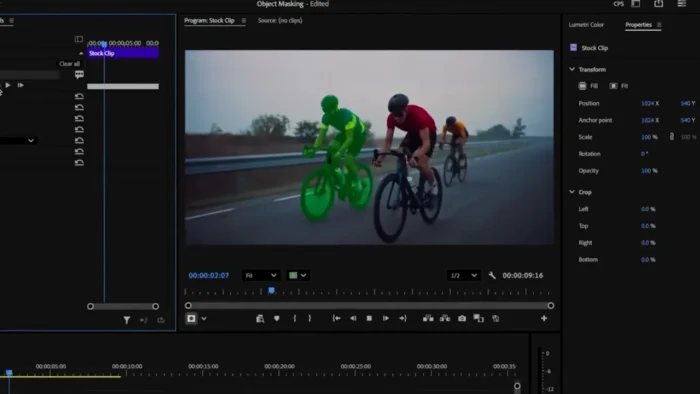
Premiere Pro is a professional, timeline-based video editor developed by Adobe as part of the Creative Cloud suite. It’s built for editors who need real depth — multi-camera sync, broadcast-grade colour grading, and AI-assisted workflows — rather than a quick trim-and-share app.
On macOS specifically, Premiere Pro has been fully optimised for Apple Silicon, meaning M-series chips deliver noticeably faster exports and smoother playback compared to older Intel Macs. It also sits comfortably alongside Photoshop and After Effects, letting you move assets between them without breaking your creative flow.
Key Features
- AI-driven text-based editing — Premiere transcribes your footage automatically, so you can cut a sequence by editing a script instead of scrubbing through hours of clips.
- Multi-cam editing — sync footage from multiple cameras and switch angles live while reviewing playback, a genuine time-saver for interviews and live events.
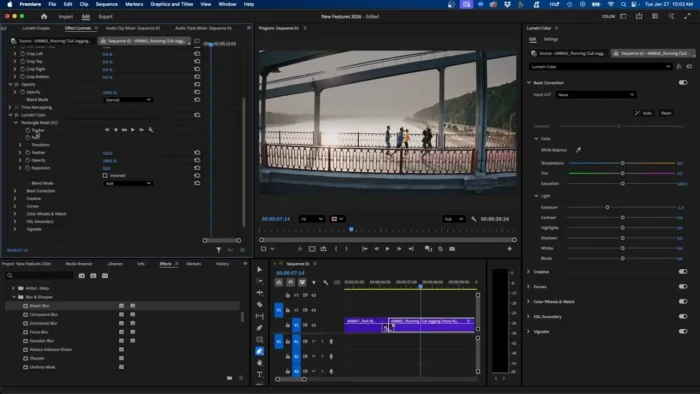
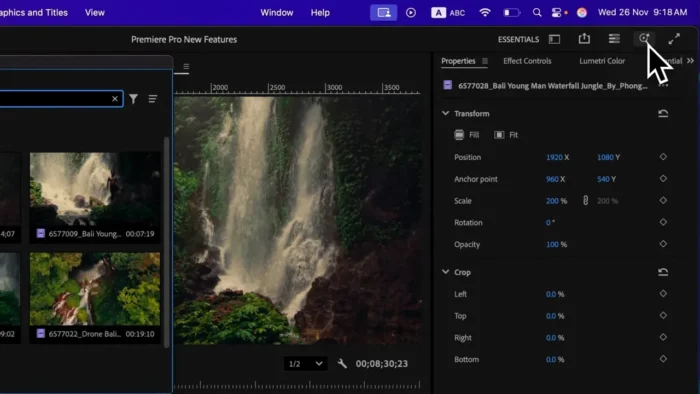
- Lumetri colour grading — professional-grade scopes, curves, and one-click looks that bring flat footage to life without needing a separate grading application.
- Native Apple Silicon performance — Premiere Pro takes full advantage of the M-series architecture, resulting in faster renders and lower power draw on MacBooks.
- Auto Reframe — intelligently repositions your frame when converting horizontal footage into vertical or square formats for social platforms.
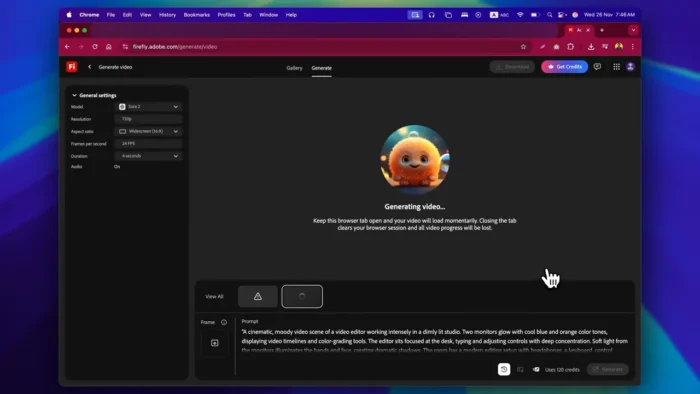
- Generative Extend — an AI tool that extends a clip by a few frames when you’re just short of the length you need.
- Deep Creative Cloud integration — Dynamic Link with After Effects and direct access to Photoshop files streamline your entire post-production pipeline.
- Team Projects — collaborate with editors in different locations, with changes syncing automatically across the project.
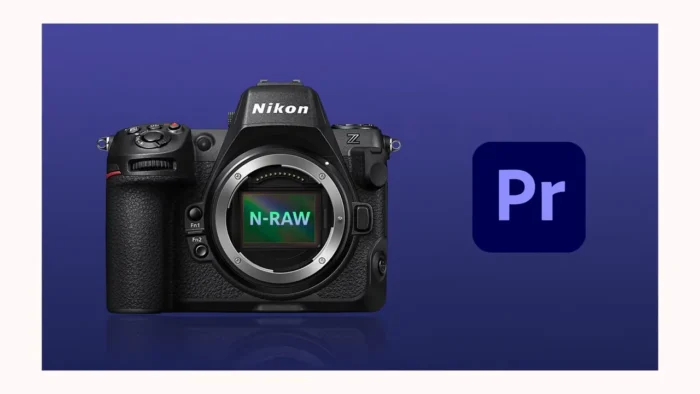
- Extensive format support — native handling of ProRes, H.264, HEVC, and most professional camera RAW formats.
- Essential Sound panel — clean up noisy dialogue and balance audio levels without leaving the timeline.
What’s New
Adobe releases updates to Premiere Pro several times a year rather than a single annual version, so improvements arrive continuously. Recent releases have focused on:
- Faster background rendering and smarter export queuing
- Expanded AI tools, including refinements to Generative Extend and scene-edit detection
- Continued performance gains on Apple Silicon, including better thermal efficiency on laptops
- Broader support for high-resolution and HDR workflows
For precise version-by-version changes, Adobe publishes detailed release notes that are updated with every build.
System Requirements for macOS
Premiere Pro is capable software, and the difference between “it works” and “it feels effortless” comes down almost entirely to hardware.
| Component | Minimum | Recommended |
|---|---|---|
| Chip | Apple M1 or Intel 6th Gen (with AVX2 support) | Apple M2 Pro/Max or newer |
| macOS Version | macOS Monterey or later | Latest available macOS release |
| RAM | 8 GB | 16 GB for HD, 32 GB for 4K and above |
| GPU | Integrated graphics (limited acceleration on Intel Macs) | Apple Silicon integrated GPU or discrete AMD GPU on Intel Macs |
| Storage | Solid-state drive with several gigabytes free for the application | Dedicated external SSD for media cache and scratch disk on larger projects |
| Display | 1280×800 | 1920×1080 or higher, colour-calibrated for grading |
| Internet | Required for setup and licence verification | Required |
A quick note on Intel versus Apple Silicon: Premiere Pro runs on both, but M-series Macs consistently handle 4K and multi-cam projects with far less strain. If you’re editing professionally, an M-series machine is worth prioritising.
How Installation Works on a Mac
- Set up an Adobe account. Every install is tied to your Adobe ID, which handles licensing and keeps your settings synced across devices.
- Choose your trial or subscription plan through Adobe’s official site.
- Install the Creative Cloud desktop app. This app manages downloads and updates for all Adobe software, including Premiere Pro.
- Download and install Premiere Pro from within Creative Cloud. Given the size of the application, this can take some time depending on your connection.
- Sign in and verify your licence, then launch Premiere Pro from your Applications folder or Launchpad.
- Update your graphics drivers and macOS if prompted, as this prevents most early performance issues.
A few common hiccups worth knowing about beforehand: running low on drive space (Premiere’s cache grows quickly on long projects), skipping macOS updates before first launch, and forgetting that an active internet connection is required during setup and periodic licence checks.
Pricing
Premiere Pro runs on a subscription model — there is no one-time purchase option. Current plans typically include:
- A free 7-day trial with full functionality
- A single-app Premiere Pro plan, billed monthly or annually
- The Creative Cloud All Apps plan, bundling Photoshop, After Effects, and more
- Discounted pricing for students and educators
Pricing varies by region and changes periodically, so it’s worth checking Adobe’s official pricing page for current figures rather than relying on older listings.
Pros
- Industry-standard software with skills that transfer directly to studio and freelance work
- Genuinely useful AI tools, from transcription-based editing to Auto Reframe
- Outstanding performance on Apple Silicon Macs
- Tight integration with Photoshop and After Effects
- Frequent, incremental updates rather than one large annual release
- Broad, reliable format and codec support
Cons
- Subscription-only, with no perpetual licence available
- A real learning curve for complete beginners
- Demanding on hardware, particularly for 4K and multi-cam projects
- Requires an internet connection for setup and periodic licence checks
- Intel Macs see noticeably less performance than Apple Silicon models
If You’re Looking for a Free Alternative
Premiere Pro isn’t the only option on macOS, and it’s not always the right fit for casual editors:
- DaVinci Resolve — free version with professional-grade colour grading and no watermark; a paid Studio tier adds further tools
- CapCut — fast, template-driven editing, particularly strong for short-form vertical content
- iMovie — pre-installed on every Mac, ideal for straightforward edits without a learning curve
None of these match Premiere Pro’s AI toolset or Adobe ecosystem integration, but they’re solid, genuinely free options for lighter editing needs.
Frequently Asked Questions
Is Adobe Premiere Pro free on Mac? No. It’s part of Creative Cloud and requires a subscription once the trial period ends.
Does Premiere Pro support Apple Silicon? Yes, and it’s been fully optimised for M-series chips, delivering considerably better performance than on Intel Macs.
Is there a one-time-purchase version for Mac? No. Adobe moved entirely to subscription pricing years ago, and there’s no perpetual licence available.
Can beginners use Premiere Pro on a Mac? Yes, though there’s a genuine learning curve. Those wanting quick, simple edits are often better served starting with iMovie before stepping up to Premiere Pro.
Does Premiere Pro need an internet connection on macOS? Yes, both during setup and for periodic licence verification, even if most of your editing happens offline afterwards.
Does Premiere Pro take advantage of GPU acceleration on Mac? Yes — Apple Silicon’s integrated GPU handles playback and rendering efficiently, and discrete GPUs on older Intel Macs are also supported.
Can I try Premiere Pro before subscribing? Yes, Adobe offers a 7-day free trial with the full feature set and no watermark.
Will an older Intel Mac run Premiere Pro well? It will run, but expect noticeably slower exports and less headroom for 4K or complex timelines compared with an Apple Silicon Mac.
Final Verdict
Adobe Premiere Pro remains the gold standard for professional video editing on macOS, particularly for anyone using an Apple Silicon Mac. Its AI features, colour grading tools, and integration with the wider Adobe ecosystem are difficult to match elsewhere.
If you edit regularly or are building a career in video production, it’s an easy recommendation. If you’re an occasional editor working with a tighter budget, trying the free trial alongside an option like DaVinci Resolve or iMovie first is a sensible way to decide what actually fits your workflow before committing to a subscription.