

CleanMyMac for Mac
CleanMyMac X Free Download for macOS (Latest Version) – Mac Cleanup & Optimization Tool
Every Mac slowly fills up with things you never actually chose to keep — browser cache from sites you visited once, leftover files from apps you uninstalled months ago, system logs nobody reads. None of it shows up cleanly in Finder, and manually hunting it down means digging through hidden Library folders most users never open. CleanMyMac X exists to handle that cleanup safely, without requiring you to know which files are actually safe to delete.
Built by MacPaw specifically for macOS rather than ported from a Windows utility, it bundles cleanup, app management, privacy tools, and basic malware scanning into one dashboard. Whether you’re a content creator whose storage keeps mysteriously filling up or just someone who wants a tidier, faster-feeling Mac without digging through system folders yourself, CleanMyMac X is built to make that maintenance approachable.



Overview
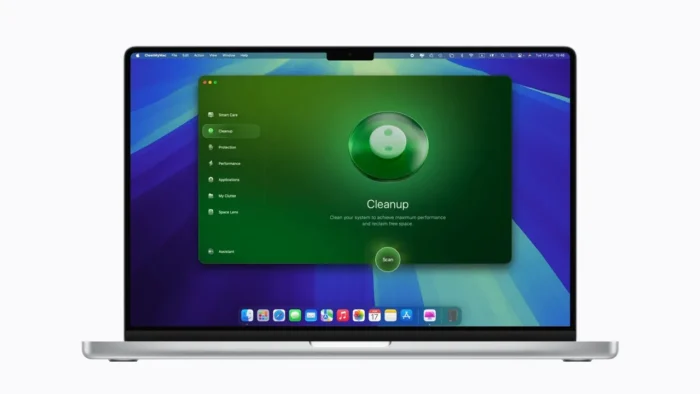
CleanMyMac X is an all-in-one macOS maintenance utility that scans for unnecessary files, manages installed applications, and includes privacy and basic security tools in a single interface.
- Purpose: System cleanup, storage optimization, application management, and privacy protection
- Main workflow: Scan your Mac → review detected items → remove safe-to-delete files → manage apps and startup items → monitor system health
- Ideal users: Mac users managing limited storage, content creators handling large files, and anyone wanting simpler system maintenance
- Compatibility: Native support for both Intel and Apple Silicon Macs
- Major strength: Consolidates several separate maintenance tasks — cleanup, uninstalling, privacy, malware scanning — into one reviewable dashboard instead of requiring several different utilities
Key Features
- Smart Cleanup – Automatically detects unnecessary files and helps free up storage by identifying safe-to-delete items, giving you a quick way to reclaim space without manually hunting through folders.
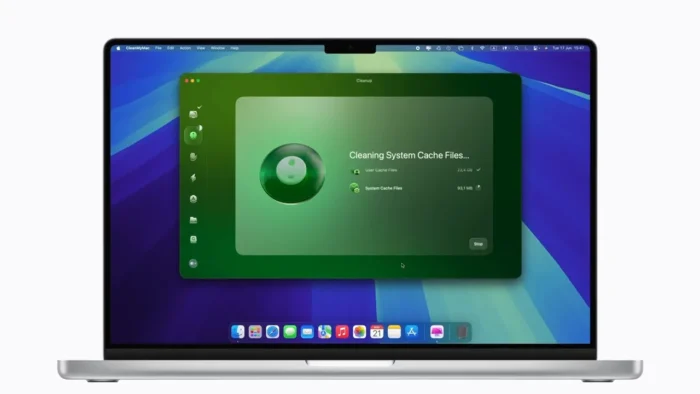
- Junk File Removal – Clears system cache, temporary files, logs, and broken downloads that accumulate silently during everyday Mac use and rarely get cleaned up on their own.
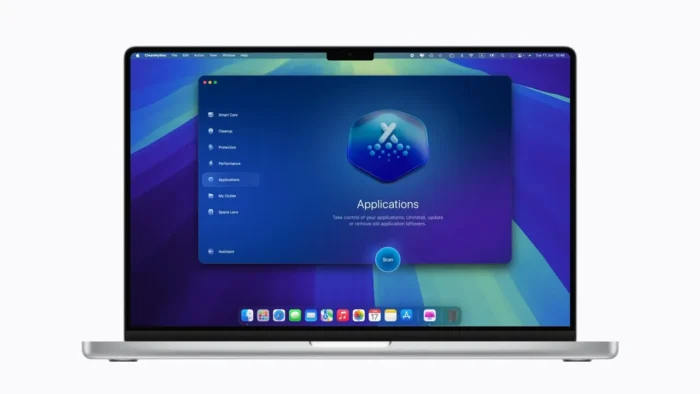
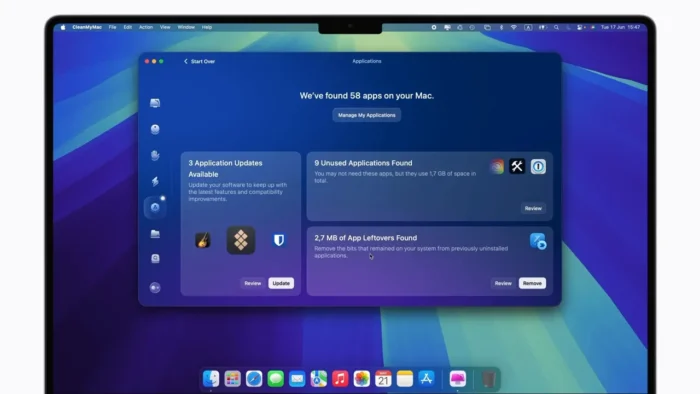
- Application Uninstaller – Removes applications completely, including the leftover support files and preferences that a simple drag-to-Trash uninstall usually leaves behind, keeping your system genuinely tidy rather than just hiding the app icon.
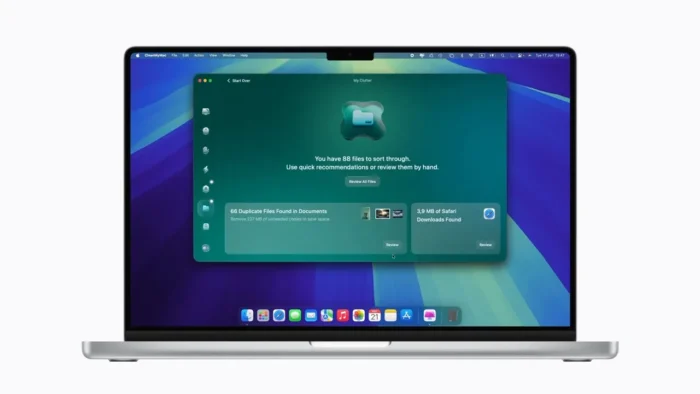
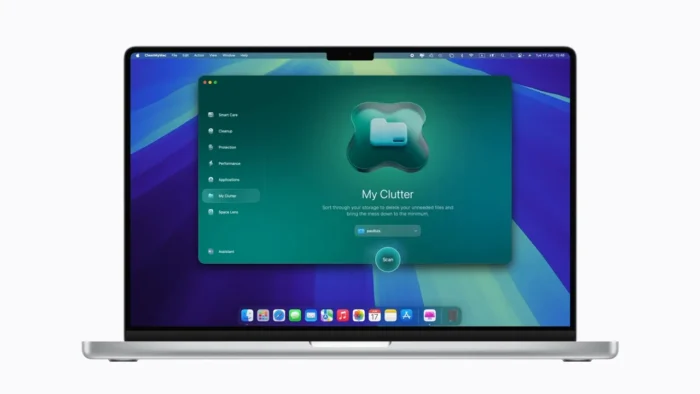
- Large & Old File Detection – Surfaces files eating significant storage space, making it easy to spot forgotten downloads or old project files you no longer need.
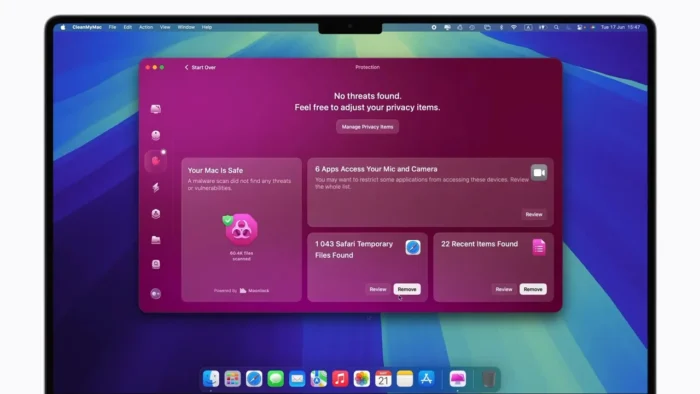
- Privacy Protection – Clears browser history, cookies, and other browsing traces, giving you more direct control over what’s stored locally about your browsing activity.
- Malware Protection – Scans for potential threats and suspicious files, adding a basic layer of security monitoring alongside the cleanup tools.
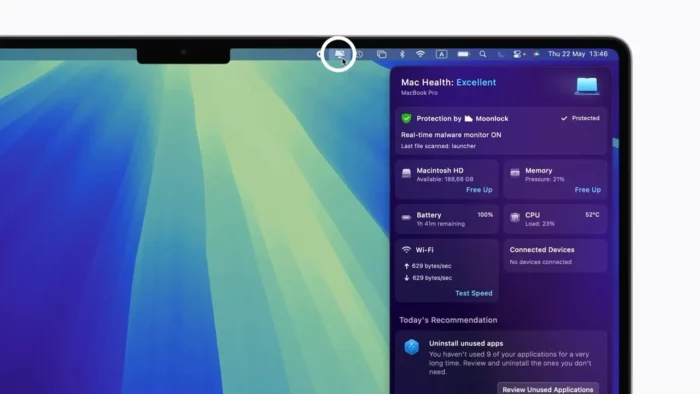
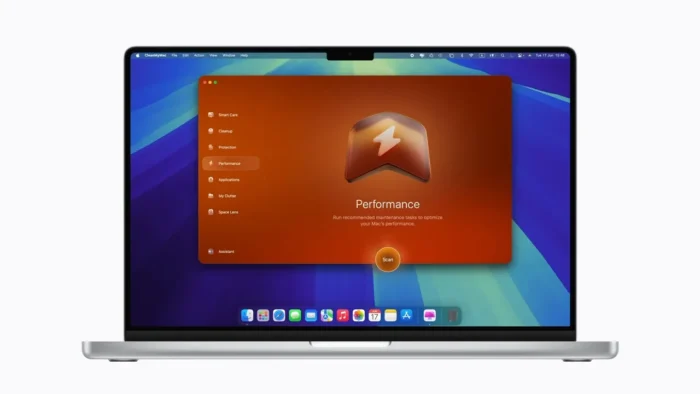
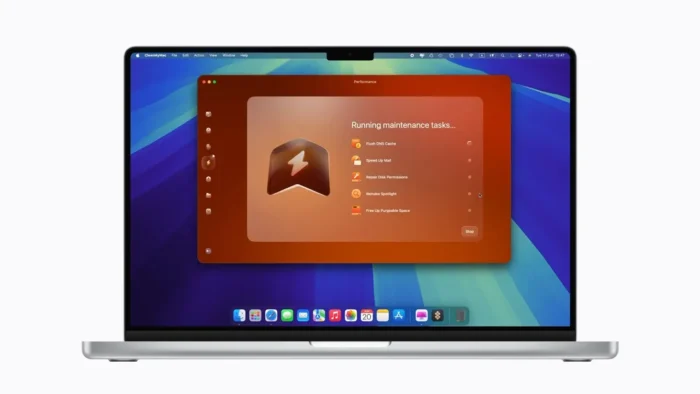
- Performance Optimization – Manages startup items and resource-heavy background processes, which is often the actual cause of a Mac feeling sluggish rather than storage space alone.
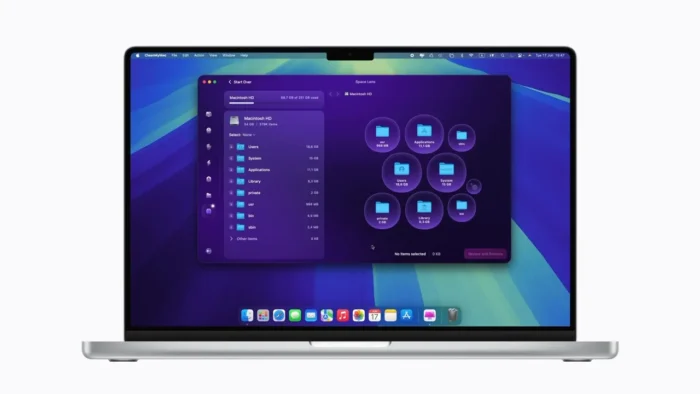
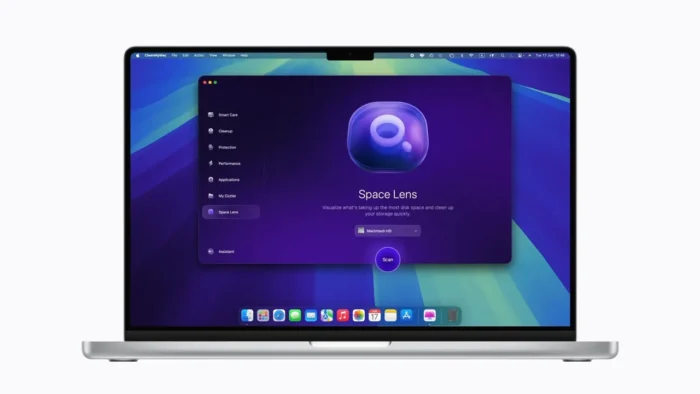
- Space Visualization – Visual storage analysis tools make it far easier to spot which folders are actually consuming space, rather than guessing or manually checking folder sizes one by one.
- Review-Before-Delete Workflow – Every scan presents detected items for review before anything is removed, so you stay in control of what actually gets deleted rather than trusting a fully automated process blindly.
- Cross-Chip Compatibility – Works natively across both Intel-based and Apple Silicon Macs, so the tool stays relevant regardless of which generation of hardware you’re running.
System Requirements
| Component | Requirement |
|---|---|
| Operating System | macOS 10.13 or later (compatible with modern versions including Sonoma and newer) |
| Processor | Intel-based Mac or Apple Silicon (M-series) |
| RAM | 4 GB or higher recommended |
| Storage | Sufficient free space for installation and temporary scanning data |
Systems with large amounts of stored data will naturally take longer to scan thoroughly, so factor that into when you run a deep cleanup.
How to Install CleanMyMac X on macOS
- Download CleanMyMac X from the official MacPaw website.
- Open the downloaded installer file.
- Move the application to your Applications folder.
- Launch CleanMyMac X.
- Follow the on-screen setup instructions.
- Start scanning your Mac and review available cleanup options.
Pros
- User-friendly interface that makes system maintenance approachable for non-technical users
- One-click cleanup options for quick, low-effort maintenance
- Genuinely helps recover meaningful storage space over time
- Application removal includes leftover file detection that manual uninstalling misses
- Built-in privacy and malware protection tools add value beyond simple cleanup
- Supports both Intel and Apple Silicon Macs
- Useful system monitoring features for spotting performance issues early
Cons
- Some advanced features require a paid subscription rather than being included in a one-time purchase
- Deep scans can take a while on systems with large amounts of stored data
- Users should still review detected files before deletion rather than trusting fully automated removal blindly
CleanMyMac X vs Alternatives
OnyX – A free macOS maintenance utility offering detailed system management options, better suited to advanced users who prefer manual control over automated cleanup.
CCleaner for Mac – Covers basic cleaning tasks like cache and junk file removal, a simpler option for users who only need lightweight maintenance without the broader feature set.
Why Download CleanMyMac X?
CleanMyMac X’s main advantage is consolidation — instead of juggling separate utilities for storage cleanup, application management, privacy, and basic security checks, everything runs from one dashboard. That simplicity makes it approachable for beginners, while still offering enough depth (startup management, space visualization, malware scanning) to be genuinely useful for more experienced users who want tighter control over system maintenance without manually digging through Library folders themselves.
Who Should Use CleanMyMac X?
- Mac users managing limited storage space
- Content creators regularly working with large media files
- Users who want simple, low-effort system maintenance
- Anyone looking for an easier way to fully uninstall applications
- People who want a cleaner, more organized, better-performing Mac without deep technical know-how
Frequently Asked Questions
Is CleanMyMac X free? Some features are available for free, but full functionality — including certain advanced cleanup and optimization tools — requires a paid subscription. Check MacPaw’s official site for current pricing.
Does CleanMyMac X support Apple Silicon Macs? Yes, it runs natively on both Intel-based and Apple Silicon (M-series) Macs.
Is CleanMyMac X safe to use? Yes — it presents detected files for review before deletion, so you control what actually gets removed rather than having files deleted automatically without oversight.
Does CleanMyMac X completely remove applications? Yes, its uninstaller removes associated leftover files and preferences along with the application itself, unlike a simple drag-to-Trash removal.
Can CleanMyMac X improve Mac performance? Yes, largely through managing startup items and background processes, which are often bigger contributors to sluggishness than storage space alone.
Does it include malware scanning? Yes, CleanMyMac X includes built-in scanning for potential threats and suspicious files as part of its broader toolset.
How long does a scan take? It depends on how much data is stored on your Mac — systems with large amounts of files will naturally take longer for a thorough deep scan.
Is CleanMyMac X better than free alternatives like OnyX? It depends on your needs — OnyX offers more granular manual control for advanced users, while CleanMyMac X prioritizes an approachable, automated experience with a broader combined feature set (cleanup, privacy, malware scanning, app management) in one place.
Conclusion
CleanMyMac X is a comprehensive Mac maintenance utility that genuinely simplifies tasks most users would otherwise avoid — safely clearing accumulated junk files, fully uninstalling applications, and keeping an eye on system performance, all from one dashboard. Its review-before-delete workflow keeps you in control, which matters for a tool that’s touching system files.
For users who want deep manual control, a free tool like OnyX might appeal more, but for anyone who wants an approachable, all-in-one way to keep macOS organized, private, and running efficiently, CleanMyMac X remains one of the most convenient options available.