

Content Highlights
Adobe Photoshop CS1 Full Free Download Latest version for Windows 11, Windows 10, 7, 8.1/8, and XP. Compatible with both 32-bit and 64-bit Windows OS. This is an Offline installer / full setup with a Direct Download link for Download Adobe Photoshop Creative Suite CS1 offline installer.
Photoshop 8 is Photoshop CS (Creative Suite 1), shipped in 2003. Current desktop Photoshop on Windows is Photoshop 2026 (27.x). “Photoshop 8 CS1 full” means a complete unofficial pack — not an Adobe installer. Adobe does not ship CS1 anymore.
Download Adobe Photoshop for Windows
Official download from Adobe.
Photoshop CS (version 8.0) was the first Creative Suite Photoshop. It added Camera Raw 2, Layer Comps, Match Color, Shadow/Highlight and 16-bit layers. Current Photoshop is a Creative Cloud app. Licensing is an Adobe ID.
Download Photoshop 2026 for Windows
Windows 10 / 11 64-bit · Photoshop 2026 · Subscription or trial · Previous supported CC years on the same seat
Official Adobe build. Sign in at adobe.com or account.adobe.com → Apps → Photoshop → Download / Install.
How-to: Download and install Creative Cloud apps.
Product page: adobe.com/products/photoshop.
Do not run Photoshop_CS1_Full.exe, Adobe_Photoshop_8.0_Setup.exe or a “CS1 ISO + serial” from a file host. That is not Adobe.
Work PCs: your admin assigns the seat in the Admin Console. You still install from Adobe.
Install · CS6 vs CC · Already subscribed?
If you searched for “Photoshop 8 CS1 full” or “activated”
There is no extra unlocked CS1 setup from Adobe.
- Photoshop CS / 8.0 shipped in October 2003 on disc. Activation needed a phone or internet check even then.
- Adobe still lets registered owners download Creative Suite 5, 5.5 and 6 from the account. Adobe no longer provides CS2, CS3 or CS4 installers. CS1 is older than all of those. It is not on the account download list.
- A boxed CS1 serial from 2003 does not become a current Windows 11 installer.
- Sign in with the Adobe ID that owns Photoshop or the Photography / Creative Cloud plan.
- Click Install.
- Sign in again when Photoshop opens.
A “permanent CS1” pack plus a crack or amtlib patch is stolen licensing. Current Photoshop checks the Adobe account. Grey-market keys are often recycled seats.
A current individual Creative Cloud plan can be installed on two computers. Only you may use the seat at one time. Previous supported years on the same account are the legal way to keep an older CC build next to 2026 — that list does not include Photoshop 8 / CS1.
Your download should start on Adobe’s site
If nothing saves, you are on the wrong Adobe ID, or you opened a page that is not adobe.com / the Creative Cloud desktop app.
What to do next
- Sign in at adobe.com or open the Creative Cloud desktop app.
- Open Apps.
- Choose Photoshop.
- Pick the current year (2026), then Install or Download.
- Stay online until Photoshop can sign in.
Typical folder: C:\Users\You\Downloads.
App path (current): C:\Program Files\Adobe\Adobe Photoshop 2026.
There is no official C:\Program Files\Adobe\Adobe Photoshop CS installer in 2026.
If you actually own registered CS5 / CS5.5 / CS6, look under your Adobe account for those perpetual installers — not under “CS1 full.” Custom / enterprise packages are an admin job. Do not take a “Photoshop 8 ISO” from a forum thread.
Windows may warn you. Check the publisher.
- Publisher should read Adobe.
- SmartScreen can appear on a new Creative Cloud setup. Use More info only if the signature is Adobe.
- Do not turn off Defender to “activate CS1.”
- Do not replace licensing DLLs.
Help → System Info (current Photoshop) shows the year and build. Use the Creative Cloud app for later 2026.x patches.
A CS1 .exe whose publisher is blank, “unknown,” or a random company is not Adobe.
Pick the right Windows file
| Product                         | What you get                      | Who it is for                         |
| ------------------------------- | --------------------------------- | ------------------------------------- |
| **Photoshop 2026**              | Current desktop editor            | New seats, current files and plugins  |
| **Photoshop 2025 / prior CC majors Adobe still lists** | Previous years on the same plan | Files or plugins that have not moved |
| **Photoshop CS6 / CS5.5 / CS5** | Last perpetual suites Adobe still lists for registered owners | Only if that serial is on your account |
| **Photoshop CS1 (8.0)**         | 2003 Creative Suite 1 desktop app | Not offered as an Adobe download      |
| **Photoshop CS2–CS4**           | Later suites                      | Adobe no longer provides these installers |
| **Photoshop Elements**          | Separate consumer editor          | Not CS1                               |
Not this download
- Illustrator CS, InDesign CS, GoLive CS — different CS1 apps
- ImageReady CS — shipped with Photoshop CS; not a current Adobe download
- A “portable Photoshop 8” folder
Plugin years must match the Photoshop year. A 2026 plugin will not load in CS1. A CS1 8BF filter will not load in 2026.
Trial and subscription
Desktop Photoshop is a Creative Cloud subscription. You cannot buy current Photoshop outright. A trial is the official look. Convert the trial with the same Adobe ID. Cancel in the account if you only wanted the trial.
Plans that include Photoshop: Photoshop single app, Photography plan, Creative Cloud Pro / Teams / Enterprise. Education seats follow Adobe Education rules.
CS1 was a paid boxed product (about $649 new / $169 upgrade in 2003). A $20 “Photoshop 8 CS1 lifetime full” key is not Adobe.
Will it run on this PC?
Photoshop CS / 8.0 (2003) official floor then: Windows 2000 SP3 or Windows XP, Pentium III/4, 192 MB RAM (256 MB recommended), 280 MB disk, 1024×768, CD drive, activation over phone or internet.
It is 32-bit-era software. Adobe does not support it on Windows 10 or 11. Compatibility Mode is not an official product path.
Photoshop 2026 official path: 64-bit Windows 10 or Windows 11, 8 GB RAM minimum, current GPU and disk rules on Adobe’s requirements page.
|       | Photoshop CS1 / 8.0 (2003, unsupported) | Photoshop 2026 (official)            |
| ----- | --------------------------------------- | ------------------------------------ |
| OS    | Windows 2000 SP3 / Windows XP           | Windows 10 / 11 64-bit               |
| CPU   | Pentium III or 4                        | 64-bit Intel / AMD / Arm as listed   |
| RAM   | 192 MB min                              | 8 GB min, 16 GB+ recommended         |
| Disk  | ~280 MB                                 | 10 GB+ plus scratch                  |
| Other | CD + activation                         | Adobe ID, internet for licence check |
Already installed? Use the Creative Cloud app or account.adobe.com. You do not download a second “full CS1.”
Install, first run, and sign-in
First run (current Photoshop)
- Open Photoshop 2026.
- Sign in with the same Adobe ID.
- Open a small PSD or JPEG — not a 4 GB composite on day one.
- Check Help → System Info.
- Install plugins from their vendors after Photoshop is licensed.
Uninstall: Settings → Apps, or the Creative Cloud app. Close Photoshop first.
If it did not work
- Product missing on the account — this ID never had Photoshop.
- License error — seat used on too many machines, or a fake CS1 key.
- Installer named
Photoshop_8_CS1_Full_Activated— leave. - Windows 11 + a 2003 32-bit setup — unsupported. Use current Photoshop.
- “Activation server / serial invalid” on CS1 — expected. Those servers are gone.
Why people still search for Photoshop 8 / CS1
- First Creative Suite Photoshop (version 8.0, October 2003)
- Camera Raw 2, Layer Comps, Match Color, Shadow/Highlight
- Hierarchical layer groups and broader 16-bit editing
- Old labs and print shops standardised on CS1 next to 7.0
What CS1 will not do in 2026
- Open many current PSDs, smart objects and newer raw files
- Run as an official Adobe-signed Windows 11 app
- Receive security or compatibility fixes
- Replace a licensed Creative Cloud seat
Current Photoshop is the product Adobe still builds. Read Adobe’s What’s new in Photoshop on desktop.
Questions before you trust the installer
Is this the official CS1 file?
No. Adobe does not host Photoshop 8 / CS1. The official file is current Photoshop from adobe.com or the Creative Cloud app. Publisher: Adobe.
Is Photoshop CS1 free?
No. It was a paid boxed product. Current Photoshop is subscription or trial. Education has its own rules.
CS1 vs CS6 vs current Photoshop?
CS1 is 2003 (v8). CS6 is the last major perpetual suite Adobe still lists for registered owners. 2026 is the supported Windows editor with an Adobe ID.
Do I need CS1?
Only if you are matching that exact 2003 UI or an old classroom image. For real work on Windows 10/11, use the current app on your account.
Safe?
Official account installer. The usual risk is fake “CS1 full activated” sites.
After you have the file
Install from Adobe. Sign in. Let Creative Cloud apply updates. Pay or use the work/education seat.
Official download: adobe.com · Download Creative Cloud
Account: account.adobe.com
Which old versions Adobe still lists: Available versions of Adobe apps
Install help: Download and install Creative Cloud apps
Publisher: Adobe Inc. Photoshop and Creative Suite are their marks. Report a page that wrapped a CS1 installer in a crack.
Update: Get Adobe Photoshop CS2 Offline Installer here.
Adobe Photoshop is the most famous graphic editor that lets you professionally edit photos and images CS1. It was initially released in 1990 by Adobe Systems. Photography has been a profession for years and demands perfection to succeed in the market. Adobe Photoshop is the leader in this race. There are a few close competitors, but those are not so unique and user-friendly simultaneously.
TIP: Affinity Photo for Windows is a close alternative to Photoshop.
Adobe Photoshop is the best choice for both amateurs and professionals. It lets you enhance productivity and bring your potential out to the world.
| Adobe | Version | Release Date | File Size | Download Link |
|---|---|---|---|---|
 Photoshop | Adobe Photoshop CC 2025 | October 2024 | 4.91 GB | 64-bit – Download 🡇 |
Photoshop | Adobe Photoshop CC 2024 | September 2023 | 2.7 GB | 64-bit – Download 🡇 |
Photoshop | Adobe Photoshop CC 2023 | October 2022 | 2.87 GB | 64-bit – Download 🡇 |
Photoshop | Adobe Photoshop CC 2022 | October 2021 | 2.9 GB | 64-bit – Download 🡇 |
 Photoshop | Adobe Photoshop CC 2021 | October 2020 | 2.4 GB | 64-bit – Download 🡇 |
 Photoshop | Adobe Photoshop CC 2020 | November 4, 2019 | 1.8 GB | 64-bit – Download 🡇 |
Photoshop | Adobe Photoshop CC 2019 | October 15, 2018 | 1.7 GB | 64-bit – Download 🡇 |
 Photoshop | Adobe Photoshop CC 2018 | October 18, 2017 | 1.6 GB 1.3 GB | 64-bit – Download 🡇 32-bit – Download 🡇 |
Photoshop | Adobe Photoshop CC 2017 | November 2, 2016 | 1.4 GB 1.3 GB | 64-bit – Download 🡇 32-bit – Download 🡇 |
 Photoshop | Adobe Photoshop CC 2015 | June 15, 2015 | 797 MB 693 MB | 64-bit – Download 🡇 32-bit – Download 🡇 |
Photoshop | Adobe Photoshop CC 2014 | June 18, 2013 | 740 MB 711 MB | 64-bit – Download 🡇 32-bit – Download 🡇 |
 Photoshop | Adobe Photoshop CS6 | May 7, 2012 | 1.3 GB | 64-bit – Download 🡇 32-bit – Download 🡇 |
 Photoshop | Adobe Photoshop CS5 | April 30, 2010 | 979 MB | 64-bit – Download 🡇 32-bit – Download 🡇 |
 Photoshop | Adobe Photoshop CS4 | October 15, 2008 | 846 MB | 64-bit – Download 🡇 32-bit – Download 🡇 |
 Photoshop | Adobe Photoshop CS3 | April 16, 2007 | 464 MB | 64-bit – Download 🡇 32-bit – Download 🡇 |
 Photoshop | Adobe Photoshop CS2 | May 2005 | 340 MB | 64-bit – Download 🡇 32-bit – Download 🡇 |
 Photoshop | Adobe Photoshop CS1 | October 2003 | 158 MB | 64-bit – Download 🡇 32-bit – Download 🡇 |
 Photoshop | Adobe Photoshop 7.0 | March 2002 | 160 MB | 64-bit – Download 🡇 32-bit – Download 🡇 |
 Photoshop | Adobe Photoshop 6.0 | September 2000 | 457 MB | 32-bit – Download 🡇 |
 Photoshop | Adobe Photoshop 5.0 | May 1998 | 522 MB | 32-bit – Download 🡇 |
 Photoshop | Adobe Photoshop 4.0 | November 1996 | 552 MB | 32-bit – Download 🡇 |
 Photoshop | Adobe Photoshop 3.0 | November 1994 | 482 MB | 32-bit – Download 🡇 |
 Photoshop | Adobe Photoshop 2.0 | June 1991 | Expired | 64-bit – Download 🡇 32-bit – Download 🡇 |
 Photoshop | Adobe Photoshop 1.0 | March 2002 | Expired | 64-bit – Download 🡇 32-bit – Download 🡇 |
Alternative: You might like older versions of Photoshop. Here are some good versions:
Adobe Photoshop old versions
Adobe Photoshop CC 2017
Adobe Photoshop CC 2015
- Adobe Photoshop CC 2015 (32-bit)
- Adobe Photoshop CC 2015 (64-bit)
- Adobe Photoshop CC 2015 for Mac
Adobe Photoshop CC 2014
- Adobe Photoshop CC 2014 (32-bit)
- Adobe Photoshop CC 2014 (64-bit)
- Adobe Photoshop CC 2014 for Mac
Adobe Photoshop CS6
- Adobe Photoshop CS6
- Adobe Photoshop CS6 for Mac
Related: Download Picasa for Windows
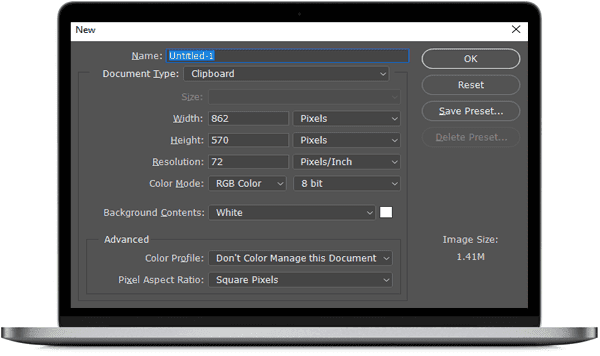
What’s New in Adobe Photoshop CS1
In the mid-2000s, Adobe released Adobe Photoshop CS1, an impressive software that captured the attention of digital artists, photographers, and graphic designers. With its extensive range of tools, Photoshop CS1 offered a diverse palette for creative expression. It served as an excellent starting point for users familiar with older computer systems, making tasks like creating precise web graphics and image maps seem almost effortless. However, it’s crucial to approach Photoshop with the right tools and resources to avoid frustration and fully appreciate the capabilities of this remarkable software.
Adobe Photoshop CS1 marked a significant shift in digital media, establishing the foundation for the advanced versions we have today. This powerful program can be overwhelming for those with limited experience in computer graphics, as both the software and its accompanying manual provide a wealth of features and options. Photoshop CS1 introduced features like retouching and repairing photos, painting, and editing, blending images into backgrounds, and utilizing the History Palette. Notably, it also introduced the “Slice Select Tool” and the “Slice Tool,” which proved invaluable for web designers. These tools enabled creatives to divide images into multiple parts, enabling the creation of interactive and dynamic websites. Additionally, Photoshop CS1 allowed users to match colors from one area of an image to another, leading to more consistent and professional results.
CS1 is a robust program with an abundance of features. It serves as an excellent platform to learn the ins and outs of Photoshop CS. However, it’s essential to acknowledge that Photoshop CS is a complex program that requires time and patience to master. It cannot be taught quickly or simplistically. With Photoshop CS1, users can edit photos, create PDF presentations from the file browser, generate web galleries, and produce photo packages or contact sheets.
For new InDesign users or those unfamiliar with concepts like bleed, slug, kerning, and leading, it is advisable to acquire foundational knowledge before diving into Photoshop CS1. If one is genuinely committed to learning and willing to work through each lesson patiently, one can unlock the full potential of Photoshop CS1.
Here is an excellent explanation of what’s new in Photoshop CS1:
Group Layers and take them anywhere
Layer grouping is not a new feature in Adobe CS1. Still, this feature has enhancements like copying multiple layers to a clipboard and pasting to another photo document in Photoshop.
What’s New in Adobe Photoshop CS1 List
Besides major changes, here are some remarkable changes:
- Improved Selection Tools (Refine Edge)
- Content-Aware Fill
- Improved HDR Functionality
- Puppet Warp
- Improved Brush Options (scattering, custom shapes)
- Basic 3D modeling capabilities (3D text and shapes, adjusting position and orientation of 3D objects)
- Improved File Management (Adobe Mini Bridge)
- Basic Video Editing (adding layers, adjusting timing and animation)
For a full view, you can visit the official changes log page.
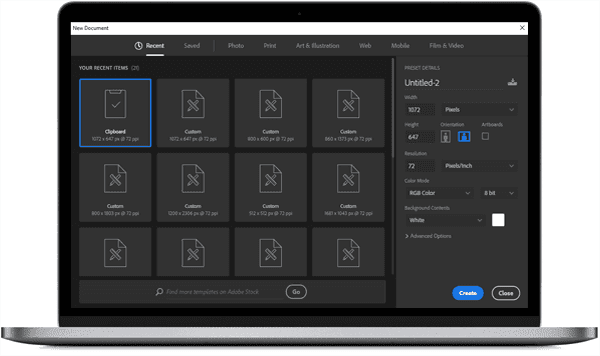
Adobe Photoshop Features
User Interface
The user interface is well-designed. Everything seems to be perfect in its place. The placement order is also user-friendly and makes it easy to reach menus and palettes.
Powerful Print Options
Printing becomes more joyful with Photoshop. Enhance print-outs with a number of printing options that will give outputs a professional touch.
Format Support
Many image formats are supported, including PSD, BMP, JPG, JPEG, PDF, PIC, PNG, PXR, TGA, TIFF, etc. A wide range of images are supported to import and export with reasonable customization and compression options.
Highly Stable
Photo editing software is usually reported crashes. Adobe Photoshop is highly stable and very few crashes are reported as compared to other applications. You can work for hours without fear of crashes and data loss.
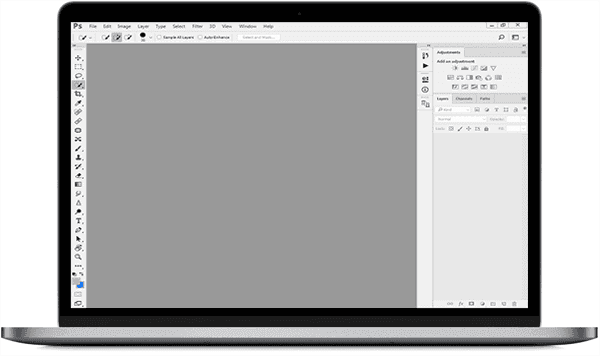
Download Adobe Photoshop CS1 Full Setup (32-Bit / 64-Bit)
Adobe Photoshop Is the best choice for pro-class photo editing. If you master it, you will discover that you can edit almost everything using your creative skills. It looks simple at the start, but once you start exploring it, you will be amazed repeatedly by every trick caused by creativity skills. It is a professional photo editing software and is not free. But you can try its trial version free for some period (almost 30 days currently).
Download Adobe Photoshop CS1 (32-bit & 64-bit)